
Mastering Salesforce APIs: Reaching into the Cloud Like a Pro!
Introduction
In this post, we’ll explore how external processes can interact with Salesforce Core to manipulate data efficiently.
Understanding Salesforce Core
Salesforce Core is the central space containing your data and configurations. External processes might need to interact with this space to push, pull, or update data. The available options for these interactions are the focus of our discussion.
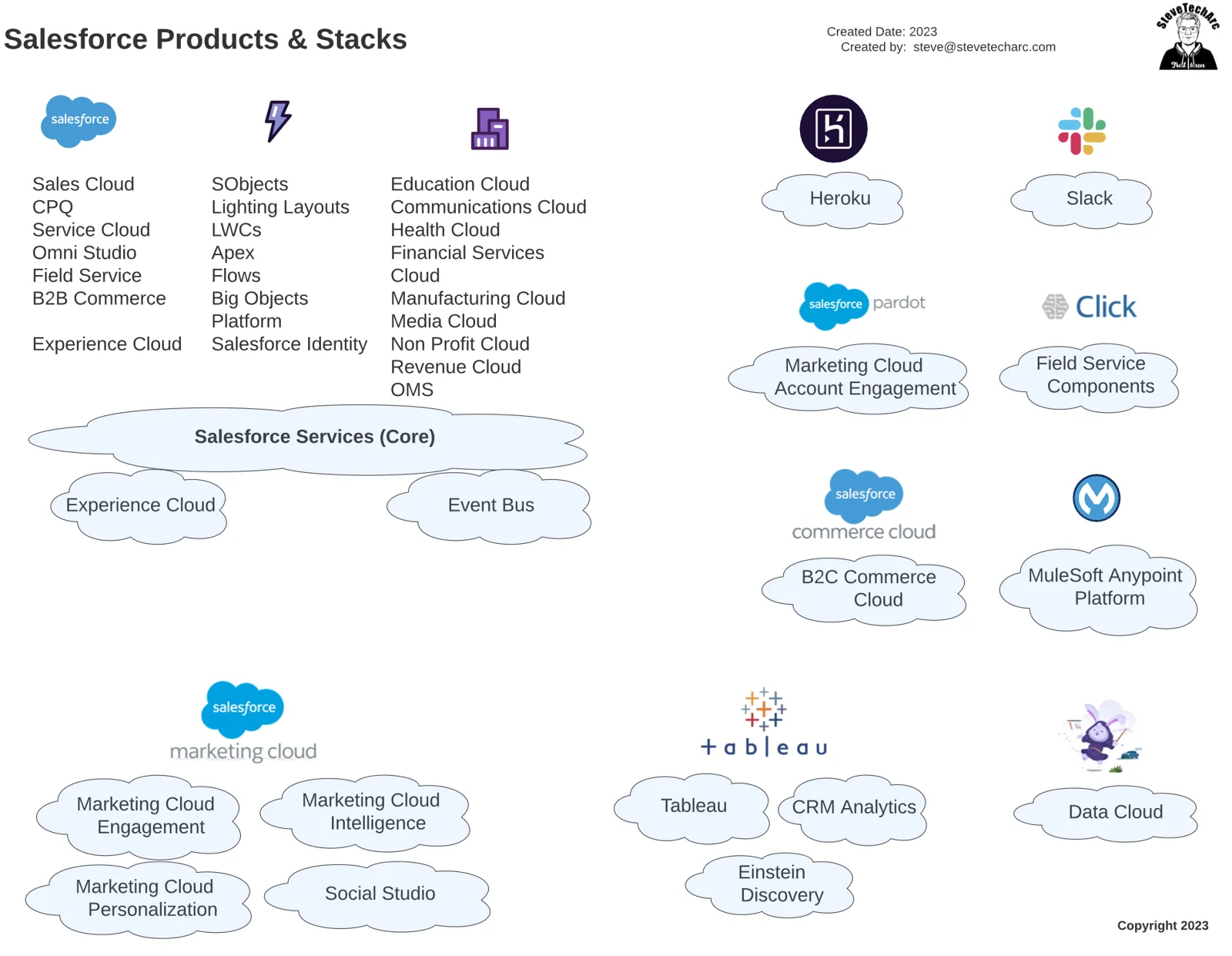
Salesforce Products Integration
In a previous video, we discussed various Salesforce products and how they integrate. Some products coexist in the Salesforce Core, sharing memory space and processing power, while others require separate hosting.
Accessing Salesforce Core
To access Salesforce Core, external processes need to authenticate at login.salesforce.com. Upon authentication, a session token is received, allowing access to the instance web server, Salesforce UI, and other components.
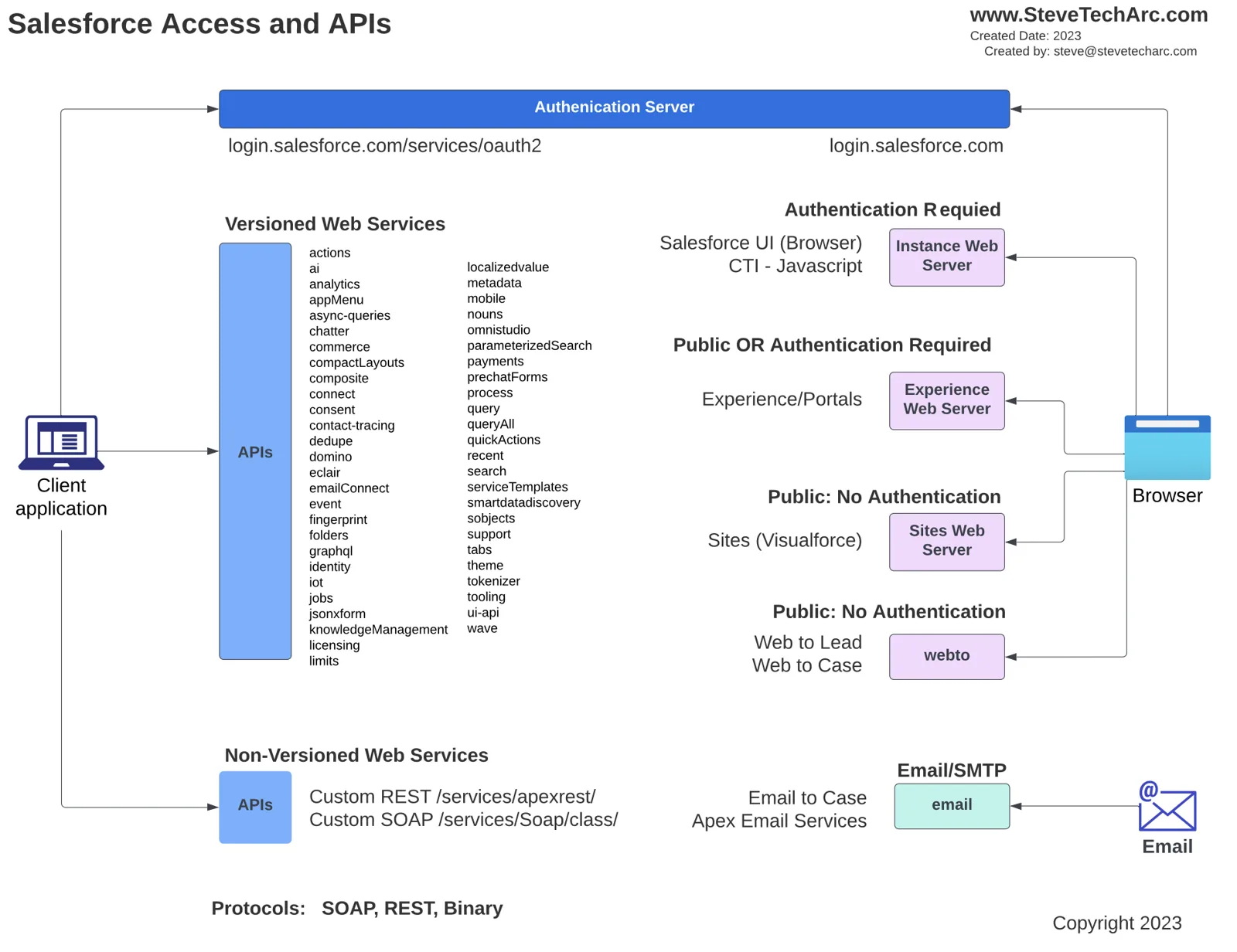
Browser-Based Access
Browsers can access Salesforce Core using different mechanisms. These include authenticated and non-authenticated pages through Salesforce Experience or Portal, Visualforce pages through Sites Web Server, and Web-to-Lead and Web-to-Case servlets.
Client-Based Access
On the other hand, client processes, ranging from mobile devices to servers, can access Salesforce Core through various web services. Some of these services are versioned for backward compatibility, while others, like custom Apex, are not versioned.
Choosing the Right API
Selecting the appropriate API depends on your specific needs.
- For reading and writing reasonable amounts of SObject data, the REST API is ideal.
- For older technology stacks, the SOAP API might be necessary, though it’s becoming obsolete.
- Other APIs offer different functionalities, like the GraphQL API, which allows for more complex data retrieval in a single call.
API Details and Versions
For detailed information on each API and their versions, refer to the Salesforce developer documentation. Here, you’ll find a comprehensive list of endpoints and services, with some APIs focusing on core functionalities while others cater to specific products like B2C Commerce or Einstein Analytics.
Utilizing Postman for API Calls
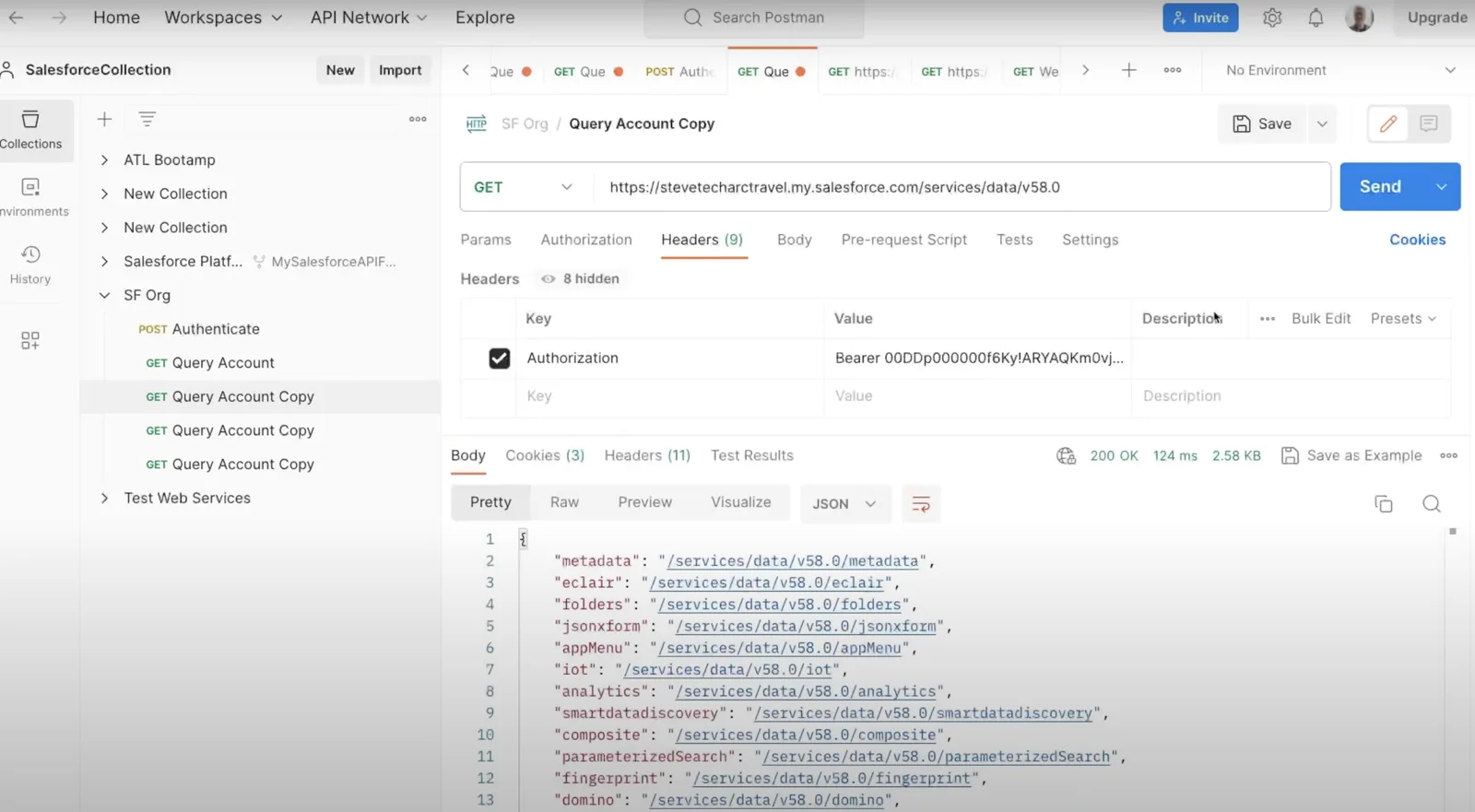
Postman is a valuable tool for making API calls and accessing various web services. With Postman collections, you can easily navigate through different APIs like Bulk API versions one and two, learning the details of making REST calls and accessing various functionalities.
Conclusion
Understanding how to interact with Salesforce Core and other products is crucial for efficient data manipulation.
Familiarize yourself with the available APIs, practice using tools like Postman, and study the provided documentation to master the art of Salesforce data interaction.
Stay Tuned
For more insights and tips on APIs, stay tuned here on www.SteveTechArc.com and to the @SteveTechArc (opens in a new tab) YouTube channel. Subscribe and enhance your understanding of Salesforce and how you can integrate it with other systems.
Helping change the world by sharing integration info with fellow Architects and those on their Architect Journey!
STA 1.2