
Inside the Salesforce Engine
यह कंटेंट अभी तक आपकी भाषा में उपलब्ध नहीं है।
Also in 2 languages
Module 1 of 5 in the chapter Query and Retrieval Architecture, chapter 8 of the Data Architect course. Each module stands on its own. Previous: the last chapter, Designing for Scale · Next: How Salesforce Finds Your Data
The question this module answers: Why doesn’t Salesforce work like Oracle or SQL Server?
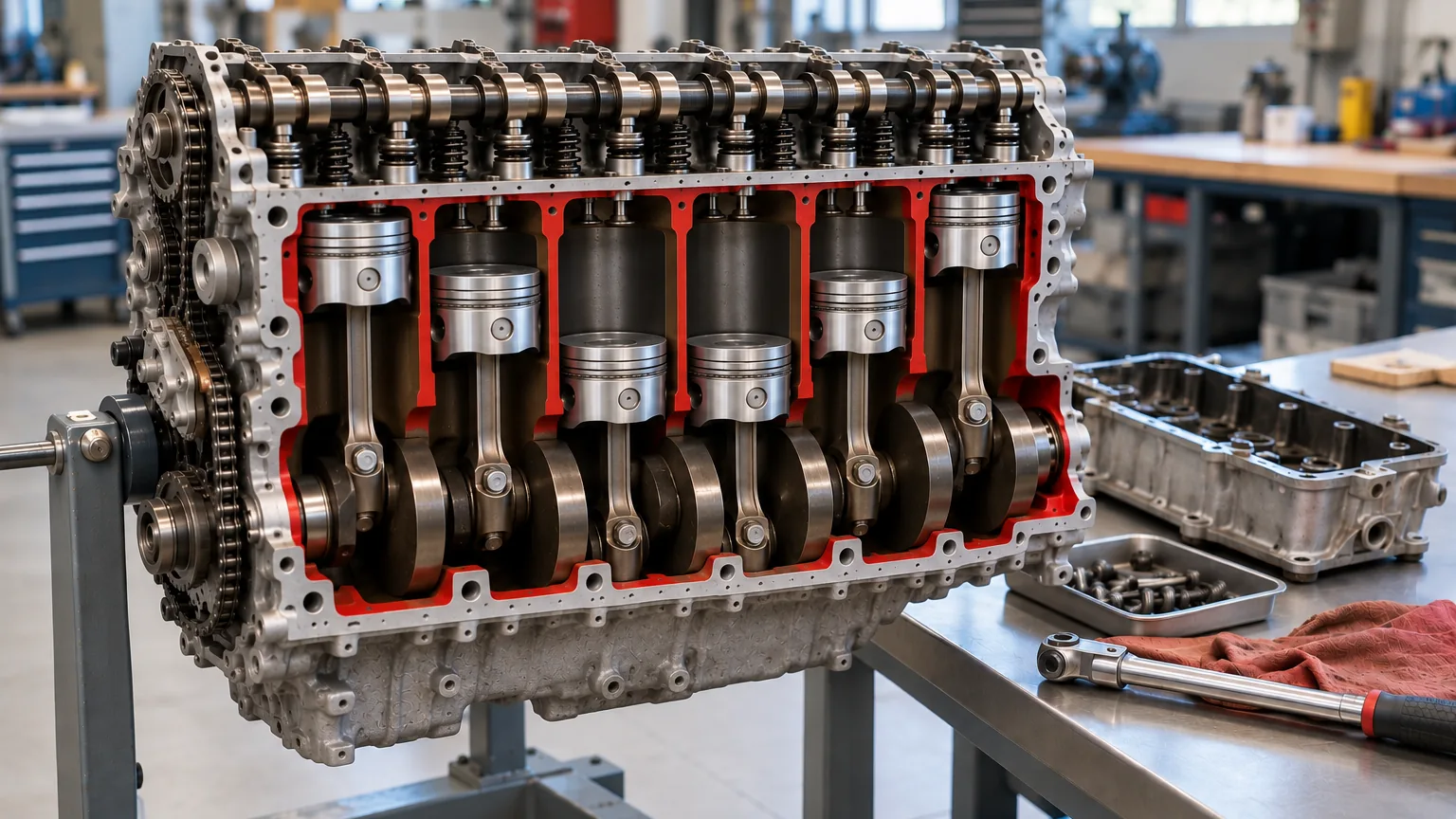
In class, this is where I take a break, and when everyone comes back I say: let’s pop the hood. We’re going to open the engine of Salesforce and look at the parts that make it run. This is the most technical part of the course. Most of it isn’t on the exam, and I’ll tell you when something is. But it answers a question every database person eventually asks me: why doesn’t Salesforce just work like Oracle or SQL Server?
I told you in chapter 7 about the room at Dreamforce full of database administrators asking exactly that. Salesforce answers them in its own guide: “if you apply traditional performance-tuning techniques based on the data and schema of your organization, you might not see the effect you expect on the actual, underlying data structures,” and “you also cannot optimize the SQL underlying many application operations because it is generated by the system” (Multitenancy and Metadata Overview (opens in a new tab), Winter ‘27). The reason is underneath the platform. You drive Salesforce every day: you create objects, add fields, write queries. Today we look at the engine. You don’t need to be able to build it. You need to understand it well enough to design the car.
One Building, Many Tenants
Section titled “One Building, Many Tenants”You’ve met this idea already, in chapter 3: Salesforce is multitenant. Think of an apartment building. Every company has its own apartment, with its own furniture and its own key, and your key doesn’t open anyone else’s door. But everyone shares the building: the power, the water, the elevators.
In Salesforce, the key has a name: the org ID. Every company’s org has one, and every record Salesforce stores for that org carries it. That’s how many companies can share one building safely. Salesforce’s Well-Architected guidance says it plainly: “A shared, metadata-driven kernel partitions every org’s data and metadata by organization ID, so one org can’t reach another org’s records even though they’re both running on shared infrastructure. The kernel enforces separation on every query, not through a configuration that you must maintain” (Trust (opens in a new tab)). You don’t lock your apartment door every night; the building does it for you, on every request.
That doesn’t mean security stops being your job. The same guidance divides it in two: “Salesforce is responsible for security of the platform, including infrastructure, patching, and compliance certifications. You are responsible for security on the platform, including configuration, access controls, custom code, and data governance” (same source). The building keeps the tenants apart. Who gets a key to which rooms inside your apartment is yours to design, and that’s the sharing model you’ll meet again in chapter 12.
And a shared building needs rules. If every apartment turns on a big air conditioner, a hair dryer and the oven at the same moment, the circuit breaker trips and the whole floor loses power. That’s why Salesforce has governor limits: they keep any one tenant from taking the power everyone else needs.
Salesforce describes the platform as two things at once (Platform Multitenant Architecture (opens in a new tab)):
- Multitenant: “It isolates and concurrently supports the varying requirements of many tenants.”
- Metadata-driven: “It lets every tenant easily and quickly customize their apps and user experiences using metadata, data that describes elements such as the user interface (UI) and business logic.”
The second one is where the engine starts to look different from the database you know.
One kernel, your org’s metadata, one shared database.
No New Tables, Just Metadata
Section titled “No New Tables, Just Metadata”In Oracle or SQL Server, when you need a new kind of record, a database administrator creates a table. A new field? Alter the table and add a column. On a busy system, that can mean locking the table or scheduling downtime.
Salesforce doesn’t do that. In its own words: “When you create a new application object or write some code using the Salesforce Platform, the platform does not create an actual table in a database or compile any code. Instead, the platform simply stores some metadata that it can then use at runtime to dynamically materialize virtual application components.”
So your Work Order object isn’t a table. It’s a description of a table, stored as rows of metadata. When a request arrives, the platform’s kernel, its application runtime, reads that metadata and your data from one shared database and puts your org’s view together on the fly. Salesforce says each instance runs on “a single shared multitenant database with a single schema” and “a multitenant kernel (application runtime) that reads metadata and data to dynamically provide tenant-specific applications, business logic, and APIs for each tenant’s users at runtime.”
That’s why you can add a field at lunchtime in production and nobody notices. Nothing physical changed. A row of metadata was added.
Adding a field is adding a row.
A Few Shared Tables Hold Everything
Section titled “A Few Shared Tables Hold Everything”Now let’s look at the tables themselves. There are surprisingly few of them, and every tenant shares them. Salesforce’s current guide puts it in one sentence: “Salesforce stores the application data for all virtual tables in a few large database tables, which are partitioned by tenant and serve as heap storage,” and manages them “using a set of metadata, data, and pivot tables” (Multitenancy and Metadata Overview (opens in a new tab), Winter ‘27). Salesforce’s architecture paper names them, and this is the design it describes.
Every row carries an org ID. Salesforce: “every org-specific record in shared database tables has an OrgID. When the kernel accesses the database, it uses this unique identifier to ensure that each org’s activities are private.” The data is in shared tables, but it’s kept apart, row by row.
The metadata tables (Salesforce calls them the Universal Data Dictionary):
- MT_Objects has one row for each object: its ID, your org’s ID and the object’s name. Your Work Order object is a row here.
- MT_Fields has one row for each field: which object it belongs to, its data type, whether it’s indexed, and its position.
The data table, MT_Data, holds the records themselves, for every object, for every org. Each row has a unique ID, the org ID, the object ID, a Name, and then a long row of general-purpose columns called Value0 … ValueN, which Salesforce calls flex columns, or slots. Every slot is a variable-length string, so it can hold text, a number or a date: the platform stores them in one standard format and converts them when your data is read or written. Long text, up to 32,000 characters, is stored apart in MT_Clob.
Here’s what that means in practice. In Steve Trucking’s org, Truck_Number__c on Work Order might live in slot Value7. In another company’s org, in the same table, Value7 might hold Favorite_Ice_Cream__c on some completely different object. Salesforce says it plainly: “no two fields of the same object can map to the same slot in MT_Data for storage; however, a single slot can manage the information of multiple fields, as long as each field stems from a different object.” Your metadata tells the platform what Value7 means for you.
A few shared tables hold everything.
All of it is also partitioned by org ID, so a query only ever looks in your org’s part of each table. Salesforce calls this “partition pruning.”
The Join You Never Wrote
Section titled “The Join You Never Wrote”Here’s something that surprises people. You write:
SELECT Id, Name, Truck_Number__c FROM WorkOrder
It looks like one table. It isn’t. Salesforce keeps standard fields and custom fields apart: “For each object table that’s visible to you, Salesforce maintains other, separate tables at the database level for standard and custom fields. This separation, which is invisible to customers, ordinarily requires a join when a query contains both kinds of fields” (Best Practices for Deployments with Large Data Volumes (opens in a new tab), Winter ‘27).
So Salesforce is doing a join behind the scenes that you never wrote. With a few thousand records, you’ll never notice. With tens of millions, it’s one of the reasons Salesforce offers skinny tables, which we’ll meet in module 4.
The join you never wrote.
Why a Normal Index Doesn’t Fit
Section titled “Why a Normal Index Doesn’t Fit”Now the problem this whole chapter is about. A traditional database finds rows fast with indexes. But think about slot Value7 again: for you it’s a truck number, for someone else an ice cream flavor, for a third org a date stored as text. You can’t build one normal database index over a column that holds different kinds of values for different orgs.
Salesforce says exactly that: “it is not practical to create native database indexes for the flex columns of MT_Data because the platform uses a single flex column to store the data of many fields with varying structured data types. Instead, the platform manages an index of MT_Data by synchronously copying field data marked for indexing to an appropriate column in an MT_Indexes pivot table.”
Read that last sentence twice, because the next module is built on it:
- An index is a copy. The value is copied out of MT_Data into MT_Indexes, into a column of the right type: StringValue, NumValue or DateValue. That’s where a real database index can work.
- The copy is made synchronously, as each record is saved. A read gets faster; every save has more work to do.
MT_Indexes isn’t the only extra table. Salesforce keeps several, each a copy of something, built to answer one kind of question fast:
| Extra table | What it’s for |
|---|---|
| MT_Indexes | Finding values in indexed fields |
| MT_Unique_Indexes | Enforcing fields that must be unique |
| MT_Relationships | Following relationships quickly, in either direction |
| MT_Fallback_Indexes | Searching by record Name if the search engine is unavailable |
| MT_Name_Denorm | Showing the Name of related records |
Step 2 of 2: Salesforce keeps copies built for finding things.
The Engine Was Rebuilt, and You Didn’t Notice
Section titled “The Engine Was Rebuilt, and You Didn’t Notice”Here’s something that happened while you were working. Over the last few years, Salesforce replaced the database underneath all of this.
It’s called SalesforceDB. In Salesforce’s words, it’s “a modern, cloud-native relational database designed specifically for Salesforce’s multitenant workloads … It extends PostgreSQL, separates compute and storage, and leverages Kubernetes and cloud storage,” and it “handles all transactional CRM data, upwards of 1.1 trillion transactions per month” (The Salesforce Platform: Transformed for Tomorrow (opens in a new tab)). On the rebuilt platform, “each Salesforce org is housed in a Hyperforce cell, which includes the SalesforceDB service”: Hyperforce is Salesforce’s infrastructure on public cloud. The tenant ID is still on every row: “Each table record includes a tenant ID to distinguish its ownership.”
Why build a database? Salesforce’s own database engineers explain it in a research paper: “As Salesforce grew to multiple regions and hundreds of instances, managing its multitenant workload on vendor database systems with high reliability became increasingly challenging,” so they chose “a fork of Postgres” built for Salesforce’s multitenant model (Arora and others, A Multi-tenant Relational OLTP Database at Salesforce (opens in a new tab), CIDR 2026).
And the move happened under running orgs. In November 2024, Salesforce wrote that 85% of its customers had moved to the rebuilt platform; its current paper says “more than 95% of our customers have transitioned to this new platform.”
Did you have to rewrite anything? No. That’s the point of everything in this module. You never wrote SQL against Salesforce’s tables. You worked with objects, fields and records, described by metadata, and Salesforce says that’s exactly what made the change possible: “This design allows the platform to integrate new data storage technologies or modify existing ones without necessitating application rewrites” (same source). The engine was rebuilt, and the car kept driving.
One honest caution. The shared tables earlier in this module are the design Salesforce documents, in its architecture paper and in its Winter ‘27 large data volumes guide. Salesforce hasn’t published how each of those tables is laid out physically on SalesforceDB, so treat them as the design, not as a promise about today’s physical storage. What hasn’t changed is what you can see: indexes are still copies, standard and custom fields are still joined, and the selectivity rules in module 3 still apply.
The engine changed. The car didn’t.
Why an Architect Cares
Section titled “Why an Architect Cares”You won’t be asked to name MT_Data on the exam. But once you’ve seen the engine, a lot of Salesforce’s behavior stops being a list of rules to memorize and starts making sense:
- Why one company can’t see another company’s records: every row carries its org ID, and the kernel enforces the separation on every query.
- Why security inside your org is still your job: Salesforce secures the building; who gets a key to which rooms in your apartment is your design.
- Why governor limits exist: everyone shares the building.
- Why you can add a field at lunchtime: it’s a row of metadata, not a change to a table.
- Why a query on standard and custom fields together can slow down at volume: the join you never wrote.
- Why Salesforce has its own indexing rules, and why some custom indexes need a conversation with Salesforce Support: a native index doesn’t fit the flex columns, so indexed values are copied into tables built for finding them.
- Why indexes have a cost: every copy is updated on every save.
- Why Salesforce could replace its database without breaking your org: you build on metadata, not on database tables.
So how does Salesforce actually find your records in all of this? That’s a library, and it’s the next module.
Test knowledge. The internal table names aren’t exam material. What is: Salesforce is multitenant and metadata-driven; custom fields can’t use native database indexes, so Salesforce keeps index tables that copy indexed values; and a query that mixes standard and custom fields involves a join, which skinny tables avoid. SalesforceDB is context for an architect, not an exam fact.
What an Architect Decides Here
Section titled “What an Architect Decides Here”- Which behaviors to explain from the platform’s design, not from habit: why Salesforce isn’t designed like a dedicated database, and what follows from that.
- Where the hidden costs are: the join between standard and custom fields, and the copy behind every index.
- When a team coming from Oracle or SQL Server needs to hear why Salesforce works differently, before they design as if it didn’t.
- What’s yours to secure: Salesforce keeps the orgs apart; access inside your org (profiles, permission sets, sharing) is your design.
- What to design against: the behaviors Salesforce documents (metadata, index copies, the join, selectivity), never a physical table layout, which Salesforce has already changed underneath you once.
Explore
Section titled “Explore”- Salesforce Architects, Platform Multitenant Architecture (opens in a new tab), checked 2026-11-01: multitenant and metadata-driven; the kernel; OrgID; MT_Objects, MT_Fields, MT_Data, flex columns, MT_Clob; MT_Indexes and the other pivot tables; partitioning by org.
- Salesforce Architects, Well-Architected, Trust (opens in a new tab), checked 2026-11-01: tenant isolation by organization ID, enforced on every query; the Shared Responsibility Model.
- Salesforce Developers, Best Practices for Deployments with Large Data Volumes (Winter ‘27), Multitenancy and Metadata Overview (opens in a new tab), checked 2026-11-01: a few large tables partitioned by tenant; metadata, data and pivot tables; why traditional tuning doesn’t apply.
- Salesforce Architects, The Salesforce Platform: Transformed for Tomorrow (opens in a new tab), checked 2026-11-01: section 6.1, Transactional Database (SalesforceDB), and section 5, Metadata Framework.
- Arora, Chatterjee, Fanghaenel, Helland, Mittal, Chong, Martin and Wyatt (Salesforce), A Multi-tenant Relational OLTP Database at Salesforce (opens in a new tab), CIDR 2026 (January 2026), checked 2026-11-01: how and why Salesforce built SalesforceDB.
- Salesforce Developers, Best Practices for Deployments with Large Data Volumes (Winter ‘27), Skinny Tables (opens in a new tab), checked 2026-11-01: separate tables for standard and custom fields, and the join.
- In this course: The Salesforce Data Platform: More Than a Database (chapter 3: metadata and the apartment building) and When Volume Changes Everything (chapter 7: the Dreamforce room of database administrators).