
Apex Web Service: Building Blocks for Web Wizards
Introduction:
In this blog post, I will delve into the construction of custom Apex web services in Salesforce. These services are crucial when you need an external process to interact with Salesforce for data retrieval or writing, and the standard REST API falls short. We will walk through five examples, gradually increasing in complexity, from standard queries to updates.
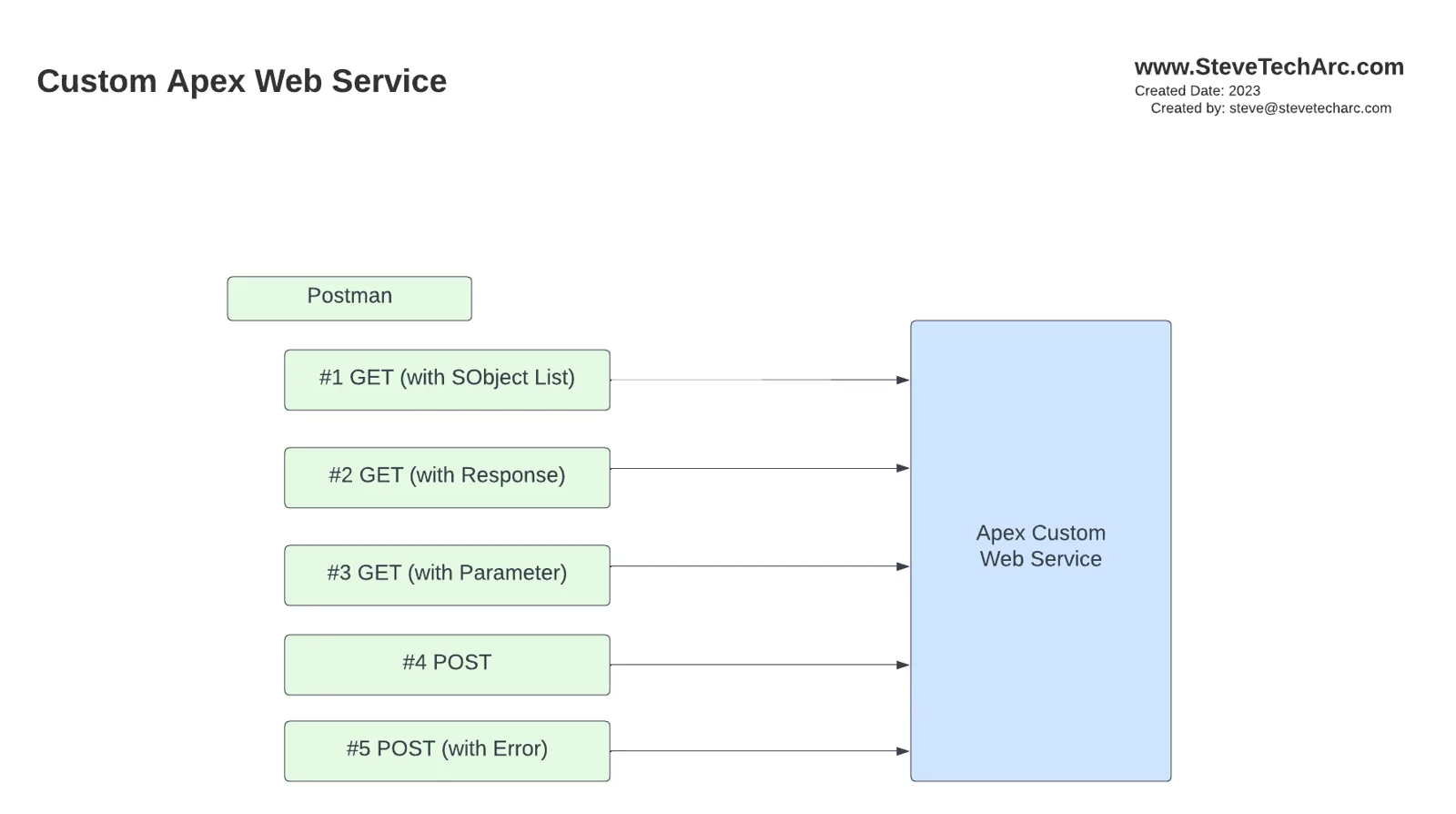
Custom Web Services Overview
We will explore five examples of custom web services:
GET Using Standard SObject List: Retrieve data using a standard SObject list.
Wrapper with JSON Response: Enhance the GET request by wrapping it with a JSON response.
Adding Parameters: Introduce parameters to the GET request for more specific data retrieval.
Using POST for Insert: Implement a POST request for data insertion.
Error Message Return: Handle and return error messages appropriately.
Implementing Custom Web Services
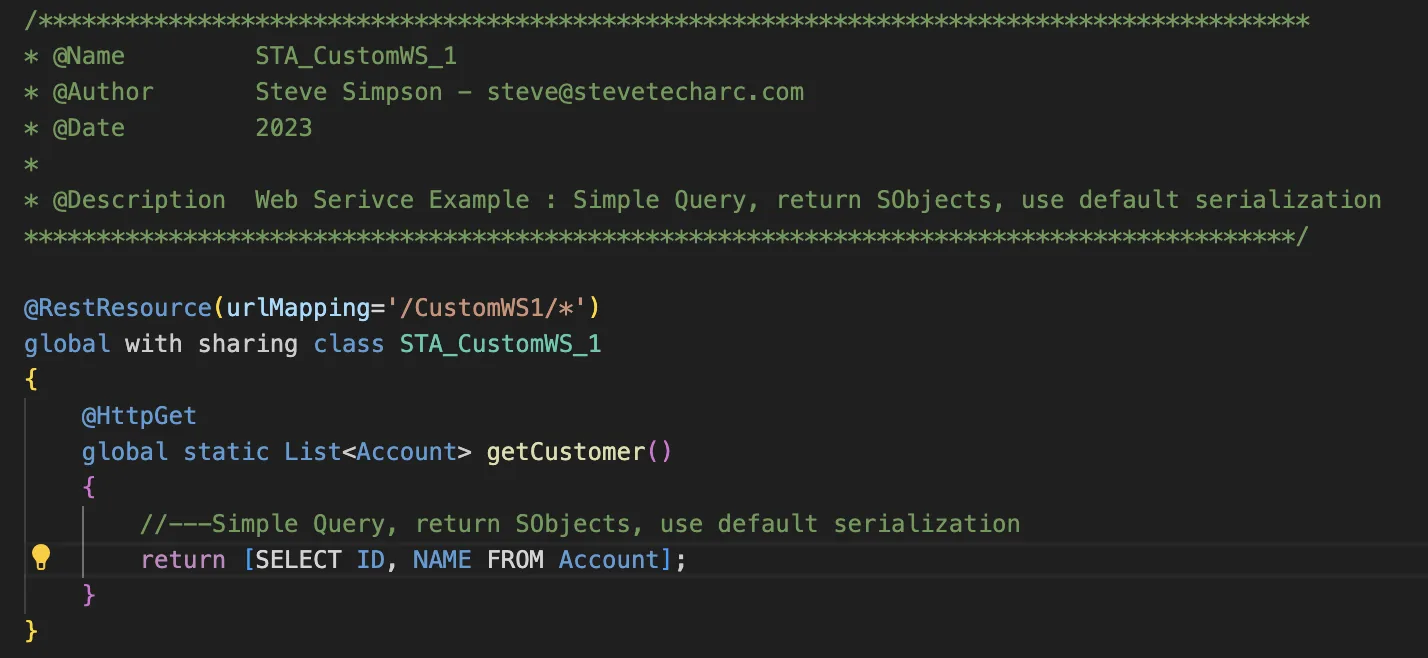
Example 1: GET Using Standard SObject List
In this example, we define a REST resource with a custom URI and specify the HTTP verb (GET). The class should be declared as global, and we return a list of standard accounts using a simple query.
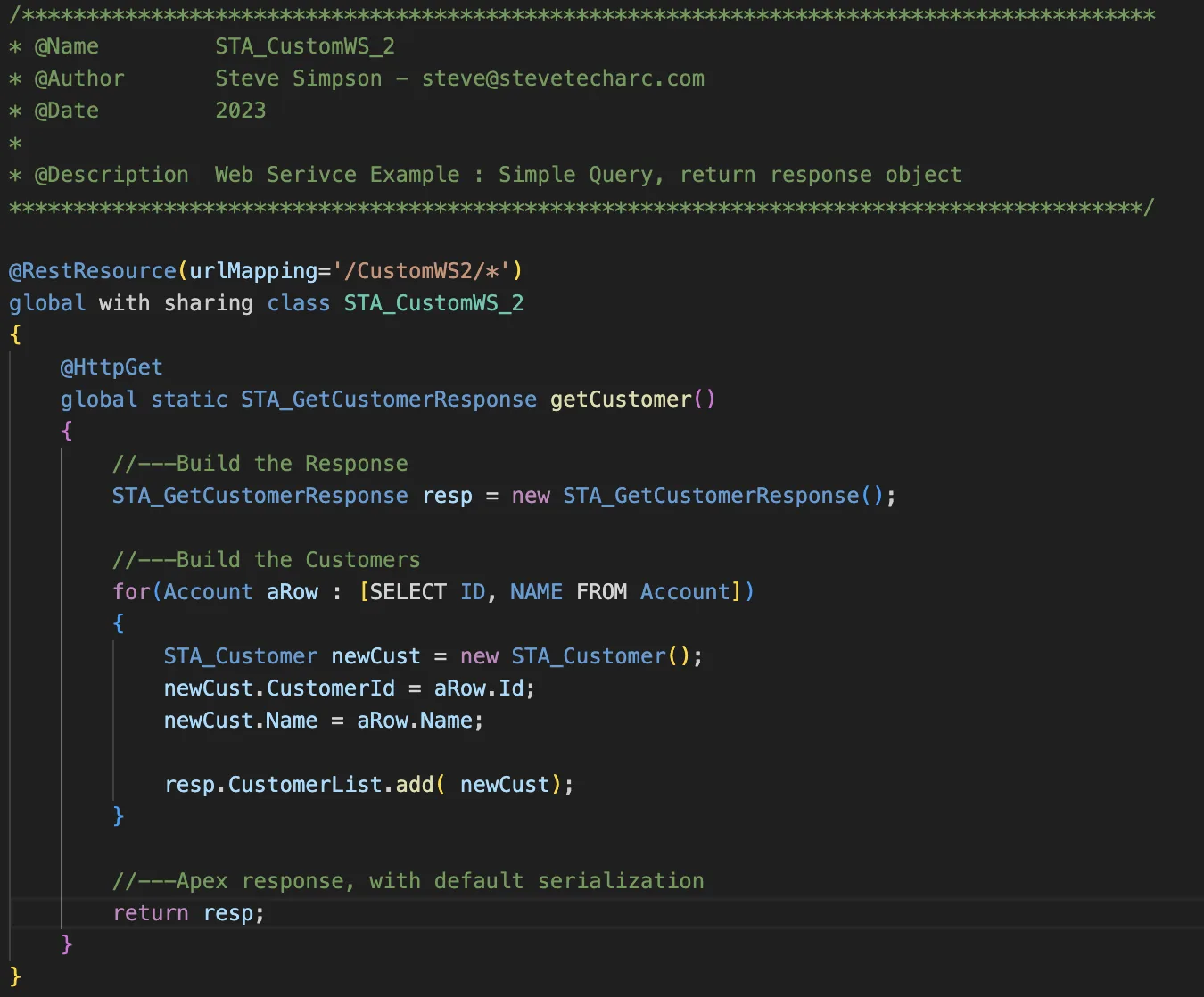
Example 2: Wrapper with JSON Response
To have control over the data sent back to the client, we use a response object. Instead of returning a list of SObjects, we return a list of custom response objects, providing a lightweight representation of a customer with just the ID and name.
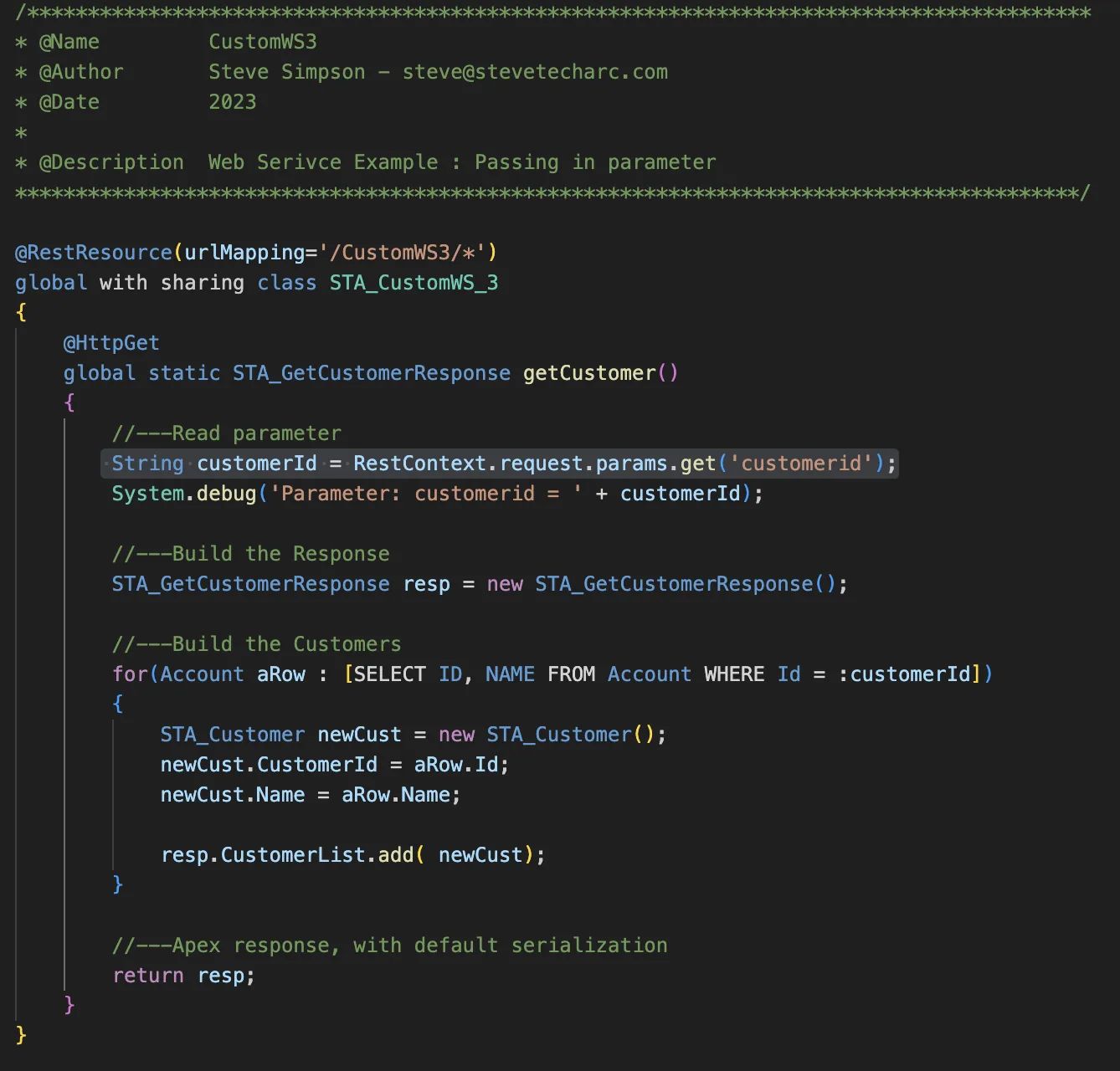
Example 3: Adding Parameters
Parameters are essential when you need data for a specific customer. By reading the RestContext.params, you can retrieve the customer ID and use it in the SOQL WHERE clause to filter the data.
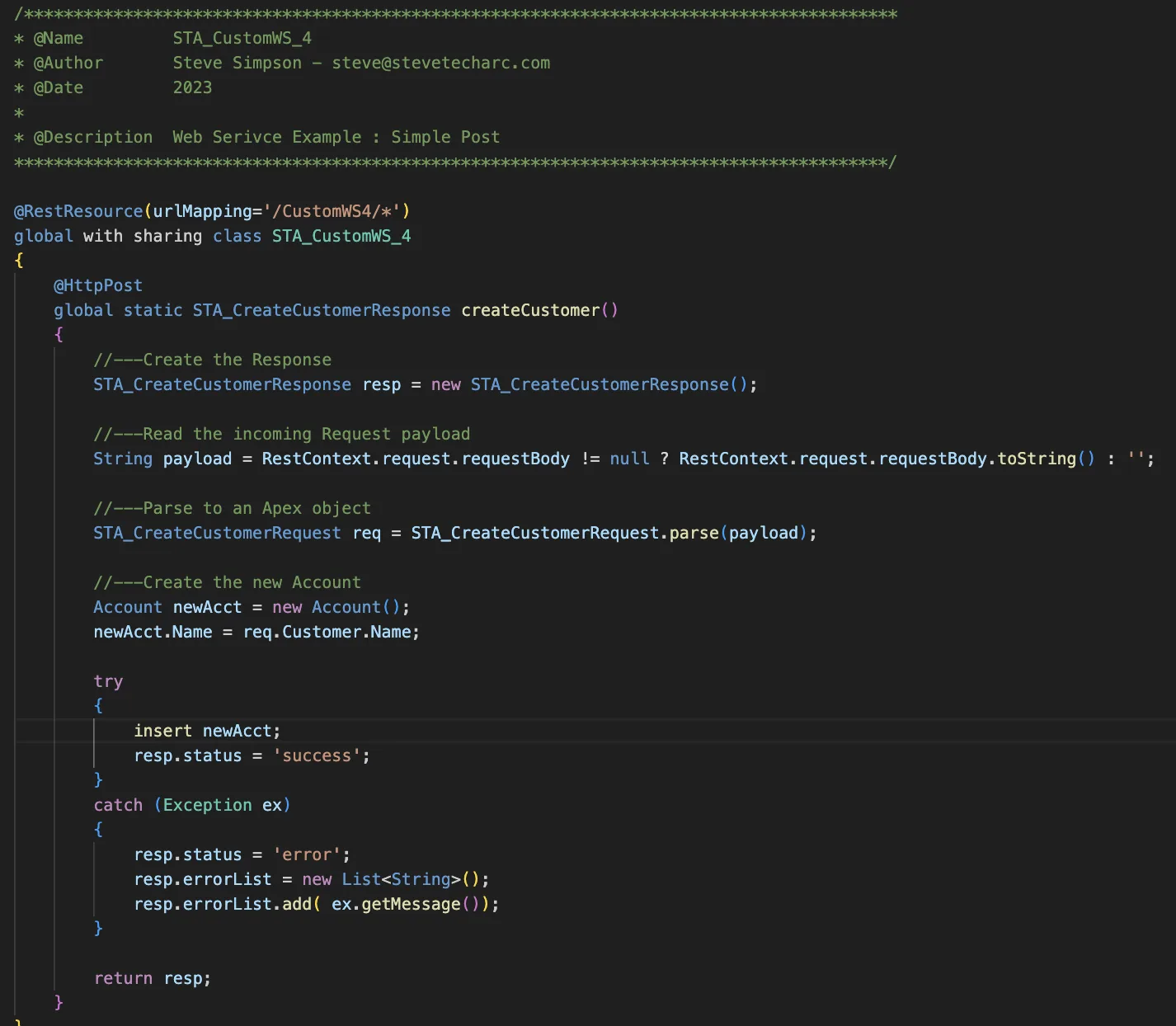
Example 4: Using POST for Insert
When you need to write data, a POST method is used. In this example, we create a response object and a request object. The request object receives a customer with a name, and we use JSON serializer to serialize the request to a specific class. After creating and inserting a new account, a success status is returned.
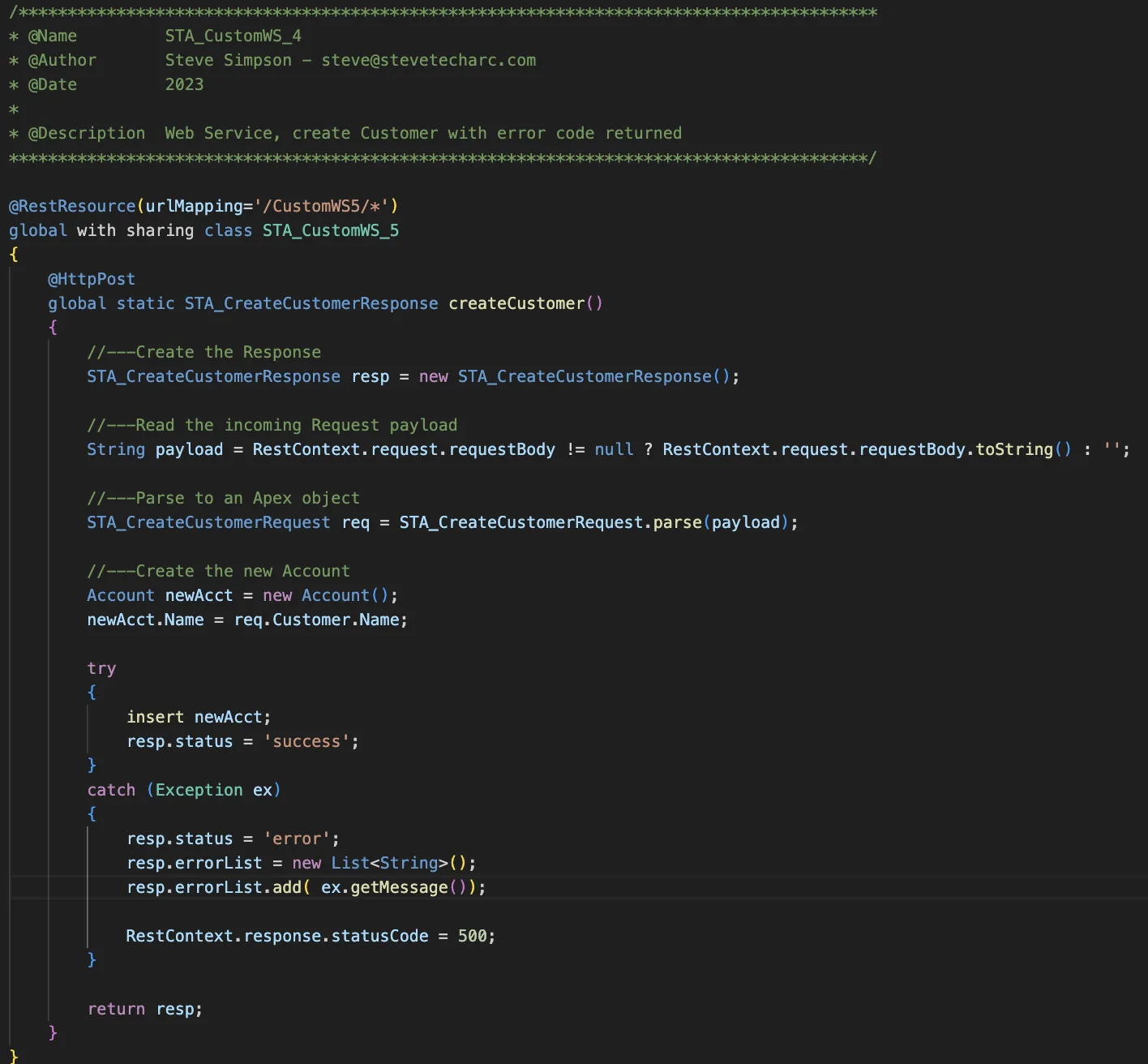
Example 5: Error Message Return
This example is similar to Example 4 but includes error handling. In the case of an exception, the error is caught, added to a list, and the status code is set to 500 (or any number you prefer).
Conclusion
Through these examples, we have demonstrated the basic building blocks for creating custom Apex web services in Salesforce. Starting with a simple GET request, we have gradually increased complexity, introducing parameters, POST requests, and error handling.
Stay Tuned
Thank you for reading, and I look forward to sharing more knowledge-packed adventures with you soon! Stay tuned here on www.SteveTechArc.com and to the @SteveTechArc (opens in a new tab) YouTube channel. Subscribe and enhance your understanding of Salesforce and how you can integrate it with other systems.
Helping change the world by sharing integration info with fellow Architects and those on their Architect Journey!
STA 1.8