
Their Own Animal: the Stream and the Lake Object
Este conteúdo não está disponível em sua língua ainda.
Module 2 in the chapter Streams and the Lake, chapter 6 of the Data 360 Architect course. Each module stands on its own. Previous: What a Lakehouse Is · Next: Profile, Engagement or Other
The question this module answers: What’s the difference between a data stream and a data lake object, and where does the design work happen?
If you come from the core org, you know objects: Account, Contact, a custom object. Data 360 has objects too, but they behave differently, and data streams are definitely their own animal. So before we design any more of them, let’s be clear about what each piece is.
Three layers
Section titled “Three layers”I describe Data 360’s data in three layers. The data streams are the feeds in from the data sources. The data lake objects are pretty much the pool of data that’s come in, in its original format. And the data model is where you have your more abstracted, generic model that you’re going to use (chapter 8).
Salesforce’s own definitions line up with that. A data lake object is “A container for the data brought into Data 360.” A data model object is “A harmonized grouping of data created from data streams, insights, and other sources.” The lake keeps it as it came; the model shapes it for use.
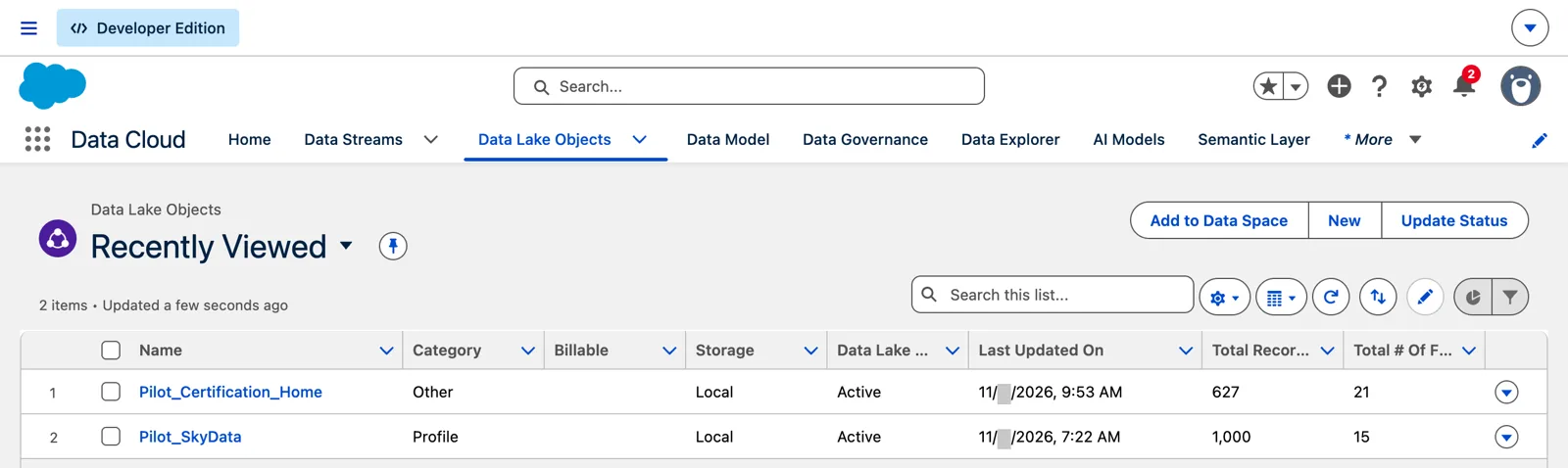
Two lake objects, one from a CRM object and one from a file (Salesforce Data 360 in a Developer Edition org, screenshot, November 2026). Full size
The stream and the lake object: a flip side
Section titled “The stream and the lake object: a flip side”Follow one source through. It comes in from the left through a connector (chapter 4). From the connector, it carries on to the data stream, and from the data stream to the data lake object. The stream and the lake object are like a flip side of each other. You create the stream, and its lake object comes with it.
The stream faces the source: how and when the data arrives. The lake object faces Data 360: the data as it’s stored and used.
Where the design work happens
Section titled “Where the design work happens”Here’s the part that matters. Once the data stream is created, there’s minimal configuration for the data lake object. The decisions are made at the stream: the source, the fields and their types, the key, the category (module 3), the name, the refresh mode (chapter 4). And then in the mapping to the model (chapter 8).
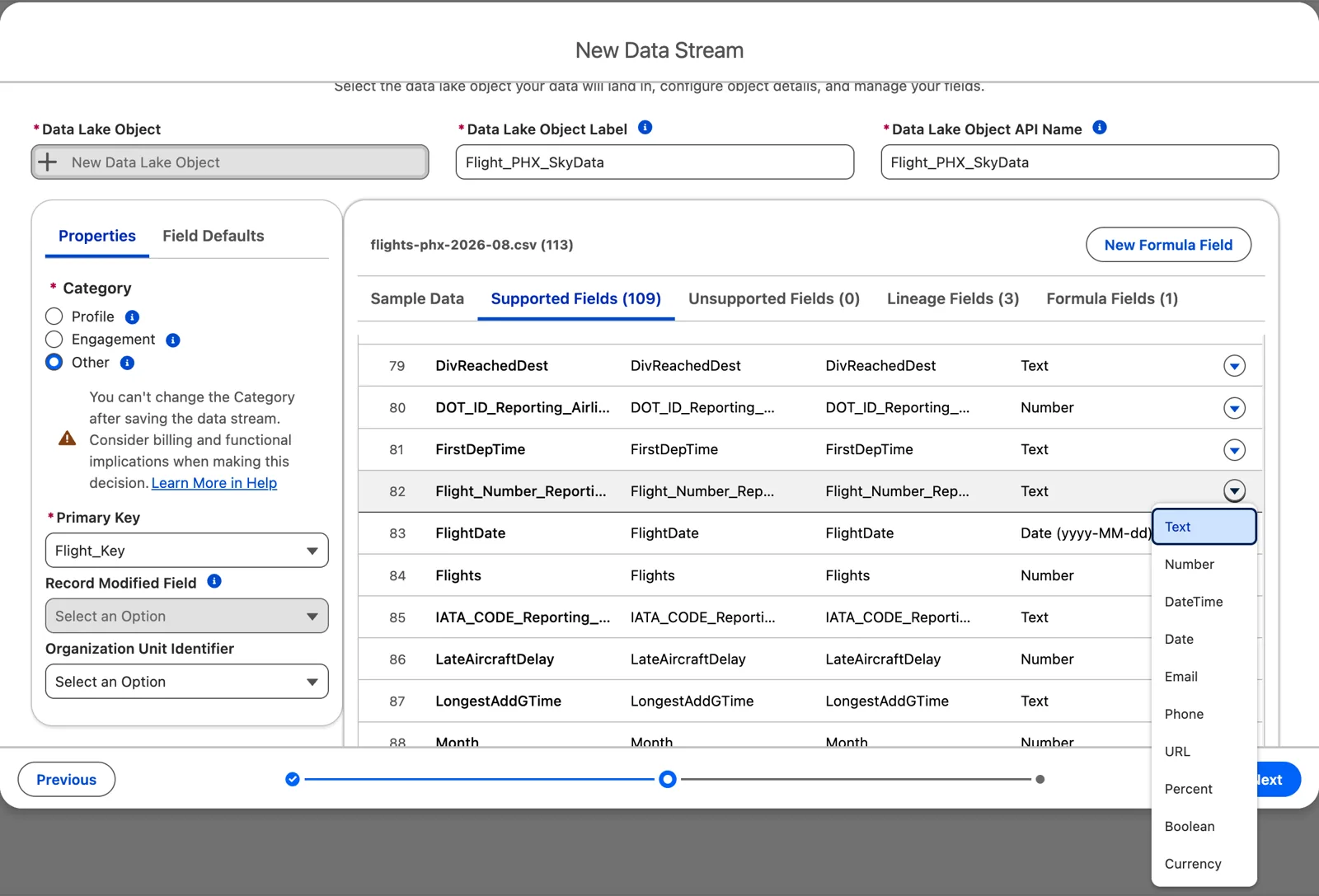
The decisions are made at the stream: here, a field’s type (Salesforce Data 360 in a Developer Edition org, screenshot, November 2026). Full size
That doesn’t make the lake object a temporary stop. It’s the stored raw layer: a real table in the lake (module 1), queryable, used by transforms (chapter 7) and insights. It’s where you go back to when you need the data exactly as it came.
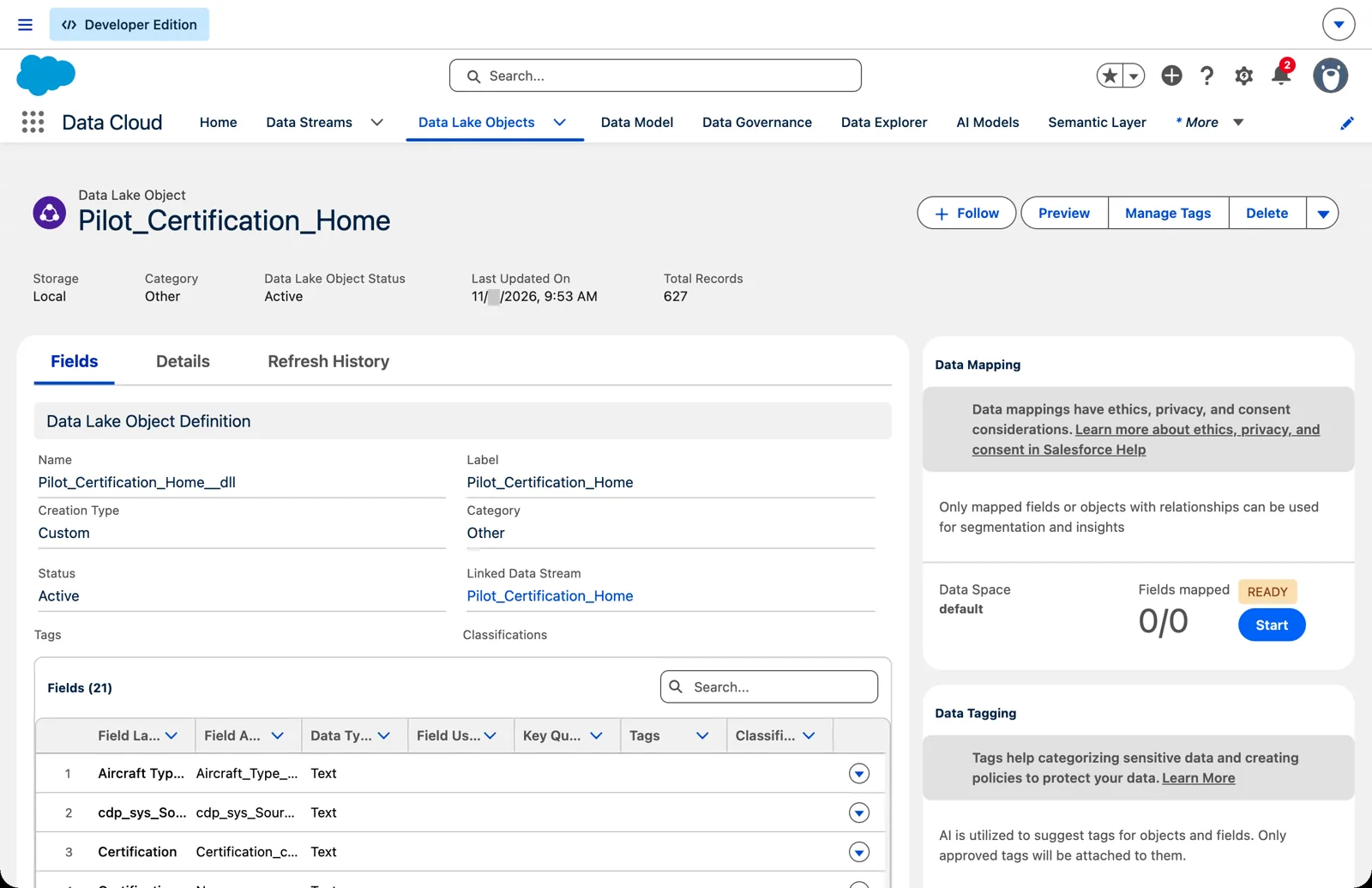
The lake object, and the stream it’s linked to (Salesforce Data 360 in a Developer Edition org, screenshot, November 2026). Full size
Some designs add one more lake object between the stream’s and the model: an enriched lake object, written by a transform, that the model maps to instead. It’s an option, not a rule, with a cost; chapter 7, module 3 explains when I use it and why.
What you can and can’t change
Section titled “What you can and can’t change”Because the stream and the lake object come together, some changes behave in ways you might not expect. From Salesforce Help:
- Renaming the stream doesn’t rename the lake object. “Changing the name of a data stream doesn’t change the name of the data lake object (DLO) that the data stream uses.” Name both right the first time (chapter 3).
- Fields are added at the stream. If a lake object belongs to a stream, “you can’t add fields to it from the Data Lake Objects tab. Make these updates on the Data Streams tab” (chapter 5, module 3).
- Fields don’t come out. “You can’t delete the DLO fields.” A stream field can be disabled, which stops new data and clears what’s there, but you can’t take the field off the lake object.
One lake object, one stream
Section titled “One lake object, one stream”A lake object takes its data from one stream. Salesforce: “A DLO can receive data from at most, one data stream.” So what happens when the same kind of data arrives from more than one place, such as flights from two airlines’ file drops?
- Each source gets its own stream and lake object. Then a data transform can bring them together, because “A DLO or DMO can receive data from one or more data transforms” (chapter 7). The key has to stay unique across every source; module 4 shows how a formula field can build that key.
- A lake object can outlive its stream. If a stream is deleted and its lake object kept, the lake object is “standalone,” and a new S3, Google Cloud Storage or SFTP stream can be pointed at it. The rules: “The data stream that initially created the DLO defines the characteristics, such as the primary key, event date time, and record modified field”; each field “must have the same data type as its intended DLO target field”; and “You can’t use a DLO that’s already being used by another source.”
So the first stream sets the rules for the lake object’s whole life.
The fields you didn’t send
Section titled “The fields you didn’t send”After the first load, the lake object also has fields you never sent: KQ_ fields beside each key, lineage fields such as Data Source Object, and system fields. They keep sources apart and trace records back. That’s module 5, What Data 360 Adds to Every Lake Object.
Other kinds of lake object
Section titled “Other kinds of lake object”Salesforce lists two more kinds, and you’ll meet them later:
- Unstructured data lake objects: “A container for unstructured data referenced by Data 360,” such as documents and web pages. Created by hand, and mapped to an unstructured model object. That’s chapter 18.
- External data lake objects: “A storage container with metadata for the data federated from an external data source.” It points to data that stays where it is. That’s zero copy, chapter 15.
Watch it on video
Section titled “Watch it on video”Two of my videos on the lake object. In 2023, querying a data lake object through the API, past what Data Explorer shows, and what changed when the object sat in its own data space. In 2024, adding a field to a stream that’s already running, without starting over. The notes under the videos say what’s still right and what’s changed since.
What an architect decides here
Section titled “What an architect decides here”- The stream’s design, because that’s where the decisions are: source, fields, types, key, category, name, refresh.
- Names for the stream and its lake object, knowing one doesn’t rename the other.
- When the same data comes from several sources: a stream and lake object each, combined by a transform, with a key that stays unique across all of them.
Explore
Section titled “Explore”All checked 2026-11-14.
- Data Objects in Data 360 (opens in a new tab), Salesforce Help: the kinds of data object.
- Data Streams in Data 360 (opens in a new tab), Salesforce Help.
- Using an Existing Data Lake Object to Create a Data Stream (opens in a new tab), Salesforce Help.
- Considerations for Working with Streaming Data Transforms (opens in a new tab), Salesforce Help: one stream per lake object; transforms can add more.