
Don't Bring In Everything
このコンテンツはまだ日本語訳がありません。
Module 5 in the chapter Understanding Your Data Structures, chapter 3 of the Data 360 Architect course. Each module stands on its own. Previous: The Dictionary Before You Map
The question this module answers: How do you decide which fields come into Data 360, and which stay out?
When a team first gets Data 360, the temptation is to connect everything. The source has 80 columns? Bring all 80; we might need them someday. I understand the instinct. But you don’t always need to bring all your data in; you need to bring in the data to make good decisions.
It isn’t about the cost of bringing it in
Section titled “It isn’t about the cost of bringing it in”Let me be fair about one thing first. The argument isn’t that ingestion is expensive. Salesforce’s pricing page says “bringing data into Data 360 is free” and names batch ingestion as free; you pay when you use the data.
The case for leaving fields out is everything that comes after. Every field you bring in is a field someone has to name, type and map (modules 1 and 4), a field that shows up in every list and every picker, a field someone will use for something it wasn’t meant for. And some of those fields are about people.
So think in use cases, not just structure. Start from the decisions the data has to support, like chapter 1’s segment and enrichment, and work back to the fields they need. In module 4’s dictionary, that’s the Used for column. A field with nothing in that column stays out until it has a use.
Personal data has to be erasable
Section titled “Personal data has to be erasable”Here’s the reason I’d put first if you only remember one.
When a person asks to be forgotten, Data 360 has a way to do it. Requests go through the Consent API. Salesforce Help describes what a deletion request removes: the person’s record in the Individual data model object, the records directly related to it through the individual’s ID, such as their contact points, the data lake objects mapped to those, and related calculated insights. Deletion requests are reprocessed after 30, 60 and 90 days, to catch anything that came back in.
Now read the warning on the same page: “The request doesn’t delete records from DMOs that aren’t directly related to the Individual DMO through the individual’s ID, or data stored in unrelated DMOs.”
Think about what that means for intake. Say the pilots file had a free-text notes column, with names and phone numbers typed into it, and it landed in a data lake object of its own, never mapped to the Individual. When one of those pilots asks to be forgotten, the deletion request follows the individual’s ID, and it never reaches that notes column. The personal data is still there.
Salesforce also says: “You must submit data deletion requests in every connected system and Salesforce cloud.” Data 360 erases what’s tied to the person in Data 360. Everything else is yours to design.
So the rule at intake is: if a field holds personal data, either it’s tied to the Individual so a deletion request can reach it, or it doesn’t come in. The Data Architect course covers consent and the right to be forgotten in general. This is what it means for Data 360.
Classify it at the dictionary
Section titled “Classify it at the dictionary”The best moment to decide how sensitive a field is comes before it exists. In module 4’s dictionary, the Sensitive? column turns into a short classification for every field: public, internal, confidential, personal, or whatever taxonomy your company uses. The Data Architect course explains how to classify and then protect.
Data 360 has its own tagging and classification for fields, and governance policies that act on them. That’s chapter 17. But the tags only work if someone knew what the field was when it came in, and that someone is you, at the dictionary.
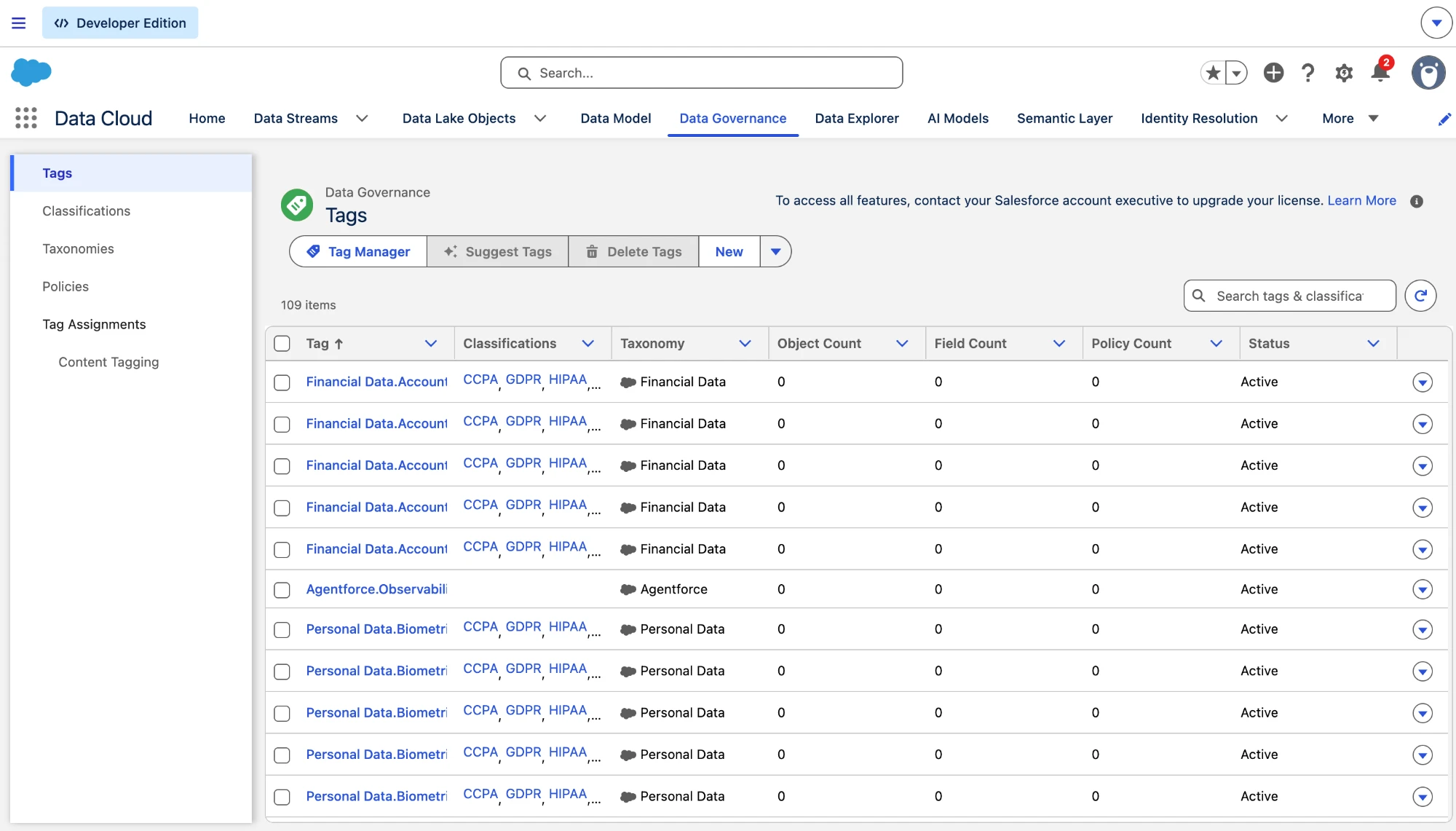
Data 360’s own tags, ready for the classification you decide at the dictionary (Salesforce Data 360 in a Developer Edition org, screenshot, November 2026). Full size
Use it ethically, not just legally
Section titled “Use it ethically, not just legally”Everything in this module is also an ethics question, and Salesforce names it as one. Its guidance on ethical data use lists five best practices:
- Use and collect individual information appropriately.
- Provide clear exchange of value for data.
- Treat sensitive data carefully.
- Collect and use only what you need.
- Choose third-party partners carefully.
Three of those are this module: collect only what a use case needs, classify what’s sensitive, and honor what people asked for. Salesforce adds two examples worth keeping. A birthday gift needs the month and the day, not the year, so you store less and keep age out of your decisions. And some harmless-looking fields stand in for protected ones: in the US, Salesforce notes, “ZIP codes are often highly correlated with race,” so a segment built on them can carry bias nobody intended. Where you can, segment on what people do, their behavior and intent, more than on who they are.
The other two come later. A clear exchange of value is a design question for every activation (chapter 11). So is the partner: when a segment goes to an advertising platform, know what happens to that data after the campaign (chapters 11 and 17).
Four questions at the door
Section titled “Four questions at the door”For every field, before it comes in:
- What is it for? A decision or a use you can name. No use, no field.
- What type is it? Decided, not detected (module 4).
- How sensitive is it? Classified in the dictionary.
- Who may see it, and can it be erased? If it’s about a person, it’s tied to the Individual so a deletion request can reach it.
That’s controlled intake. Not a gate that slows the project down, but four answers for each field, written down once, before the first stream. The data that comes in is the data you can explain.
What an architect decides here
Section titled “What an architect decides here”- Which fields come in, each with a use someone can name.
- The classification of every field, set in the dictionary before it’s built.
- How every piece of personal data stays reachable by a deletion request, or stays out.
Explore
Section titled “Explore”All checked 2026-11-14.
- Requesting Data Deletion or Right to Be Forgotten (opens in a new tab), Salesforce Help.
- Data 360 Pricing (opens in a new tab), Salesforce: free batch ingestion.
- Ethical Data Use Best Practices: Quick Look (opens in a new tab), Trailhead, checked 2026-11-14: Salesforce’s five data ethics best practices.