
Profile, Engagement or Other
このコンテンツはまだ日本語訳がありません。
Module 3 in the chapter Streams and the Lake, chapter 6 of the Data 360 Architect course. Each module stands on its own. Previous: Their Own Animal: the Stream and the Lake Object · Next: When Rows Don’t Make It
The question this module answers: How do you choose a stream’s category, and what does that choice lock in?
Every data stream asks you one question that core never did: is this data profile, engagement or other? It looks like a dropdown. It’s a design decision, and Salesforce’s page starts with a warning: “You can’t change the category after saving the data stream. Review the types carefully before making a selection.”
Three categories, in plain words
Section titled “Three categories, in plain words”Profile is generally going to be one to one with that human being. It’s about an individual, or an account: the things that are true about them. This pilot has this ID; this pilot is a member of this; this pilot is based here. Salesforce adds that profile isn’t only people. It includes “non-human things (vehicles, devices, and loyalty cards) when they are the primary object of interest”: the things you want to segment, unify or enrich.
Engagement is about activity: things a person does, over time. Purchases, visits, clicks, and in our course, a traveler’s booking. Each row is something someone did, at a moment.
Other is everything else. If it’s not about the person and it’s not about the engagement, you’re going to classify it as other. Salesforce describes it as “typically used for reference data that provides descriptive attributes for Profile or Engagement records”: airports, runways, a product catalog.
Watch the default when you create a stream. In my org, every file stream started with Profile already chosen, and no primary key. A file of airports or flights isn’t a person, so I changed each one before clicking Next: the category can’t be changed after you save.
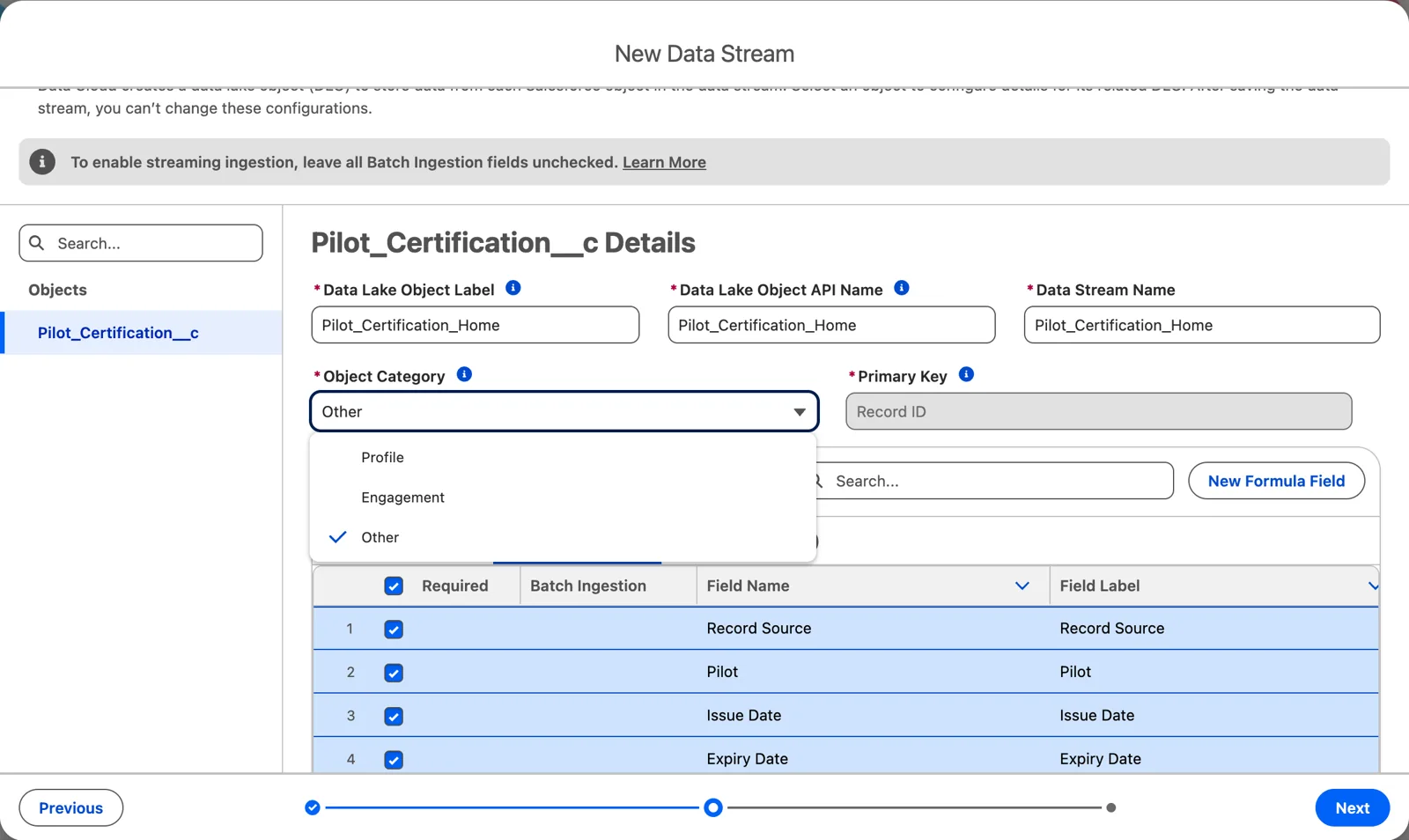
The three categories, chosen when the stream is created (Salesforce Data 360 in a Developer Edition org, screenshot, November 2026). Full size
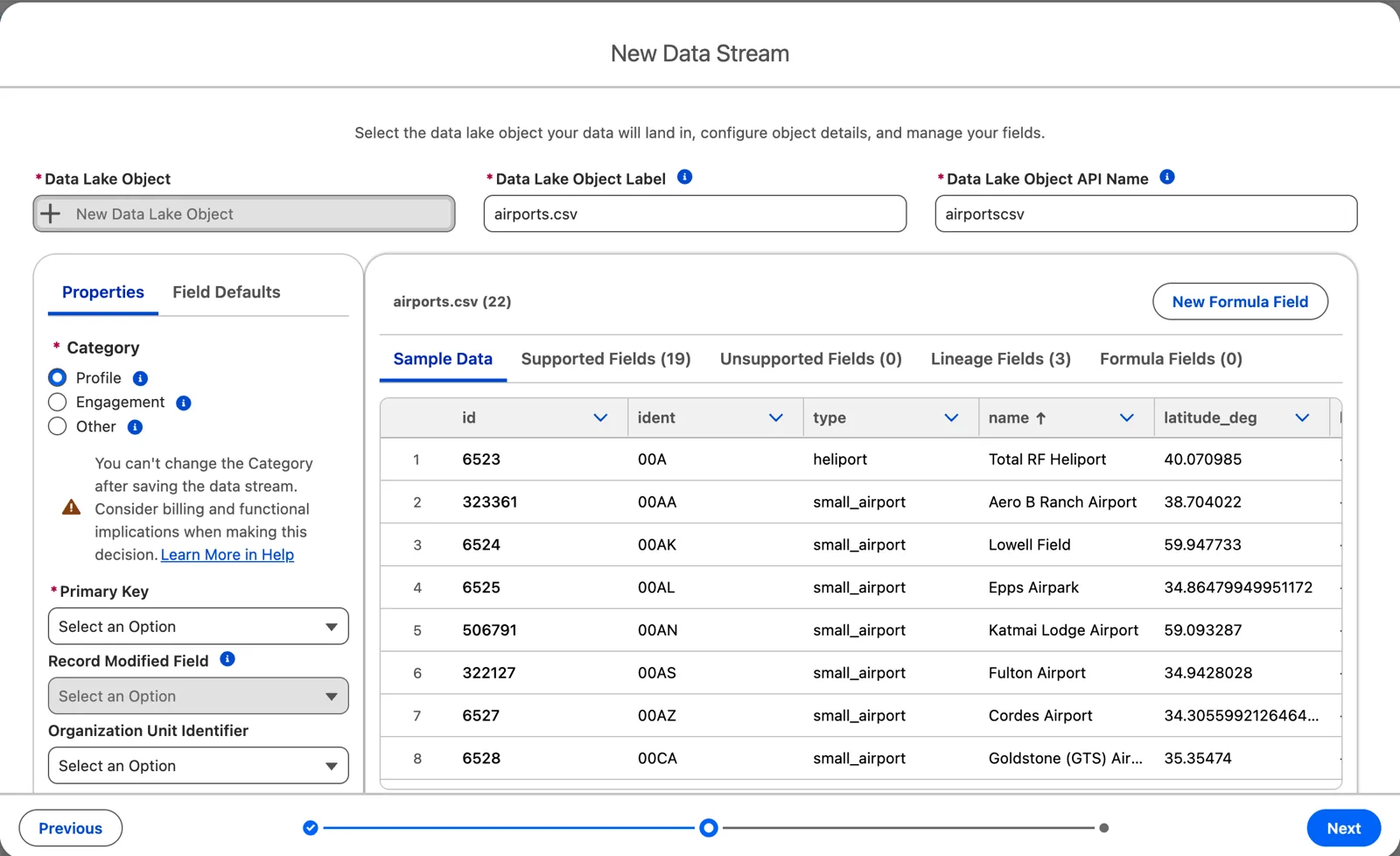
Watch the default: Profile, already chosen (Salesforce Data 360 in a Developer Edition org, screenshot, November 2026). Full size
The aviation streams, sorted
Section titled “The aviation streams, sorted”| Stream | Category | Why |
|---|---|---|
| Pilots | Profile | One row per pilot, the person we want to segment and unify |
| Flights | Other | An airline’s operation, not a person’s activity, and its schedule keeps changing (below) |
| A traveler’s booking (Part 2) | Engagement | A person’s activity, booked at a moment that never changes |
| Airports and runways | Other | Reference data that describes the flights. (Chapter 7 makes the enriched airport layer Profile, so airports can be segmented: a choice, not a rule) |
| Weather by airport and date | Other | Describes an airport on a day; not about a person |
The weather one is worth a second look, because it has a date. When I brought in the airport weather, I chose it as other because it’s not profile, it’s not about the identity, and it’s not time-based activity. Although it is weather, it’s a date at a point: it describes the airport, not something a person did. A date in the data doesn’t make it engagement. Engagement is activity.
Flights: our rule
Section titled “Flights: our rule”Flights are the one place this course has to make a firm call, because everything here is aviation. So here’s the rule, and the reasons, once.
A flight is other data. It fails both tests for engagement.
- It isn’t a person’s activity. A flight is an airline’s operation: this aircraft, this route, this day. People are on it, but no person is on the row. The person’s activity is the booking, and the booking points to the flight.
- It has no time that holds still. The schedule looks fixed, but it isn’t. I’ve had a flight and gotten two or three schedule changes, weeks and even months before the day. The date can move too. And the actual times only exist once the plane goes. An engagement stream needs a date that never changes once the record exists, and a flight doesn’t have one.
Salesforce’s own tip settles it: “If you have a time-series dataset and you don’t have an immutable date field, choose the Other category.” And other is what a flight is to the people on it: Salesforce calls it “reference data that provides descriptive attributes for Profile or Engagement records.” The flight describes the trip, the way an airport describes the flight.
So in this course: pilots and travelers are profile, a traveler’s booking is engagement, and flights, airports, runways and weather are other. A flight’s dates are still fields you can filter and count on; they just aren’t its event time.
Engagement needs an event time that never changes
Section titled “Engagement needs an event time that never changes”When you choose engagement, Data 360 asks for one more thing: the event time field, a date or date-time from the source. Salesforce is firm about it:
- “The Event Time Field isn’t editable after initial setup.”
- “Using a mutable date field causes duplication of records where multiple records with the same primary key get added to the data lake object.”
Salesforce’s example is an insurance claim: use the date the claim was created, not the date it was last modified, because the modified date changes as the claim moves through review. A file’s extract date is just as bad: every row in the file has the same one.
For a traveler’s booking, the choice is the moment it was booked: SkyData’s travelers set has booked_on on every booking (Part 2). It’s fixed the moment the booking exists. The trip’s dates can change, the fare can change, the flights can be rescheduled, and the booking date stays. Pick the date that’s fixed the moment the record exists, and nothing else.
And if a time-based source has no date like that? Salesforce’s tip, the one behind our flights rule: “If you have a time-series dataset and you don’t have an immutable date field, choose the Other category.”
What the category decides later
Section titled “What the category decides later”The category doesn’t stay on the stream. It travels.
- The model inherits it. “A DMO inherits its category from the first data lake object (DLO) mapped to it.” So the first stream you map to a data model object decides that object’s category for everyone after.
- The mappings follow it. “Engagement DLOs can map only to Engagement DMOs.” Profile and other lake objects can map to profile or other model objects, but not to engagement ones (chapter 8).
That’s why, with the key and the name (chapter 3), the category belongs in the dictionary before the stream exists: pick your type of data and get your keys really nailed down.
What an architect decides here
Section titled “What an architect decides here”- The category of every stream, written in the dictionary before it’s created.
- For each engagement stream, the date that never changes, or the decision to make it other.
- Which stream maps first to each data model object, since it sets that object’s category.
Explore
Section titled “Explore”All checked 2026-11-14.
- Category (opens in a new tab), Salesforce Help: the three categories, the event time field and the mapping rules.