
今日アーカイブしていないなら…
ほかに 19 言語で読めます
English · Español · Português (Brasil) · Français · Deutsch · Italiano · 한국어 · 简体中文 · Português (Portugal) · 繁體中文 · Bahasa Indonesia · Türkçe · Polski · Tiếng Việt · ไทย · Українська · Español (México) · Français (Canada) · Deutsch (Schweiz)
モジュール4/4:Data Architectコース第7章「大規模に向けた設計」。各モジュールは単独でも読めます。 前へ:量が共有モデルとぶつかるとき · 次へ:次の章、クエリと取得のアーキテクチャ
このモジュールが答える問い: アーカイブとパージをどう計画するか?
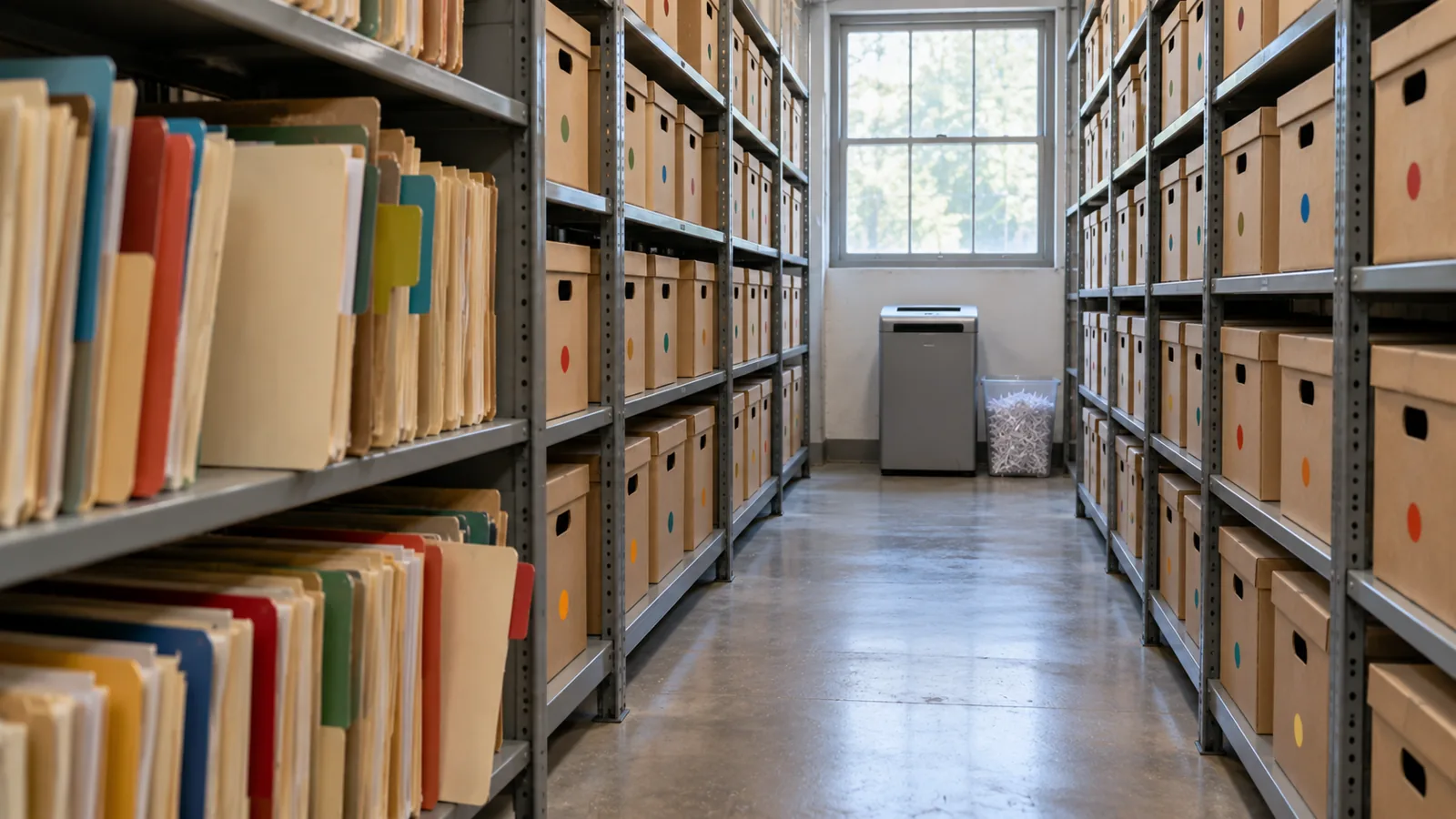
When somebody tells me “we’ll archive the old records later,” I ask one question: if you’re not archiving today, are you ever going to archive? “Later” often becomes after the next release, after the migration, after the reorganization, after we fix performance, after we run out of storage. Then five years on, someone finally asks why there are 80 million records in this object. I don’t want to discover archiving after large data volume has become the problem. If I know the data will grow, I decide its lifecycle when I design it. Salesforce’s own guide says the same: “if your volume of data is increasing, performance can degrade as time goes by. A policy of archiving or discarding data at the same rate at which it comes into the system can prevent this effect” (Best Practices for Deployments with Large Data Volumes (新しいタブで開きます), Winter ‘27). ⟲
どのレコードにもライフサイクルがある
Section titled “どのレコードにもライフサイクルがある ”私たちは、レコードがどう作成され、誰が所有し、誰が変更でき、何が権威を持つかを問うてきました。ここでもう一つ。どうやって出ていくのか?レコードは現役から非現役へ、アーカイブへ、パージへと移ることがあります。すべてのレコードがすべての段階を必要とするわけではありませんが、大量のオブジェクトにはどれもライフサイクルが必要です。Steve Truckingの配送は、進行中はクルー、コーディネーター、カスタマーケア、パートナー、自動化から絶えず必要とされます。完了して1週間後でも、まだ役に立ちます。6か月後には主にサービスの履歴です。3年後には主に分析、監査、時折の紛争のためのものです。10年後には、保持する正当な理由を持つ人はもういないかもしれません。データの価値は時間とともに変わります。アーキテクチャもそれに合わせて変わるべきです。
削除は避けられない。だから初日に決める
Section titled “削除は避けられない。だから初日に決める ”いつかは本当にデータを削除する必要があります。だから私は、保持とパージのポリシーを、ストレージが高くなったときではなく、プロジェクトの最初に決めておきたいのです。保持はビジネスと規制の要件で決まります。どれだけの期間業務で使い続けるのか、どれだけの期間保持しなければならないのか、それはなぜか、誰が必要とし得るのか、どれだけ速く手に入れる必要があるのか、いずれ消してよいのか、そしてプライバシーの観点ではもっと早く消すべきなのか? 第5章で見たように、すべてを永久に保持することが自動的に安全なわけではありません。データを長く保持すること自体がリスクになる場合もあります。
3つの判断を分けておきましょう。**保持:**どれだけの期間保持するか? **アーカイブ:**もう現役のワークロードに属さないものを、どこに、どう保持するか? **パージ:**いつ、どうやって完全に消すか? 7年分のデータが必要だということは、7年間現役であることを意味しません。18か月は現役、その後は残りの期間アーカイブ、そしてパージ、ということかもしれません。これでライフサイクルが明示されます。
Purging at volume has its own mechanics, and Salesforce spells them out. Deleting a record doesn’t remove it at once: it goes to the Recycle Bin for 15 days, and while it’s there it “still affects database performance because the data is still resident, and deleted records have to be excluded from any queries.” For a purge of a million records or more, Salesforce’s advice is the hard delete option of Bulk API 2.0, which skips the Recycle Bin, and when records have many children, to delete the children first (Deleting Data (新しいタブで開きます); Best Practices: Deleting Data (新しいタブで開きます)). A purge is a data operation like any other at scale: plan it, run it in batches, and check it. ⟲
Test knowledge. Know how to purge at volume: soft-deleted records stay in the Recycle Bin for 15 days and still slow queries; for a million records or more, use Bulk API 2.0 hard delete; delete children before parents. ⟲
Retain for seven years doesn’t mean keep active for seven years. ⟲
削除の前にバックアップする
Section titled “削除の前にバックアップする ”アーカイブは、いずれ現役のシステムからレコードを取り除くことを意味します。だから削除を設計する前に、復旧の筋書きが欲しいのです。復旧できるのか、どれだけ速く、何が消えたのか正確にわかっているのか、リレーションを復元できるのか、テストしたことはあるのか? **何かを削除する前に、バックアップを用意します。**バックアップとアーカイブは別の能力です。バックアップは損失から守るもの、アーカイブはビジネスに必要なアクセスを保ちながら、データを意図して現役の母集団から移すものです。誤って10件を消すのは厄介です。1,000万件を消すのは事故です。ゼロの数は間違いにも当てはまります。
今ではそのどちらもSalesforce自身が提供しています。OwnBackupを手がけたOwnはSalesforce Platformの一部になりました。Own Recoverは現在のSalesforce Backup & Recover(データとメタデータの日次およびオンデマンドのバックアップ、項目・レコード・オブジェクト単位の復元、特定時点への復旧)で、Archiveは、アーカイブと保持のポリシーに従って、使用頻度の低いデータを低コストのストレージに移しつつSalesforceの中からアクセスできるようにします(Own From Salesforce Product Suite FAQ (新しいタブで開きます)、Own’s tools, now part of Salesforce (新しいタブで開きます))。
誰も見つけられないアーカイブは、ほとんど削除と同じ
Section titled “誰も見つけられないアーカイブは、ほとんど削除と同じ ”あるチームが古いデータを安い場所に移します。アーカイブ完了。そこへ顧客から電話がかかってきます。「4年前に配送してもらったのですが、配送の証明が必要です」。エージェントはSalesforceを検索します。何もありません。今度は別のシステム、正しいテーブル、識別子、管理者、依頼、2日間が必要です。それではアーカイブとして大したものではありません。アーカイブされたデータが現役のデータと同じように振る舞う必要はありません。遅くても、読み取り専用でも、別のコンポーネントに表示されてもかまいません。でも、アーカイブされたデータは、ビジネスが求めるとおりに見つけられる状態でなければなりません。
I’ve seen this done well at a service chain. At the very beginning of the project they told me, “We only do a hundred appointments a day at a store.” A hundred, no big deal. But they had a thousand stores, open six days a week. Do the quick math: that’s about 31 million appointments a year. Then they created two appointment records for every visit, one at the front office and one at the back, so 62 million. And they needed five years: over 300 million records. I could see large data volume coming before we’d even gone live. So right from the beginning we said: there has to be archiving before we collect a single appointment. We put the archive in big objects and built it in from the ground up. When a user searched a customer, the live appointments came first, and below them, the archived ones. The archive didn’t pretend to be active data, and nobody had to become a database administrator to find history. Active data where the operational system needs it; archived data somewhere suited to its volume; a path from the business context to both. Much better than either extreme: everything active forever, or moved somewhere nobody can find. ⟲
アーカイブはどこに置くべきか?
Section titled “アーカイブはどこに置くべきか? ”Keeping data in core is like keeping it at the front of the office, where it’s in the way of today’s work. Somewhere in the future of any object with tens of millions of records there’s a move to the back: a box in an archive, the shed (big objects), or a hologram (virtualization, the data shown in Salesforce but living elsewhere). There’s no single answer; I choose the destination by constraint. When the customer doesn’t want an external store, I’ve used big objects: on-platform, built for very large volumes, but with no standard UI or reporting, Apex-only access and querying through the index, so plan the access path before you choose them (chapter 3’s “shed out back”). Plan the storage too: most editions are allocated storage for 1 million big object records per org, and more has to be arranged with Salesforce (Data and File Storage Allocations (新しいタブで開きます)). Two more facts matter for an archive. Big objects support only object and field permissions, not sharing rules, and triggers and flows don’t run on them. And inserting an identical record twice creates only one, so writes can be idempotent, which helps when an archive run has to restart (Big Objects (新しいタブで開きます)). ⟲
A big object: the archive stays inside Salesforce, and you build the window users see it through. ⟲
When an external store is fine, I’ve used an off-platform database surfaced through Salesforce Connect, so archived records appear in Salesforce without being copied back. Precisely: Salesforce Connect reaches external data through OData services, other Salesforce orgs, a custom adapter built with the Apex Connector Framework, or specific adapters for Amazon DynamoDB, GraphQL and SQL (the SQL adapter supports Snowflake and Amazon Athena), so a general database usually needs an OData layer or a custom adapter in front of it (Choose Which Salesforce Connect Adapter to Use (新しいタブで開きます)). ⟲
An external store: the archive leaves Salesforce, and Salesforce Connect brings it back into view. ⟲
The archive doesn’t have to be a database. It can be files in low-cost file storage, such as Amazon S3, and Salesforce Connect’s SQL adapter for Amazon Athena lets users “analyze data directly in Amazon Simple Storage Service (Amazon S3)” from Salesforce. One catch for an archive: that adapter is available “not for high-data-volume external objects,” so check what your volume needs before you choose it (Salesforce Connect SQL Adapter for Amazon Athena (新しいタブで開きます)). ⟲
File storage: the same move, with files in place of a database. ⟲
And now Salesforce’s Archive is the built-in option, keeping archived records reachable from Salesforce. Third-party tools such as GRAX are in the market too. ⟲
Test knowledge. Know the archive destinations and what big objects are: built for very large volumes (consistent performance from a million records to a billion); reached through Apex, APIs and their index, not the standard UI; object and field permissions only, no sharing rules; no triggers or flows. Know the alternatives: an external store through Salesforce Connect, and Salesforce’s Archive. ⟲
製品が教訓なのではありません。特性が教訓です。データの量、取得の頻度、表示されるべき速さ、リレーショナルなアクセスが必要か、ユーザーがSalesforceから見つける必要があるか、読み取り専用でよいか、誰が見てよいか、どれだけ保持するか、コストはいくらか、最終的にどうパージするか。その答えがテクノロジーを選びます。そして覚えておいてください。**データが物理的にどこにあるかと、ユーザーがどこでそれを見つけられるかは、別の問いです。**5年前の配送は現役のオブジェクトに属しません。だからといって、ケアのエージェントがそれを見つけられなくてよいことにはなりません。
3ステップのアーカイブ
Section titled “3ステップのアーカイブ ”When I’m moving large volumes out of an operational system, I don’t like copy, then delete in one step. There’s too much trust in it. And before the first real run, I rehearse it: a dry run that shows which records would move, ideally in a full copy sandbox, deleting nothing. Salesforce’s Archive app lets you preview an archive policy before you publish it (Archive App (新しいタブで開きます)), and other archiving tools offer a dry-run mode for the same reason. Then I use three steps: ⟲
- Copy and flag. Copy the records to the archive and mark them in the source as pending archive. Don’t delete anything yet. Now both copies exist. On the service chain, this was a batch that ran on the weekend. ⟲
- Verify. Re-query the source and the archive and prove the archive is right: counts, identifiers, relationships, totals or other reconciliation; can we retrieve them? For extra assurance, add checksums, or restore a sample back and compare it. Then flag them as validated. Trust but verify. Users still find the records in the source, because they aren’t archived yet. ⟲
- Delete and flip. Only after verification, and only for records that aren’t under a legal hold, delete the active records and mark the archive complete, so the search screens now pull them from the archive. The deletion doesn’t have to follow at once; it could happen a week later. ⟲
What could go wrong with one pass, copy and delete? It didn’t copy, and you’ve deleted the records. The point is that you don’t cross the destructive boundary until you’ve proved the copy. And with the states, you can report on every archive run. ⟲
This isn’t just my habit; it’s how the serious archiving tools work. Oracle’s archive and purge, for example, validates the records, copies them to archive tables, and then purges from what it archived, with a restart program for when a run fails partway (Archive and Purge (新しいタブで開きます)). Tools that copy and delete in a single pass come with a warning to test with a dry run first (AWS Prescriptive Guidance: Archiving data from unpartitioned tables (新しいタブで開きます)). Salesforce’s Archive app respects legal holds: records under a legal hold can’t be deleted or removed (Archive App). ⟲
Don’t cross the destructive boundary until you’ve proved the copy. ⟲
そして、再開できるように設計します。2,000万件をアーカイブしていて、14,382,711件目でジョブが失敗します。答えが「最初からやり直し」なら、その設計は好きではありません。大きな操作は失敗します。接続が切れ、ジョブがタイムアウトし、おかしなレコード1件がエラーを出します。プロセスは何がすでに成功したかを知っている必要があり、そのためにアーカイブの状態(待ち、検証済み、アーカイブ済み、失敗)があるのです。そうすれば、データを重複させず、失わず、安全にアーカイブされていないものを削除することもなく再開できます。大規模では、再開できることが信頼性の一部です。
One more thing to know before you call a purge done: deleting the active records isn’t the same as erasing the data. Backups, caches, replicas and analytics copies may still hold it. That’s fine for an archive, and it’s exactly what chapter 5 asks you to account for when privacy law says the data must go. ⟲
Don’t Archive Everything Forever
Section titled “Don’t Archive Everything Forever”アーカイブは、削除を決めることを避ける言い訳になり得ます。「いつか必要になるかもしれない」。ならないかもしれません。第5章は**保持してよいのか?と問いました。この章はそこに現役で保持する価値があるのか?**を加えます。アーカイブに移すレコードもあれば、要約するもの、匿名化するもの、削除するものもあります。目標はすべてのバイトを保存することではありません。ビジネスが正当に必要とするものを、正当に必要な期間だけ保持することです。
ファイルはゼロの数を変える
Section titled “ファイルはゼロの数を変える ”Unstructured data is a different scale problem. Steve Trucking expects four to five million photos a year. Purely for magnitude, at about 4 MB a photo, five million is about 20 TB in one year, before growth. The real size will vary; the zeros tell you the binary content needs its own architecture. That’s why Checkpoint 1 separated the business record about a photo from the photo itself. Salesforce may need the photo’s type, its delivery, when and by whom it was taken, where it’s stored and its retention state, or even just a count and a “required photos complete” flag. The image belongs in storage built for millions of large objects. It’s the same principle as FleetLink’s GPS: keep in core what the operational process needs, and don’t copy every high-volume artifact into core because Salesforce takes part in the process. ⟲
アーカイブも安全でなければならない
Section titled “アーカイブも安全でなければならない ”Data leaving the active object doesn’t leave its security requirements behind. Redrock saw only Redrock’s deliveries while they were active; archive them, and Redrock still doesn’t get Keystone’s history. The archive needs an authorization model too, for Recipient personal data, photos, financial data, service history and agent access. A big-object archive doesn’t help on its own here: big objects don’t support sharing rules, so the access path you build has to carry the partner boundary. One design question for every archive: how do the original security requirements survive the move? The implementation may change; the requirement doesn’t. ⟲
エージェントとアーカイブされたデータ
Section titled “エージェントとアーカイブされたデータ ”受取人がエージェントに尋ねます。「4年前、うちの冷蔵庫はどこに配送されましたか?」答えは存在しますが、アーカイブされています。エージェントはそこに届くべきでしょうか? 私の立場はこうです。**それは重要な判断であり、ビジネスが下すべきものです。**アーキテクトは選択肢と、それぞれのコストを示します。どのアーカイブか、エージェントがどう届くか、遅延、消費、古いデータについてエージェントが何を言ってよいか、保持とプライバシーの限界。そしてビジネスが決めます。アーカイブされたデータに届き続けるべきなら、認可された取得の道筋を作ります。届くべきでないなら、アーカイブの境界にそれを守らせます。私が望まないのは、テクノロジーが偶然その判断を下してしまうことです。
試験の先へ:AIが変えること。 アーカイブには今、コンテキストの判断が含まれます。つまり、履歴がエージェントに届き続けるかどうかです。データがまだ存在するからといって、アーカイブが自動的にエージェントのコンテキストの一部になるわけではありません。判断をビジネスに委ね、そのうえで人のアクセスと同じ認可と保持のルールを適用しましょう。
Steve Trucking:必要になる前にライフサイクルを決める
Section titled “Steve Trucking:必要になる前にライフサイクルを決める ”5年後には約900万件の作業指示、1,450万件の明細、何百万枚もの写真、そして意図してコアの外に置いた状況の履歴とGPSがあります。Steve Truckingが「古い」とは何を意味するかを決めるのを、5年目まで待ってほしくはありません。正確な期間はまだ決まっていないかもしれませんが、それでかまいません。でもアーキテクチャは、すでにこう問うているべきです。完了した配送はどれだけの期間業務で使われるのか? ケアのエージェントがすぐに見る必要がある詳細はどれか? 作業指示とその明細はいつ、どこのアーカイブに移るのか? Snowflakeに属する履歴はどれか? 古い写真はどこに置き、いつ削除するのか? 小売パートナーがまだ見られるアーカイブ済みのレコードはどれか? エージェントはアーカイブされた配送に届けるのか? これらは後片付けの問いではありません。アーキテクチャの問いです。
大量の各オブジェクトについて、私は5つの答えを求めます。**いつ現役でなくなるのか? どこへ行くのか? そこに届いたことをどう証明するのか? そのあと誰かがどう見つけるのか? 最終的にいつ削除するのか?**これに答えられないなら、アーカイブの戦略はありません。あるのは希望です。
Five answers, or you have a hope. ⟲
ここでアーキテクトが決めること
Section titled “ここでアーキテクトが決めること ”- 大量の各オブジェクトの、現役、アーカイブ、保持、パージのライフサイクル。ストレージや性能に迫られる前に決めておく。
- 取り返しのつかないアーカイブやパージの前に、どんなバックアップと復旧を用意しておかなければならないか。
- アーカイブされたデータをどこに置くか(Big Object、Salesforce Connectを通じた外部のストア、SalesforceのArchive)。量、取得、遅延、セキュリティ、コスト、削除に基づいて。
- レコードが削除の境界を越える前に、アーカイブの実行をどう検証し、どう再開できるようにするか。
- どの非構造化コンテンツをコアの外に置き、そのビジネスレコードをSalesforceに残すか。そしてアーカイブされたデータにエージェントが届き続けるかどうか。
私たちは、データがどうシステムに入ってくるかに多くの時間をかけます。API、インポート、統合、移行、ユーザー、エージェント。どう出ていくかにも同じだけ時間をかけましょう。今日作るデータが、明日の大量データの問題になるのですから。アーカイブが始まるのは3年後かもしれません。ライフサイクルは今、存在すべきです。入口を設計するときに、出口も設計しましょう。
さらに学ぶ
Section titled “さらに学ぶ ”- Trailhead, Explore Archival Versus Purge in Data Cleanup (新しいタブで開きます): back up before cleaning or moving data; archive versus purge, checked 2026-11-01. ⟲
- Salesforce Help, Archive App (新しいタブで開きます): archive policies and preview, job sessions, Log Failures and Continue, purge policies, legal holds, Archive Search and the Archive component, checked 2026-11-01. ⟲
- ISO, ISO 15489-1:2016, Records management: Concepts and principles (新しいタブで開きます) (current; confirmed 2021), checked 2026-11-01. ⟲
- Industry examples of the same pattern: Oracle, Archive and Purge (新しいタブで開きます) (Oracle Receivables: validate, archive, then purge from the archive tables, with a restart program), and AWS Prescriptive Guidance, Archiving data from unpartitioned tables (新しいタブで開きます) (a one-pass archiver; test with a dry run first), checked 2026-11-01. ⟲
- Salesforce Developers, Best Practices for Deployments with Large Data Volumes (Winter ‘27): Best Practices (新しいタブで開きます), Deleting Data (新しいタブで開きます) and Best Practices: Deleting Data (新しいタブで開きます), checked 2026-11-01. ⟲
- Salesforce Help, Data and File Storage Allocations (新しいタブで開きます), checked 2026-11-01. ⟲
- Salesforce Help, Own From Salesforce Product Suite FAQ (新しいタブで開きます), and Salesforce, Own’s tools, now part of Salesforce (新しいタブで開きます), checked 2026-11-01. ⟲
- Salesforce Help, Salesforce Connect SQL Adapter for Amazon Athena (新しいタブで開きます), checked 2026-11-01. ⟲
- Salesforce Help, Choose Which Salesforce Connect Adapter to Use (新しいタブで開きます), checked 2026-11-01. ⟲
- Salesforce Developers, Big Objects Implementation Guide (新しいタブで開きます), checked 2026-11-01. ⟲
- SteveTechArc, Salesforce Documents by Release: these guides, once a year from Winter ‘16, each with an archived copy. ⟲