
Put Data Where It Belongs
Also in 28 languages
Español · 日本語 · Português (Brasil) · Français · Deutsch · Italiano · 한국어 · 简体中文 · Português (Portugal) · 繁體中文 · Bahasa Indonesia · Türkçe · Polski · Tiếng Việt · ไทย · Nederlands · العربية · עברית · Українська · हिन्दी · Русский · Svenska · Dansk · Norsk bokmål · Suomi · Español (México) · Français (Canada) · Deutsch (Schweiz)
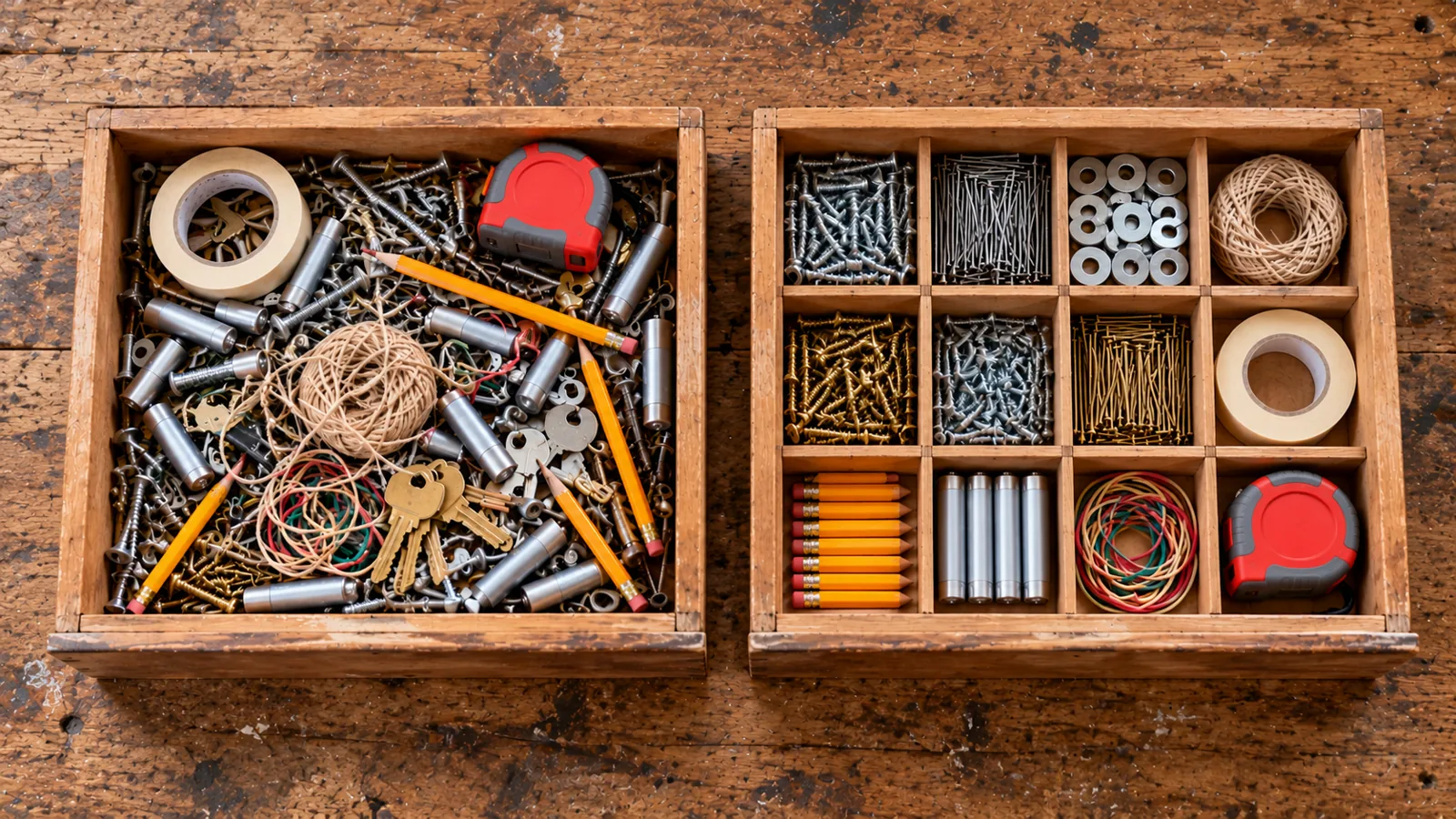
Module 4 of 6 in the chapter Modeling Data for Meaning, chapter 2 of the Data Architect course. Each module stands on its own. Previous: Build the Logical Model · Next: Design to Third Normal Form, Then Back Off
The question this module answers: How does normalization help me figure out where data really belongs?
We have a logical model: entities, relationships, attributes and keys. Now I want to ask one of the most important questions in data modeling: does this data actually belong here?
That sounds simple. It isn’t. I’ve seen plenty of systems where every field made sense when somebody created it. The problem wasn’t that the fields were ridiculous; it was that the facts were stored in the wrong place. A delivery holds information that really describes a distribution center. The same address appears on hundreds of records. One field holds three values separated by commas. A change to one business fact means updating 10,000 records. That’s the problem normalization helps us solve, and before we get buried in database terminology, here’s the whole idea: put a fact where it belongs. Everything else in this module helps us do that more systematically.
What Is Normalization?
Section titled “What Is Normalization?”Normalization is organizing data so that each fact is stored once, in the place it belongs. When one table is doing too many jobs, we split it into tables that each describe one thing, and we connect them with keys.
Why bother? Because a fact stored once is a fact we change once. Normalization prevents redundancy, the same fact copied across many records, and with it the inconsistencies that creep in when one copy gets updated and the others don’t. That’s why it fits transactional systems like Salesforce, where records are created and updated all day long.
We normalize in steps called normal forms, and each one asks a single question:
- First normal form (1NF): one value per field, and something that uniquely identifies every row.
- Second normal form (2NF): every fact describes the whole of what identifies the row, not just part of it.
- Third normal form (3NF): every fact describes this thing, not something else it’s related to.
There are more forms beyond the third. I’ll say a word about them later, and about why we usually stop at third. First, let’s watch the three steps happen.
Why Do We Normalize?
Section titled “Why Do We Normalize?”When I teach this live, I don’t start with deliveries. I start with dogs. Everybody understands dogs, so nobody’s distracted by the business, and we can watch the data try to find its home. Then we take the same moves to Steve Trucking.
Sit, Stay, Model
Section titled “Sit, Stay, Model”Start: the raw spreadsheet. I’ll put a couple of dogs up on the screen, and then the room adds theirs. Within a few minutes we have one big list: the dog, the year it was born, who owns it, where the owner lives, the breed, who bred it, and the tricks it knows.
| Dog | Born | Owner | ZIP | City | Breed | Breeder | Tricks |
|---|---|---|---|---|---|---|---|
| Bella | 2017 | Marcus | 80202 | Denver | Labrador | Maple Ridge | Sit, Stay, Shake |
| Milo | 2019 | Marcus | 80202 | Denver | Poodle | Golden Meadow | Sit, Roll Over |
| Max | 2022 | Ana | 64105 | Kansas City | Mixed | Sit, Play Dead | |
| Luna | 2020 | Kenji | 98101 | Seattle | Husky | Cascade | Sit, Stay, Spin |
| Rocky | 2024 | Priya | 30301 | Atlanta | Beagle | Maple Ridge | Sit |
| Coco | 2014 | Ana | 64105 | Kansas City | Chihuahua | Little Paws | Shake, Spin |
It works. Every spreadsheet works on day one. But look at what’s already wrong. How do I find every dog that knows Shake? Ana’s ZIP is on two rows, and so is Marcus’s: what happens if somebody updates one and not the other? Maple Ridge appears twice, and so does Kansas City. And Max came from the pound, so there’s no breeder at all.
Step 1: first normal form. Two rules. Each field holds a single value, so the comma list of tricks has to go. And each row needs something that uniquely identifies it. Not the dog’s name; there are a lot of dogs named Max. An ID: an auto-generated ID or a GUID. The tricks come out into their own rows, one row for each dog and each trick. And once a trick has its own row, there’s room for what we could never say in a comma list: how hard the trick is, how well this dog does it, and when it learned it.
Dog (identified by Dog ID)
| Dog ID | Name | Born | Owner | ZIP | City | Breed | Breeder |
|---|---|---|---|---|---|---|---|
| D-001 | Bella | 2017 | Marcus | 80202 | Denver | Labrador | Maple Ridge |
| D-002 | Milo | 2019 | Marcus | 80202 | Denver | Poodle | Golden Meadow |
| D-003 | Max | 2022 | Ana | 64105 | Kansas City | Mixed | |
| D-004 | Luna | 2020 | Kenji | 98101 | Seattle | Husky | Cascade |
| D-005 | Rocky | 2024 | Priya | 30301 | Atlanta | Beagle | Maple Ridge |
| D-006 | Coco | 2014 | Ana | 64105 | Kansas City | Chihuahua | Little Paws |
Dog Trick (identified by Dog ID + Trick)
| Dog ID | Trick | Difficulty | Skill Level | Learned |
|---|---|---|---|---|
| D-001 | Sit | Easy | Expert | 2017-11 |
| D-001 | Stay | Easy | Expert | 2018-01 |
| D-001 | Shake | Medium | Good | 2018-06 |
| D-002 | Sit | Easy | Expert | 2020-02 |
| D-002 | Roll Over | Hard | Learning | 2023-05 |
| D-003 | Sit | Easy | Good | 2022-06 |
| D-003 | Play Dead | Hard | Learning | 2024-03 |
| D-004 | Sit | Easy | Expert | 2020-11 |
| D-004 | Stay | Easy | Good | 2021-01 |
| D-004 | Spin | Medium | Expert | 2021-06 |
| D-005 | Sit | Easy | Learning | 2025-02 |
| D-006 | Shake | Medium | Expert | 2015-06 |
| D-006 | Spin | Medium | Learning | 2025-04 |
Now “every dog that knows Shake” is a simple question. But notice what Dog Trick is identified by: not one thing, two things together, the dog and the trick. Hold on to that.
Step 2: second normal form. Second normal form only matters when a row is identified by a combination, and Dog Trick is. So I ask of every column: does it describe the whole combination, or only part of it? Skill Level describes this dog doing this trick: Bella is an expert at Sit, Rocky is still learning it. Learned, the same. But Difficulty? Sit is easy no matter which dog does it. It describes the trick, only part of the key, and that’s why “Easy” is repeated on every Sit row. So the trick gets its own table, and what’s left is the pair.
Trick
| Trick ID | Trick | Difficulty |
|---|---|---|
| T-01 | Sit | Easy |
| T-02 | Stay | Easy |
| T-03 | Shake | Medium |
| T-04 | Roll Over | Hard |
| T-05 | Play Dead | Hard |
| T-06 | Spin | Medium |
Dog Trick (Dog ID + Trick ID)
| Dog ID | Trick ID | Skill Level | Learned |
|---|---|---|---|
| D-001 | T-01 | Expert | 2017-11 |
| D-001 | T-02 | Expert | 2018-01 |
| D-001 | T-03 | Good | 2018-06 |
| D-002 | T-01 | Expert | 2020-02 |
| D-002 | T-04 | Learning | 2023-05 |
| D-003 | T-01 | Good | 2022-06 |
| D-003 | T-05 | Learning | 2024-03 |
| D-004 | T-01 | Expert | 2020-11 |
| D-004 | T-02 | Good | 2021-01 |
| D-004 | T-06 | Expert | 2021-06 |
| D-005 | T-01 | Learning | 2025-02 |
| D-006 | T-03 | Expert | 2015-06 |
| D-006 | T-06 | Learning | 2025-04 |
That Dog Trick table is the one we found in module 2, and it has a name in data modeling: a junction, or as I call it, a logical junction object. A dog knows many tricks; a trick is known by many dogs. The junction sits between them, and it isn’t empty plumbing: it holds the facts that belong to the relationship itself, the skill level and the date. We’ll meet it again in module 6, and in chapter 3 we’ll see that Salesforce uses “junction object” more narrowly: a Salesforce Junction Object is a custom object with two master-detail relationships (chapter 3, module 7).
Step 3: third normal form. Now back to the Dog table. Everything on it is identified by the Dog ID, so second normal form has nothing to say. Third normal form asks a different question: does this fact describe the dog, or something else the dog is related to? The breed is its own thing: a Labrador is a Labrador whichever dog it is, and facts about it, like its size, belong to the breed, not to Bella. The ZIP and the city describe the owner, not the dog: that’s where Ana lives, whichever of her dogs we’re looking at. The breeder’s details describe the breeder. Each of those is a fact about another fact, so each moves to its own table, and the dog points at it with a foreign key:
- Dog: Dog ID, Name, Born, Owner ID, Breed ID, Breeder ID
- Owner: Owner ID, Name, ZIP, City
- Breed: Breed ID, Breed, Size
- Breeder: Breeder ID, Name, City
- Trick and Dog Trick, from step 2
Ana is stored once now, with both of her dogs pointing at her. Maple Ridge is stored once, and the Breed table gives us a home for facts about each breed, like its size, that the spreadsheet had nowhere to put. A foreign key can be blank: Max has no Breeder ID, and that’s an honest answer, not a gap. Then I throw a trick question at the room: when the owner got the dog, where does that date go? On the dog. A dog has one owner at a time in this model, so that date describes the dog’s relationship to its owner.
You could go one step further and split the city off the ZIP; textbooks do. In practice an address stays together, and Kansas City sits in two states anyway, a nice reminder that the real world doesn’t read our textbooks.
That’s the progression: a spreadsheet, then three questions, and every fact ends up in one place. Step back and look at what we built. One messy list became six tables, each describing one thing, connected by keys:
Nobody needed a single Salesforce word to follow that. It’s just the dogs, the people around them, and what they know.
Now Let’s Apply It to Steve Trucking
Section titled “Now Let’s Apply It to Steve Trucking”The dogs make the moves easy to see. A real business makes them matter, because the same mistakes cost real money at scale. So let’s take the same three questions to Steve Trucking. Imagine it keeps its deliveries like this:
| Delivery | Retail Partner | Distribution Center | DC City | Crew | Truck |
|---|---|---|---|---|---|
| 1001 | Keystone | Keystone Phoenix DC | Phoenix | Crew 12 | 117 |
| 1002 | Keystone | Keystone Phoenix DC | Phoenix | Crew 8 | 122 |
| 1003 | Keystone | Keystone Phoenix DC | Phoenix | Crew 12 | 117 |
At first glance nothing here is complicated. But look at the distribution center. We repeat “Keystone Phoenix DC, Phoenix” on every delivery that leaves it: Steve Trucking makes about 3,300 deliveries a day across nine DCs, so a few hundred a day from each. What happens if that DC moves? How many records do we change, and what happens if one gets missed? Now the data says the DC is in two cities at once. That’s an update anomaly. What if we want to set up a new DC before its first delivery? What if we delete the last delivery from a DC: did we just delete the only place we stored anything about it?
These are different symptoms of the same problem: we mixed facts about different things together. Distribution center facts belong with the distribution center. Delivery facts belong with the delivery. Crew facts belong with the crew. That’s normalization in practical terms.
First Normal Form: Don’t Hide Repeating Structure
Section titled “First Normal Form: Don’t Hide Repeating Structure”Let’s start with First Normal Form, or 1NF, where people sometimes make normalization harder than it needs to be.
Suppose a delivery has a field called Items: “Refrigerator, ice maker kit, haul-away.” We’ve put three pieces of information into one field. It seems convenient, until somebody asks, “How many haul-aways did we do last month?” Or imagine fields called Item 1, Item 2 and Item 3. That works, until the delivery with four items. The problem isn’t that we picked the wrong number of Item fields. The problem is that we didn’t recognize the repeating structure. A delivery can have several items. That’s data we should model: the Delivery Item we found in module 2.
The practical lesson of 1NF: don’t hide repeating structure inside fields. If the business tells you something can happen many times, listen. There may be another entity trying to get out.
You’ll see this in real orgs all the time. Someone needs a description in several languages, so they create a field called Description_English, then Description_French, then Description_German. Or an approval needs a few people, so we get Approver 1, Approver 2, Approver 3. When I find that in a review, it’s slap the hand, fix your data model. One or two, maybe, if the business genuinely only ever has one or two. Anything beyond that should be a child object: a Translation with a language, an Approval Step with an approver. The next language, or the fourth approver, becomes a new record, not a new field and a deployment.
Second Normal Form: Describe the Whole Thing
Section titled “Second Normal Form: Describe the Whole Thing”Second Normal Form, or 2NF, matters when a record is identified by a combination of things. Take Delivery Item. It has its own record ID, but each one is unique by Delivery + Product. Suppose we store the delivery, the product, the quantity and the product’s description.
Quantity makes sense here: it describes this product on this delivery. But the product description doesn’t describe the combination; it describes the product. Put it on every Delivery Item and we repeat it every time that refrigerator model goes out on another truck. That’s the clue that the fact belongs somewhere else.
So the 2NF question is: does this attribute describe the whole thing I’m identifying, or only part of it? If it describes only the product, it goes with Product. If it describes the product’s place on this particular delivery (the quantity, whether it’s installed), it belongs on Delivery Item. Many admins will never consciously say, “I’m applying Second Normal Form now.” That’s fine. I care much more that you learn to ask: what does this fact actually describe?
Third Normal Form: Don’t Store Facts About Other Facts
Section titled “Third Normal Form: Don’t Store Facts About Other Facts”Now the one I care about most for everyday modeling: Third Normal Form, or 3NF.
Each distribution center has a manager on the Retail Partner’s side, someone who uses the partner portal. Suppose we put the DC manager’s name directly on every delivery. What happens when the DC gets a new manager? We update every delivery from that DC. That’s the smell again: we’re repeating a fact that belongs somewhere else. The delivery leaves from a DC; the DC has a manager. Those are two relationships, and the manager’s name belongs with the DC.
The classic textbook version is the address: ZIP code, city and state stored together on every record, when the city and state usually follow from the ZIP. Same shape, same question.
The practical 3NF question is: does this fact describe this thing, or something else this thing is related to? I want you asking it constantly.
Now step back, the same way we did with the dogs. The delivery table we started with has become five things, each holding its own facts: the Delivery Item came out at first normal form, the Product at second, and the Distribution Center’s city and manager moved to the Distribution Center at third.
Same three questions, same result: every fact in one place.
A Simple Way to Think About 1NF, 2NF and 3NF
Section titled “A Simple Way to Think About 1NF, 2NF and 3NF”You can spend an entire database course on normalization. We’re not going to. For this course, I want you to have a working architect’s understanding:
- 1NF: am I hiding multiple values or repeating structures inside a field or a record?
- 2NF: does this fact describe the whole thing I’m identifying?
- 3NF: does this fact really describe this entity, or something related to it?
Those aren’t definitions for a database textbook. They’re questions I can actually use while I’m designing.
Yes, normalization goes further: Boyce-Codd Normal Form (BCNF) tightens the rules around 3NF for models with more complicated keys, and there are Fourth, Fifth and even Sixth Normal Forms. They deal with rarer kinds of repetition, the kind that comes from unusual key structures more than from everyday business records. A lot of theory, and in my experience not worth the headache for the kind of systems we build on Salesforce. In business systems, the pressure usually runs the other way: we’re far more likely to back off from third normal form, for users, reporting and performance, than to go past it. That’s the next module. Know the further forms exist, but for most of what we do, 1NF through 3NF gives us the thinking tools we need.
Design for Third Normal Form
Section titled “Design for Third Normal Form”Here’s my position. When I’m trying to understand a business and design its logical model, I want to start clean: delivery facts with the delivery, distribution center facts with the DC, truck facts with the truck, repeating concepts modeled as concepts. I don’t want a business fact copied all over the model just because it might make a screen or a report easier. Not yet.
But normalization isn’t a religion. The goal isn’t the most academically pure model possible. I’ve seen architects get so focused on purity that the model becomes painful for everyone who has to use it. We aren’t trying to win a normalization contest; we’re building a system, and that system has users, reports, integrations, performance needs, scale and, increasingly, AI reading the data. Those may want the data in different shapes.
So my starting point is design to Third Normal Form where feasible, then back off when necessary: understand where each fact belongs first. Then, if we’re going to break from it, I want to know why. If the answer is “because I didn’t know where else to put the field,” that’s not good enough. If the answer is “we deliberately copied this value because it makes the partner scorecard simple, and we have a reliable way to keep it in sync,” now we’re having an architecture conversation.
What an Architect Decides Here
Section titled “What an Architect Decides Here”When I’m normalizing a logical model, I’m looking for:
- Repeating values or structures that should be modeled separately.
- Attributes that describe a different entity than the one they’re stored on.
- Facts duplicated unnecessarily across many records, and the dependencies that make them go inconsistent.
- Business concepts hidden inside fields.
- A clean model that represents the truth before any implementation compromises.
Not because every physical system must stay perfectly normalized. Quite the opposite. In the next module we’ll break from the clean model on purpose, for users, reporting, scale, analytics and AI, and we’ll do it knowing exactly what we’re trading.