
Si vous n'archivez pas aujourd'hui…
Aussi en 19 langues
English · Español · 日本語 · Português (Brasil) · Français · Deutsch · Italiano · 한국어 · 简体中文 · Português (Portugal) · 繁體中文 · Bahasa Indonesia · Türkçe · Polski · Tiếng Việt · ไทย · Українська · Español (México) · Deutsch (Schweiz)
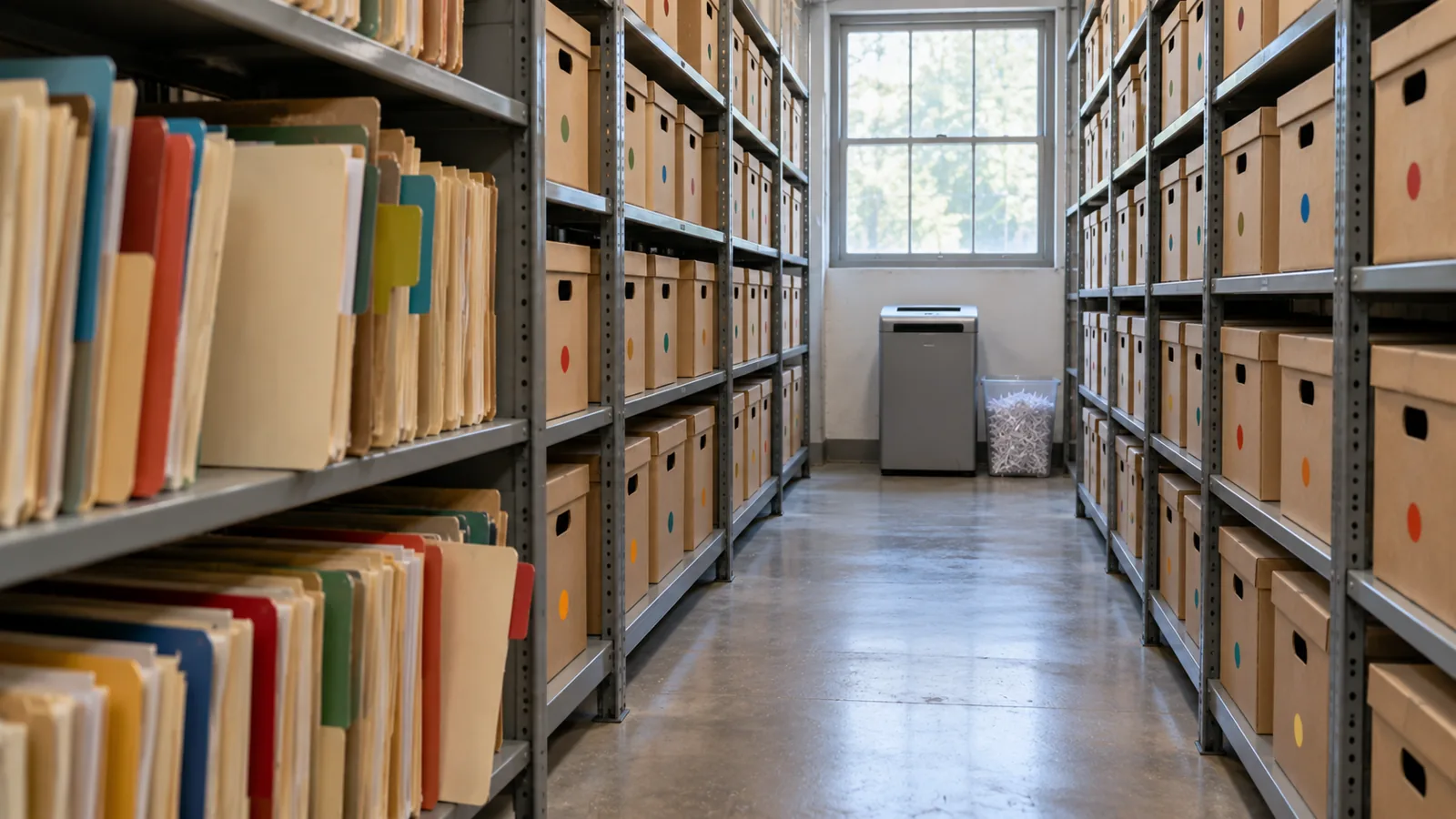
Module 4 sur 4 du chapitre Concevoir pour le volume, chapitre 7 du cours Data Architect. Chaque module est autonome. Précédent : Quand le volume rencontre le modèle de partage · Suivant : le chapitre suivant, Architecture des requêtes et de la récupération
La question à laquelle répond ce module : comment planifier l’archivage et la purge ?
When somebody tells me “we’ll archive the old records later,” I ask one question: if you’re not archiving today, are you ever going to archive? “Later” often becomes after the next release, after the migration, after the reorganization, after we fix performance, after we run out of storage. Then five years on, someone finally asks why there are 80 million records in this object. I don’t want to discover archiving after large data volume has become the problem. If I know the data will grow, I decide its lifecycle when I design it. Salesforce’s own guide says the same: “if your volume of data is increasing, performance can degrade as time goes by. A policy of archiving or discarding data at the same rate at which it comes into the system can prevent this effect” (Best Practices for Deployments with Large Data Volumes (s'ouvre dans un nouvel onglet), Winter ‘27). ⟲
Chaque enregistrement a un cycle de vie
Section intitulée « Chaque enregistrement a un cycle de vie »Nous avons demandé comment un enregistrement est créé, qui le possède, qui peut le modifier, ce qui fait autorité. Maintenant, une question de plus : comment en sort-il ? Un enregistrement peut passer de actif à inactif, puis archivé, puis purgé. Tous les enregistrements n’ont pas besoin de chaque étape, mais chaque objet à fort volume a besoin d’un cycle de vie. Une livraison de Steve Trucking sert en permanence tant qu’elle est en cours : à l’équipe, au coordinateur, au service client, au partenaire, à l’automatisation. Une semaine après sa fin, elle est encore utile. Six mois plus tard, c’est surtout de l’historique de service. Trois ans plus tard, surtout de l’analytique, de l’audit ou un litige occasionnel. Dix ans plus tard, peut-être que plus personne n’a de raison légitime de la garder. La valeur des données change avec le temps ; l’architecture devrait changer avec elle.
La suppression est inévitable, alors décidez-la dès le premier jour
Section intitulée « La suppression est inévitable, alors décidez-la dès le premier jour »Un jour, vous devrez supprimer des données. Je veux donc des politiques de conservation et de purge définies au début du projet, pas quand le stockage devient cher. La conservation est dictée par les exigences métier et réglementaires : combien de temps cela doit-il rester opérationnel, combien de temps devons-nous le garder, pourquoi, qui pourrait en avoir besoin, en combien de temps doit-il l’obtenir, peut-on finir par le supprimer, et la protection de la vie privée dit-elle qu’il faudrait le faire plus tôt ? Le chapitre 5 a montré que tout garder pour toujours n’est pas automatiquement plus sûr ; parfois, garder les données plus longtemps, c’est cela le risque.
Gardez trois décisions séparées. Conservation : combien de temps les gardons-nous ? Archivage : où et comment gardons-nous ce qui n’a plus sa place dans la charge de travail active ? Purge : quand et comment les données sont-elles supprimées définitivement ? Avoir besoin de sept ans de données ne veut pas dire sept ans actives. Peut-être dix-huit mois actives, puis archivées pour le reste de la période, puis purgées. Le cycle de vie est alors explicite.
Purging at volume has its own mechanics, and Salesforce spells them out. Deleting a record doesn’t remove it at once: it goes to the Recycle Bin for 15 days, and while it’s there it “still affects database performance because the data is still resident, and deleted records have to be excluded from any queries.” For a purge of a million records or more, Salesforce’s advice is the hard delete option of Bulk API 2.0, which skips the Recycle Bin, and when records have many children, to delete the children first (Deleting Data (s'ouvre dans un nouvel onglet); Best Practices: Deleting Data (s'ouvre dans un nouvel onglet)). A purge is a data operation like any other at scale: plan it, run it in batches, and check it. ⟲
Test knowledge. Know how to purge at volume: soft-deleted records stay in the Recycle Bin for 15 days and still slow queries; for a million records or more, use Bulk API 2.0 hard delete; delete children before parents. ⟲
Retain for seven years doesn’t mean keep active for seven years. ⟲
Sauvegardez avant de supprimer
Section intitulée « Sauvegardez avant de supprimer »Archiver finit par vouloir dire retirer des enregistrements du système actif, donc, avant de concevoir la suppression, je veux l’histoire de la reprise : pouvons-nous restaurer, en combien de temps, savons-nous exactement ce qui est parti, pouvons-nous restaurer les relations, l’avons-nous testé ? Les sauvegardes sont en place avant que quoi que ce soit ne soit supprimé. Sauvegarde et archive sont des capacités différentes : une sauvegarde protège contre la perte ; une archive sort délibérément des données de la population active tout en gardant l’accès dont le métier a encore besoin. Supprimer dix enregistrements par erreur, c’est agaçant. En supprimer dix millions, c’est un incident. Le Nombre de zéros s’applique aussi aux erreurs.
Les deux viennent désormais de Salesforce lui-même. Own, l’entreprise derrière OwnBackup, fait partie de la plateforme Salesforce : Own Recover est devenu Salesforce Backup & Recover (sauvegardes quotidiennes et à la demande des données et des métadonnées, restaurations au niveau du champ, de l’enregistrement ou de l’objet, restauration à un instant donné), et Archive déplace les données rarement utilisées vers un stockage peu coûteux tout en les gardant accessibles depuis Salesforce, selon des politiques d’archivage et de conservation (Own From Salesforce Product Suite FAQ (s'ouvre dans un nouvel onglet) ; Own’s tools, now part of Salesforce (s'ouvre dans un nouvel onglet)).
Une archive que personne ne retrouve est presque une suppression
Section intitulée « Une archive que personne ne retrouve est presque une suppression »Une équipe déplace de vieilles données vers un endroit moins cher. Archivage terminé. Puis un client appelle : « J’ai eu une livraison il y a quatre ans et j’ai besoin de la preuve de livraison. » L’agent cherche dans Salesforce : rien. Il lui faut maintenant un autre système, la bonne table, un identifiant, un administrateur, une demande, deux jours. Ce n’est pas vraiment une archive. Les données archivées n’ont pas à se comporter comme des données actives. Elles peuvent être plus lentes, en lecture seule, affichées dans un autre composant. Mais les données archivées doivent rester retrouvables, comme le métier l’exige.
I’ve seen this done well at a service chain. At the very beginning of the project they told me, “We only do a hundred appointments a day at a store.” A hundred, no big deal. But they had a thousand stores, open six days a week. Do the quick math: that’s about 31 million appointments a year. Then they created two appointment records for every visit, one at the front office and one at the back, so 62 million. And they needed five years: over 300 million records. I could see large data volume coming before we’d even gone live. So right from the beginning we said: there has to be archiving before we collect a single appointment. We put the archive in big objects and built it in from the ground up. When a user searched a customer, the live appointments came first, and below them, the archived ones. The archive didn’t pretend to be active data, and nobody had to become a database administrator to find history. Active data where the operational system needs it; archived data somewhere suited to its volume; a path from the business context to both. Much better than either extreme: everything active forever, or moved somewhere nobody can find. ⟲
Où l’archive doit-elle vivre ?
Section intitulée « Où l’archive doit-elle vivre ? »Keeping data in core is like keeping it at the front of the office, where it’s in the way of today’s work. Somewhere in the future of any object with tens of millions of records there’s a move to the back: a box in an archive, the shed (big objects), or a hologram (virtualization, the data shown in Salesforce but living elsewhere). There’s no single answer; I choose the destination by constraint. When the customer doesn’t want an external store, I’ve used big objects: on-platform, built for very large volumes, but with no standard UI or reporting, Apex-only access and querying through the index, so plan the access path before you choose them (chapter 3’s “shed out back”). Plan the storage too: most editions are allocated storage for 1 million big object records per org, and more has to be arranged with Salesforce (Data and File Storage Allocations (s'ouvre dans un nouvel onglet)). Two more facts matter for an archive. Big objects support only object and field permissions, not sharing rules, and triggers and flows don’t run on them. And inserting an identical record twice creates only one, so writes can be idempotent, which helps when an archive run has to restart (Big Objects (s'ouvre dans un nouvel onglet)). ⟲
A big object: the archive stays inside Salesforce, and you build the window users see it through. ⟲
When an external store is fine, I’ve used an off-platform database surfaced through Salesforce Connect, so archived records appear in Salesforce without being copied back. Precisely: Salesforce Connect reaches external data through OData services, other Salesforce orgs, a custom adapter built with the Apex Connector Framework, or specific adapters for Amazon DynamoDB, GraphQL and SQL (the SQL adapter supports Snowflake and Amazon Athena), so a general database usually needs an OData layer or a custom adapter in front of it (Choose Which Salesforce Connect Adapter to Use (s'ouvre dans un nouvel onglet)). ⟲
An external store: the archive leaves Salesforce, and Salesforce Connect brings it back into view. ⟲
The archive doesn’t have to be a database. It can be files in low-cost file storage, such as Amazon S3, and Salesforce Connect’s SQL adapter for Amazon Athena lets users “analyze data directly in Amazon Simple Storage Service (Amazon S3)” from Salesforce. One catch for an archive: that adapter is available “not for high-data-volume external objects,” so check what your volume needs before you choose it (Salesforce Connect SQL Adapter for Amazon Athena (s'ouvre dans un nouvel onglet)). ⟲
File storage: the same move, with files in place of a database. ⟲
And now Salesforce’s Archive is the built-in option, keeping archived records reachable from Salesforce. Third-party tools such as GRAX are in the market too. ⟲
Test knowledge. Know the archive destinations and what big objects are: built for very large volumes (consistent performance from a million records to a billion); reached through Apex, APIs and their index, not the standard UI; object and field permissions only, no sharing rules; no triggers or flows. Know the alternatives: an external store through Salesforce Connect, and Salesforce’s Archive. ⟲
Le produit n’est pas la leçon. Les caractéristiques, si : quelle quantité de données, à quelle fréquence on les récupère, en combien de temps elles doivent apparaître, si elles ont besoin d’un accès relationnel, si les utilisateurs doivent les retrouver depuis Salesforce, si elles peuvent être en lecture seule, qui peut les voir, combien de temps on les garde, ce qu’elles coûtent, et comment elles seront finalement purgées. Ces réponses choisissent la technologie. Et souvenez-vous : l’endroit où les données vivent physiquement et l’endroit où un utilisateur peut les découvrir sont deux questions différentes. La livraison vieille de cinq ans n’a pas sa place dans l’objet actif. Cela ne veut pas dire que l’agent du service client ne devrait pas pouvoir la retrouver.
L’archivage en trois étapes
Section intitulée « L’archivage en trois étapes »When I’m moving large volumes out of an operational system, I don’t like copy, then delete in one step. There’s too much trust in it. And before the first real run, I rehearse it: a dry run that shows which records would move, ideally in a full copy sandbox, deleting nothing. Salesforce’s Archive app lets you preview an archive policy before you publish it (Archive App (s'ouvre dans un nouvel onglet)), and other archiving tools offer a dry-run mode for the same reason. Then I use three steps: ⟲
- Copy and flag. Copy the records to the archive and mark them in the source as pending archive. Don’t delete anything yet. Now both copies exist. On the service chain, this was a batch that ran on the weekend. ⟲
- Verify. Re-query the source and the archive and prove the archive is right: counts, identifiers, relationships, totals or other reconciliation; can we retrieve them? For extra assurance, add checksums, or restore a sample back and compare it. Then flag them as validated. Trust but verify. Users still find the records in the source, because they aren’t archived yet. ⟲
- Delete and flip. Only after verification, and only for records that aren’t under a legal hold, delete the active records and mark the archive complete, so the search screens now pull them from the archive. The deletion doesn’t have to follow at once; it could happen a week later. ⟲
What could go wrong with one pass, copy and delete? It didn’t copy, and you’ve deleted the records. The point is that you don’t cross the destructive boundary until you’ve proved the copy. And with the states, you can report on every archive run. ⟲
This isn’t just my habit; it’s how the serious archiving tools work. Oracle’s archive and purge, for example, validates the records, copies them to archive tables, and then purges from what it archived, with a restart program for when a run fails partway (Archive and Purge (s'ouvre dans un nouvel onglet)). Tools that copy and delete in a single pass come with a warning to test with a dry run first (AWS Prescriptive Guidance: Archiving data from unpartitioned tables (s'ouvre dans un nouvel onglet)). Salesforce’s Archive app respects legal holds: records under a legal hold can’t be deleted or removed (Archive App). ⟲
Don’t cross the destructive boundary until you’ve proved the copy. ⟲
Et concevez-le pour pouvoir redémarrer. Vous archivez 20 millions d’enregistrements, et le traitement échoue à l’enregistrement 14 382 711. Si la réponse est « on recommence depuis le début », je n’aime pas la conception. Les grosses opérations échouent : les connexions tombent, les traitements expirent, un enregistrement bizarre lève une erreur. Le processus doit savoir ce qui a déjà réussi, et c’est à cela que servent les états de l’archive (en attente, vérifié, archivé, en échec), pour pouvoir redémarrer sans dupliquer de données, sans en perdre, et sans supprimer quelque chose qui n’a pas été archivé en sécurité. À grande échelle, la capacité à redémarrer fait partie de la fiabilité.
One more thing to know before you call a purge done: deleting the active records isn’t the same as erasing the data. Backups, caches, replicas and analytics copies may still hold it. That’s fine for an archive, and it’s exactly what chapter 5 asks you to account for when privacy law says the data must go. ⟲
Don’t Archive Everything Forever
Section intitulée « Don’t Archive Everything Forever »L’archivage peut devenir une excuse pour éviter de décider de supprimer. « On pourrait en avoir besoin un jour. » Peut-être pas. Le chapitre 5 demande avons-nous le droit de le garder ? Ce chapitre ajoute y a-t-il une valeur à le garder actif ? Certains enregistrements partent dans une archive ; certains sont résumés, certains anonymisés, certains supprimés. Le but n’est pas de préserver chaque octet. C’est de garder ce dont le métier a légitimement besoin, aussi longtemps qu’il en a légitimement besoin.
Les fichiers changent le Nombre de zéros
Section intitulée « Les fichiers changent le Nombre de zéros »Unstructured data is a different scale problem. Steve Trucking expects four to five million photos a year. Purely for magnitude, at about 4 MB a photo, five million is about 20 TB in one year, before growth. The real size will vary; the zeros tell you the binary content needs its own architecture. That’s why Checkpoint 1 separated the business record about a photo from the photo itself. Salesforce may need the photo’s type, its delivery, when and by whom it was taken, where it’s stored and its retention state, or even just a count and a “required photos complete” flag. The image belongs in storage built for millions of large objects. It’s the same principle as FleetLink’s GPS: keep in core what the operational process needs, and don’t copy every high-volume artifact into core because Salesforce takes part in the process. ⟲
L’archive doit quand même être sécurisée
Section intitulée « L’archive doit quand même être sécurisée »Data leaving the active object doesn’t leave its security requirements behind. Redrock saw only Redrock’s deliveries while they were active; archive them, and Redrock still doesn’t get Keystone’s history. The archive needs an authorization model too, for Recipient personal data, photos, financial data, service history and agent access. A big-object archive doesn’t help on its own here: big objects don’t support sharing rules, so the access path you build has to carry the partner boundary. One design question for every archive: how do the original security requirements survive the move? The implementation may change; the requirement doesn’t. ⟲
Les agents et les données archivées
Section intitulée « Les agents et les données archivées »Un destinataire demande à un agent : « Où mon réfrigérateur a-t-il été livré il y a quatre ans ? » La réponse existe, mais elle est archivée. L’agent doit-il pouvoir l’atteindre ? Ma position : c’est une décision importante, et c’est au métier de la prendre. L’architecte présente les options et ce que chacune coûte : quelle archive, comment un agent l’atteint, la latence, la consommation, ce qu’un agent peut dire sur des données anciennes, et les limites de conservation et de confidentialité. Ensuite, le métier décide. Si les données archivées doivent rester accessibles, construisez un chemin de récupération autorisé. Si elles ne doivent pas l’être, laissez la frontière de l’archive l’imposer. Ce que je ne veux pas, c’est que la technologie prenne la décision par accident.
Au-delà de l’examen : ce que l’IA change. L’archivage inclut désormais une décision de contexte : l’historique reste-t-il accessible aux agents ? Une archive ne fait pas automatiquement partie du contexte d’un agent simplement parce que les données existent encore. Soumettez la décision au métier, puis appliquez les mêmes règles d’autorisation et de conservation que pour l’accès humain.
Steve Trucking : décidez du cycle de vie avant d’en avoir besoin
Section intitulée « Steve Trucking : décidez du cycle de vie avant d’en avoir besoin »À cinq ans : environ 9 millions d’ordres d’exécution, 14,5 millions d’articles, des millions de photos, plus l’historique des statuts et le GPS que nous avons délibérément gardés hors du cœur. Je ne veux pas que Steve Trucking attende la cinquième année pour décider de ce que « ancien » veut dire. Les durées exactes ne sont peut-être pas encore fixées ; c’est très bien. Mais l’architecture devrait déjà poser les questions : combien de temps une livraison terminée reste-t-elle opérationnelle ? Quels détails les agents du service client doivent-ils voir immédiatement ? Quand les ordres d’exécution et leurs articles passent-ils à l’archive, et où ? Quel historique relève de Snowflake ? Où vivent les vieilles photos, et quand sont-elles supprimées ? Quels enregistrements archivés les partenaires distributeurs voient-ils encore ? Un agent peut-il atteindre les livraisons archivées ? Ce ne sont pas des questions de nettoyage. Ce sont des questions d’architecture.
Pour chaque objet à fort volume, je veux cinq réponses. Quand cesse-t-il d’être actif ? Où va-t-il ? Comment prouvons-nous qu’il y est arrivé ? Comment quelqu’un le retrouve-t-il ensuite ? Quand est-il finalement supprimé ? Si vous ne pouvez pas répondre à ces questions, vous n’avez pas de stratégie d’archivage. Vous avez un espoir.
Five answers, or you have a hope. ⟲
Ce que l’architecte décide ici
Section intitulée « Ce que l’architecte décide ici »- Le cycle de vie actif, archivé, conservé et purgé de chaque objet à fort volume, décidé avant que le stockage ou les performances ne l’imposent.
- Quelles sauvegardes et quelle reprise doivent être en place avant tout archivage ou toute purge destructifs.
- Où vivent les données archivées (big objects, un stockage externe via Salesforce Connect, l’Archive de Salesforce), selon le volume, la récupération, la latence, la sécurité, le coût et la suppression.
- Comment les exécutions d’archivage sont vérifiées et rendues redémarrables avant que les enregistrements ne franchissent la frontière de la suppression.
- Quel contenu non structuré vit hors du cœur pendant que son enregistrement métier reste dans Salesforce, et si les données archivées restent accessibles aux agents.
Nous passons beaucoup de temps sur la façon dont les données entrent dans un système : API, imports, intégrations, migrations, utilisateurs, agents. Passez-en autant sur la façon dont elles en sortent, parce que les données que nous créons aujourd’hui sont le problème de gros volumes de demain. L’archivage ne commencera peut-être pas avant trois ans. Le cycle de vie devrait exister dès maintenant. Concevez la sortie quand vous concevez l’entrée.
Pour aller plus loin
Section intitulée « Pour aller plus loin »- Trailhead, Explore Archival Versus Purge in Data Cleanup (s'ouvre dans un nouvel onglet): back up before cleaning or moving data; archive versus purge, checked 2026-11-01. ⟲
- Salesforce Help, Archive App (s'ouvre dans un nouvel onglet): archive policies and preview, job sessions, Log Failures and Continue, purge policies, legal holds, Archive Search and the Archive component, checked 2026-11-01. ⟲
- ISO, ISO 15489-1:2016, Records management: Concepts and principles (s'ouvre dans un nouvel onglet) (current; confirmed 2021), checked 2026-11-01. ⟲
- Industry examples of the same pattern: Oracle, Archive and Purge (s'ouvre dans un nouvel onglet) (Oracle Receivables: validate, archive, then purge from the archive tables, with a restart program), and AWS Prescriptive Guidance, Archiving data from unpartitioned tables (s'ouvre dans un nouvel onglet) (a one-pass archiver; test with a dry run first), checked 2026-11-01. ⟲
- Salesforce Developers, Best Practices for Deployments with Large Data Volumes (Winter ‘27): Best Practices (s'ouvre dans un nouvel onglet), Deleting Data (s'ouvre dans un nouvel onglet) and Best Practices: Deleting Data (s'ouvre dans un nouvel onglet), checked 2026-11-01. ⟲
- Salesforce Help, Data and File Storage Allocations (s'ouvre dans un nouvel onglet), checked 2026-11-01. ⟲
- Salesforce Help, Own From Salesforce Product Suite FAQ (s'ouvre dans un nouvel onglet), and Salesforce, Own’s tools, now part of Salesforce (s'ouvre dans un nouvel onglet), checked 2026-11-01. ⟲
- Salesforce Help, Salesforce Connect SQL Adapter for Amazon Athena (s'ouvre dans un nouvel onglet), checked 2026-11-01. ⟲
- Salesforce Help, Choose Which Salesforce Connect Adapter to Use (s'ouvre dans un nouvel onglet), checked 2026-11-01. ⟲
- Salesforce Developers, Big Objects Implementation Guide (s'ouvre dans un nouvel onglet), checked 2026-11-01. ⟲
- SteveTechArc, Salesforce Documents by Release: these guides, once a year from Winter ‘16, each with an archived copy. ⟲