
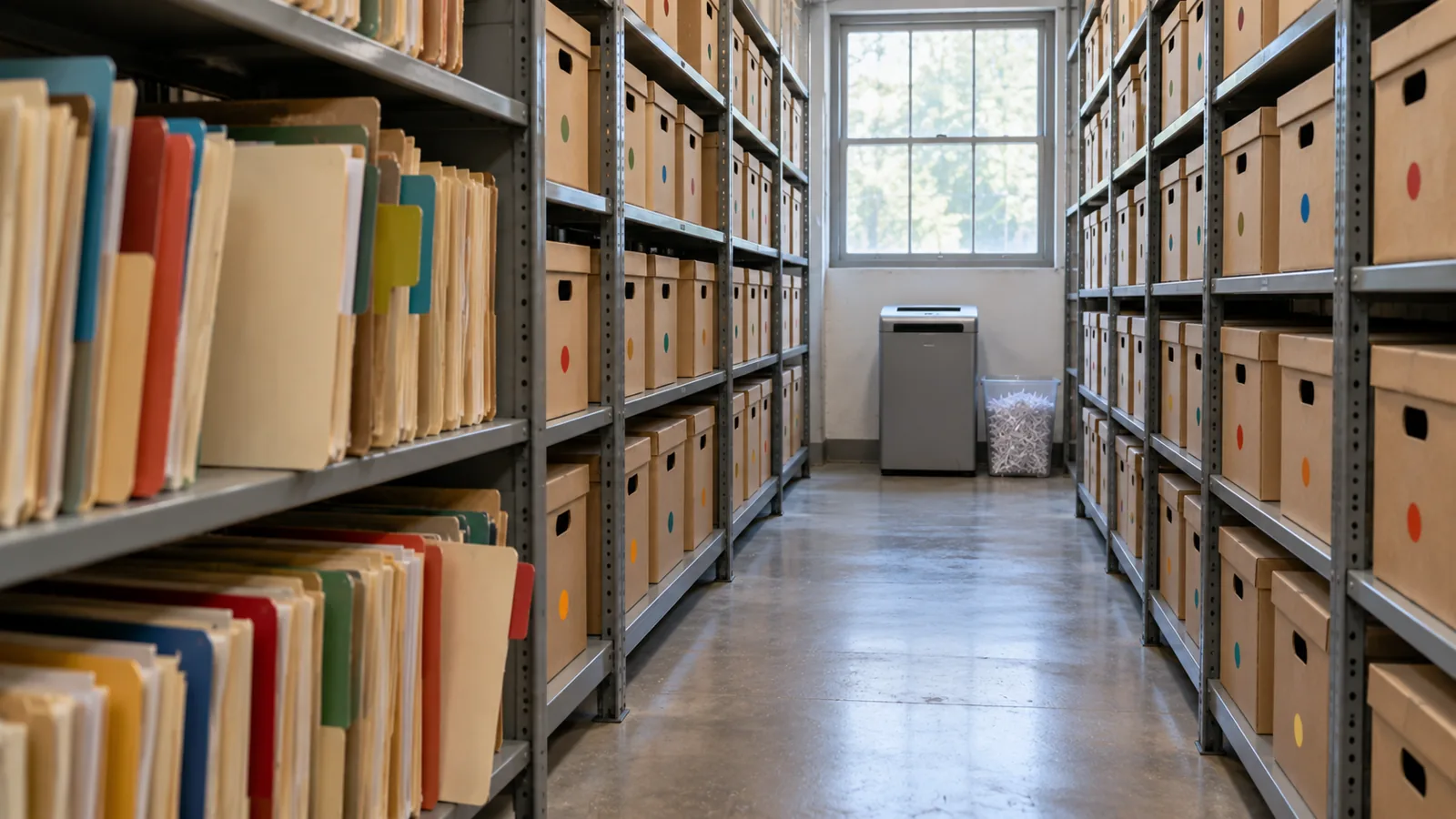
Якщо ви не архівуєте сьогодні…
Також доступно 19 мовами
English · Español · 日本語 · Português (Brasil) · Français · Deutsch · Italiano · 한국어 · 简体中文 · Português (Portugal) · 繁體中文 · Bahasa Indonesia · Türkçe · Polski · Tiếng Việt · ไทย · Español (México) · Français (Canada) · Deutsch (Schweiz)
Модуль 4 з 4 розділу Проєктування для масштабу, розділ 7 курсу Data Architect. Кожен модуль самостійний. Попередній: Обсяг зустрічає модель спільного доступу · Наступний: наступний розділ, Архітектура запитів і отримання даних
Питання, на яке відповідає цей модуль: Як планувати архівування й остаточне видалення?
When somebody tells me “we’ll archive the old records later,” I ask one question: if you’re not archiving today, are you ever going to archive? “Later” often becomes after the next release, after the migration, after the reorganization, after we fix performance, after we run out of storage. Then five years on, someone finally asks why there are 80 million records in this object. I don’t want to discover archiving after large data volume has become the problem. If I know the data will grow, I decide its lifecycle when I design it. Salesforce’s own guide says the same: “if your volume of data is increasing, performance can degrade as time goes by. A policy of archiving or discarding data at the same rate at which it comes into the system can prevent this effect” (Best Practices for Deployments with Large Data Volumes (відкривається в новій вкладці), Winter ‘27). ⟲
У кожного запису є життєвий цикл
Section titled “У кожного запису є життєвий цикл ”Ми вже питали, як запис створюється, хто ним володіє, хто може його змінювати, що є авторитетним. Тепер ще одне: як він іде? Запис може переходити від активного до неактивного, до архівного і до остаточно видаленого. Не кожному запису потрібен кожен етап, але кожному об’єкту з великим обсягом потрібен життєвий цикл. Доставка Steve Trucking потрібна постійно, поки вона триває: бригаді, координаторові, службі підтримки, партнерові, автоматизації. Через тиждень після завершення вона ще корисна. Через пів року це переважно історія обслуговування. Через три роки — переважно аналітика, аудит або зрідка спір. Через десять років, можливо, ні в кого вже немає законної причини її зберігати. Цінність даних змінюється з часом; архітектура має змінюватися разом із нею.
Видалення неминуче, тож вирішіть його з першого дня
Section titled “Видалення неминуче, тож вирішіть його з першого дня ”Колись вам таки доведеться видаляти дані. Тож я хочу, щоб політики зберігання й остаточного видалення були встановлені на початку проєкту, а не тоді, коли сховище подорожчає. Зберігання визначають вимоги бізнесу й регуляторів: як довго дані мають залишатися операційними, як довго ми мусимо їх зберігати, навіщо, кому вони можуть знадобитися, як швидко їх треба отримати, чи можна їх зрештою видалити і чи не каже приватність, що їх слід видалити раніше? Розділ 5 показав, що зберігати все вічно автоматично не безпечніше; іноді довше зберігання і є ризиком.
Тримайте три рішення окремо. Зберігання: як довго ми це тримаємо? Архівування: де і як ми тримаємо те, що вже не належить до активного навантаження? Остаточне видалення: коли і як це видаляють назавжди? Потреба в даних за сім років не означає сім років в активному стані. Можливо, це вісімнадцять місяців активності, потім архів до кінця строку, потім остаточне видалення. Тепер життєвий цикл явний.
Purging at volume has its own mechanics, and Salesforce spells them out. Deleting a record doesn’t remove it at once: it goes to the Recycle Bin for 15 days, and while it’s there it “still affects database performance because the data is still resident, and deleted records have to be excluded from any queries.” For a purge of a million records or more, Salesforce’s advice is the hard delete option of Bulk API 2.0, which skips the Recycle Bin, and when records have many children, to delete the children first (Deleting Data (відкривається в новій вкладці); Best Practices: Deleting Data (відкривається в новій вкладці)). A purge is a data operation like any other at scale: plan it, run it in batches, and check it. ⟲
Test knowledge. Know how to purge at volume: soft-deleted records stay in the Recycle Bin for 15 days and still slow queries; for a million records or more, use Bulk API 2.0 hard delete; delete children before parents. ⟲
Retain for seven years doesn’t mean keep active for seven years. ⟲
Робіть резервну копію перед видаленням
Section titled “Робіть резервну копію перед видаленням ”Архівування зрештою означає видалення записів з активної системи, тож перш ніж проєктувати видалення, я хочу мати історію відновлення: чи можемо ми відновити, як швидко, чи знаємо ми точно, що зникло, чи можемо відновити зв’язки, чи ми це тестували? Резервні копії з’являються раніше, ніж щось видаляється. Резервне копіювання й архівування — різні можливості: резервна копія захищає від втрати; архів свідомо виводить дані з активного масиву, зберігаючи доступ, який ще потрібен бізнесу. Помилково видалити десять записів прикро. Помилково видалити десять мільйонів — це інцидент. «Кількість нулів» стосується й помилок.
Тепер обидві можливості надає сам Salesforce. Own, компанія за OwnBackup, — частина Salesforce Platform: Own Recover тепер називається Salesforce Backup & Recover (щоденні й разові резервні копії даних і метаданих, відновлення на рівні поля, запису чи об’єкта, відновлення на момент часу), а Archive переносить рідко використовувані дані до дешевого сховища, зберігаючи до них доступ зсередини Salesforce, за політиками архівування й зберігання (Own From Salesforce Product Suite FAQ (відкривається в новій вкладці); Own’s tools, now part of Salesforce (відкривається в новій вкладці)).
Архів, у якому ніхто нічого не знайде, — майже видалення
Section titled “Архів, у якому ніхто нічого не знайде, — майже видалення ”Команда переносить старі дані кудись дешевше. Архівування завершено. Потім дзвонить клієнт: «Чотири роки тому в мене була доставка, і мені потрібне підтвердження доставки». Агент шукає в Salesforce: нічого. Тепер потрібна інша система, правильна таблиця, ідентифікатор, адміністратор, заявка і два дні. Такий собі архів. Архівні дані не мусять поводитися як активні. Вони можуть бути повільнішими, лише для читання, показуватися в іншому компоненті. Але архівні дані мають залишатися знаходжуваними — так, як цього потребує бізнес.
I’ve seen this done well at a service chain. At the very beginning of the project they told me, “We only do a hundred appointments a day at a store.” A hundred, no big deal. But they had a thousand stores, open six days a week. Do the quick math: that’s about 31 million appointments a year. Then they created two appointment records for every visit, one at the front office and one at the back, so 62 million. And they needed five years: over 300 million records. I could see large data volume coming before we’d even gone live. So right from the beginning we said: there has to be archiving before we collect a single appointment. We put the archive in big objects and built it in from the ground up. When a user searched a customer, the live appointments came first, and below them, the archived ones. The archive didn’t pretend to be active data, and nobody had to become a database administrator to find history. Active data where the operational system needs it; archived data somewhere suited to its volume; a path from the business context to both. Much better than either extreme: everything active forever, or moved somewhere nobody can find. ⟲
Де має жити архів?
Section titled “Де має жити архів? ”Keeping data in core is like keeping it at the front of the office, where it’s in the way of today’s work. Somewhere in the future of any object with tens of millions of records there’s a move to the back: a box in an archive, the shed (big objects), or a hologram (virtualization, the data shown in Salesforce but living elsewhere). There’s no single answer; I choose the destination by constraint. When the customer doesn’t want an external store, I’ve used big objects: on-platform, built for very large volumes, but with no standard UI or reporting, Apex-only access and querying through the index, so plan the access path before you choose them (chapter 3’s “shed out back”). Plan the storage too: most editions are allocated storage for 1 million big object records per org, and more has to be arranged with Salesforce (Data and File Storage Allocations (відкривається в новій вкладці)). Two more facts matter for an archive. Big objects support only object and field permissions, not sharing rules, and triggers and flows don’t run on them. And inserting an identical record twice creates only one, so writes can be idempotent, which helps when an archive run has to restart (Big Objects (відкривається в новій вкладці)). ⟲
A big object: the archive stays inside Salesforce, and you build the window users see it through. ⟲
When an external store is fine, I’ve used an off-platform database surfaced through Salesforce Connect, so archived records appear in Salesforce without being copied back. Precisely: Salesforce Connect reaches external data through OData services, other Salesforce orgs, a custom adapter built with the Apex Connector Framework, or specific adapters for Amazon DynamoDB, GraphQL and SQL (the SQL adapter supports Snowflake and Amazon Athena), so a general database usually needs an OData layer or a custom adapter in front of it (Choose Which Salesforce Connect Adapter to Use (відкривається в новій вкладці)). ⟲
An external store: the archive leaves Salesforce, and Salesforce Connect brings it back into view. ⟲
The archive doesn’t have to be a database. It can be files in low-cost file storage, such as Amazon S3, and Salesforce Connect’s SQL adapter for Amazon Athena lets users “analyze data directly in Amazon Simple Storage Service (Amazon S3)” from Salesforce. One catch for an archive: that adapter is available “not for high-data-volume external objects,” so check what your volume needs before you choose it (Salesforce Connect SQL Adapter for Amazon Athena (відкривається в новій вкладці)). ⟲
File storage: the same move, with files in place of a database. ⟲
And now Salesforce’s Archive is the built-in option, keeping archived records reachable from Salesforce. Third-party tools such as GRAX are in the market too. ⟲
Test knowledge. Know the archive destinations and what big objects are: built for very large volumes (consistent performance from a million records to a billion); reached through Apex, APIs and their index, not the standard UI; object and field permissions only, no sharing rules; no triggers or flows. Know the alternatives: an external store through Salesforce Connect, and Salesforce’s Archive. ⟲
Продукт — не урок. Урок — характеристики: скільки даних, як часто їх отримують, як швидко вони мають з’являтися, чи потрібен реляційний доступ, чи мають користувачі знаходити їх із Salesforce, чи можуть вони бути лише для читання, хто може їх бачити, як довго їх зберігають, скільки це коштує і як їх зрештою остаточно видалять. Ці відповіді й обирають технологію. І пам’ятайте: де дані фізично живуть і де користувач може їх знайти — різні запитання. П’ятирічній доставці не місце в активному об’єкті. Це не означає, що агент підтримки не повинен мати змоги її знайти.
Архівування у три кроки
Section titled “Архівування у три кроки ”When I’m moving large volumes out of an operational system, I don’t like copy, then delete in one step. There’s too much trust in it. And before the first real run, I rehearse it: a dry run that shows which records would move, ideally in a full copy sandbox, deleting nothing. Salesforce’s Archive app lets you preview an archive policy before you publish it (Archive App (відкривається в новій вкладці)), and other archiving tools offer a dry-run mode for the same reason. Then I use three steps: ⟲
- Copy and flag. Copy the records to the archive and mark them in the source as pending archive. Don’t delete anything yet. Now both copies exist. On the service chain, this was a batch that ran on the weekend. ⟲
- Verify. Re-query the source and the archive and prove the archive is right: counts, identifiers, relationships, totals or other reconciliation; can we retrieve them? For extra assurance, add checksums, or restore a sample back and compare it. Then flag them as validated. Trust but verify. Users still find the records in the source, because they aren’t archived yet. ⟲
- Delete and flip. Only after verification, and only for records that aren’t under a legal hold, delete the active records and mark the archive complete, so the search screens now pull them from the archive. The deletion doesn’t have to follow at once; it could happen a week later. ⟲
What could go wrong with one pass, copy and delete? It didn’t copy, and you’ve deleted the records. The point is that you don’t cross the destructive boundary until you’ve proved the copy. And with the states, you can report on every archive run. ⟲
This isn’t just my habit; it’s how the serious archiving tools work. Oracle’s archive and purge, for example, validates the records, copies them to archive tables, and then purges from what it archived, with a restart program for when a run fails partway (Archive and Purge (відкривається в новій вкладці)). Tools that copy and delete in a single pass come with a warning to test with a dry run first (AWS Prescriptive Guidance: Archiving data from unpartitioned tables (відкривається в новій вкладці)). Salesforce’s Archive app respects legal holds: records under a legal hold can’t be deleted or removed (Archive App). ⟲
Don’t cross the destructive boundary until you’ve proved the copy. ⟲
І проєктуйте з можливістю перезапуску. Архівуємо 20 мільйонів записів, і завдання падає на записі 14 382 711. Якщо відповідь — «почати спочатку», мені не подобається такий проєкт. Великі операції падають: з’єднання обриваються, завдання перевищують ліміт часу, один дивний запис кидає помилку. Процес мусить знати, що вже вдалося, — саме для цього існують стани архівування (очікує, перевірено, заархівовано, помилка), — щоб перезапуститися без дублювання даних, без їх втрати і без видалення того, що не було безпечно заархівоване. У масштабі можливість перезапуску — частина надійності.
One more thing to know before you call a purge done: deleting the active records isn’t the same as erasing the data. Backups, caches, replicas and analytics copies may still hold it. That’s fine for an archive, and it’s exactly what chapter 5 asks you to account for when privacy law says the data must go. ⟲
Don’t Archive Everything Forever
Section titled “Don’t Archive Everything Forever”Архівування може стати приводом не ухвалювати рішення про видалення. «А раптом колись знадобиться». Можливо, ні. Розділ 5 питає: чи маємо ми право це зберігати? Цей розділ додає: чи є цінність у тому, щоб тримати це активним? Частина записів іде до архіву; частину підсумовують, частину анонімізують, частину видаляють. Мета не в тому, щоб зберегти кожен байт. Мета — зберігати те, що бізнесу законно потрібно, і стільки, скільки законно потрібно.
Файли змінюють «кількість нулів»
Section titled “Файли змінюють «кількість нулів» ”Unstructured data is a different scale problem. Steve Trucking expects four to five million photos a year. Purely for magnitude, at about 4 MB a photo, five million is about 20 TB in one year, before growth. The real size will vary; the zeros tell you the binary content needs its own architecture. That’s why Checkpoint 1 separated the business record about a photo from the photo itself. Salesforce may need the photo’s type, its delivery, when and by whom it was taken, where it’s stored and its retention state, or even just a count and a “required photos complete” flag. The image belongs in storage built for millions of large objects. It’s the same principle as FleetLink’s GPS: keep in core what the operational process needs, and don’t copy every high-volume artifact into core because Salesforce takes part in the process. ⟲
Архів однаково має бути захищеним
Section titled “Архів однаково має бути захищеним ”Data leaving the active object doesn’t leave its security requirements behind. Redrock saw only Redrock’s deliveries while they were active; archive them, and Redrock still doesn’t get Keystone’s history. The archive needs an authorization model too, for Recipient personal data, photos, financial data, service history and agent access. A big-object archive doesn’t help on its own here: big objects don’t support sharing rules, so the access path you build has to carry the partner boundary. One design question for every archive: how do the original security requirements survive the move? The implementation may change; the requirement doesn’t. ⟲
Агенти й архівні дані
Section titled “Агенти й архівні дані ”Отримувач питає агента: «куди доставили мій холодильник чотири роки тому?» Відповідь існує, але вона в архіві. Чи має агент мати до неї доступ? Моя позиція: це суттєве рішення, і ухвалювати його бізнесу. Архітектор викладає варіанти і що кожен із них коштує: який архів, як агент до нього дістається, затримка, витрати, що агент може казати про старі дані, обмеження зберігання й приватності. Потім вирішує бізнес. Якщо архівні дані мають залишатися досяжними, побудуйте авторизований шлях отримання. Якщо ні, нехай межа архіву це забезпечує. Чого я не хочу — щоб рішення випадково ухвалила технологія.
За межами іспиту: що змінює ШІ. Архівування тепер включає рішення про контекст: чи залишається історія досяжною для агентів. Архів не стає автоматично частиною контексту агента лише тому, що дані досі існують. Винесіть рішення на бізнес, а потім застосуйте ті самі правила авторизації та зберігання, що й для доступу людей.
Steve Trucking: визначте життєвий цикл, перш ніж він знадобиться
Section titled “Steve Trucking: визначте життєвий цикл, перш ніж він знадобиться ”За п’ять років: приблизно 9 мільйонів робочих замовлень, 14,5 мільйона рядків, мільйони фото, а також історія статусів і GPS, які ми свідомо тримаємо поза ядром. Я не хочу, щоб Steve Trucking чекав до п’ятого року, щоб вирішити, що означає «старе». Точні строки можуть бути ще не визначені; це нормально. Але архітектура вже має питати: як довго завершена доставка залишається операційною? Які деталі агенти підтримки мають бачити одразу? Коли робочі замовлення та їхні рядки переходять до архіву і куди? Яка історія належить Snowflake? Де живуть старі фото і коли їх видаляють? Які архівні записи досі бачать роздрібні партнери? Чи може агент дістатися до архівних доставок? Це не питання прибирання. Це архітектурні питання.
Для кожного об’єкта з великим обсягом я хочу п’ять відповідей. Коли він перестає бути активним? Куди він іде? Як ми доводимо, що він туди дійшов? Як його потім знаходять? Коли його остаточно видаляють? Якщо ви не можете на них відповісти, у вас немає стратегії архівування. У вас є надія.
Five answers, or you have a hope. ⟲
Що тут вирішує архітектор
Section titled “Що тут вирішує архітектор ”- Життєвий цикл кожного об’єкта з великим обсягом — активний, архівний, збережений, остаточно видалений, — визначений до того, як сховище чи продуктивність змусять це зробити.
- Які резервне копіювання й відновлення мають бути на місці перед будь-яким руйнівним архівуванням чи остаточним видаленням.
- Де живуть архівні дані (big objects, зовнішнє сховище через Salesforce Connect, Archive від Salesforce), з урахуванням обсягу, отримання, затримки, безпеки, вартості й видалення.
- Як запуски архівування перевіряють і роблять перезапусковими, перш ніж записи переступлять межу видалення.
- Який неструктурований вміст живе поза ядром, тоді як його бізнес-запис залишається в Salesforce, і чи залишаються архівні дані досяжними для агентів.
Ми багато часу приділяємо тому, як дані потрапляють у систему: API, імпорти, інтеграції, міграції, користувачі, агенти. Приділіть стільки ж тому, як вони її залишають, бо дані, які ми створюємо сьогодні, — це завтрашня проблема великих обсягів. Архівування може не початися ще три роки. Життєвий цикл має існувати вже зараз. Проєктуйте вихід, коли проєктуєте вхід.
Додаткові матеріали
Section titled “Додаткові матеріали ”- Trailhead, Explore Archival Versus Purge in Data Cleanup (відкривається в новій вкладці): back up before cleaning or moving data; archive versus purge, checked 2026-11-01. ⟲
- Salesforce Help, Archive App (відкривається в новій вкладці): archive policies and preview, job sessions, Log Failures and Continue, purge policies, legal holds, Archive Search and the Archive component, checked 2026-11-01. ⟲
- ISO, ISO 15489-1:2016, Records management: Concepts and principles (відкривається в новій вкладці) (current; confirmed 2021), checked 2026-11-01. ⟲
- Industry examples of the same pattern: Oracle, Archive and Purge (відкривається в новій вкладці) (Oracle Receivables: validate, archive, then purge from the archive tables, with a restart program), and AWS Prescriptive Guidance, Archiving data from unpartitioned tables (відкривається в новій вкладці) (a one-pass archiver; test with a dry run first), checked 2026-11-01. ⟲
- Salesforce Developers, Best Practices for Deployments with Large Data Volumes (Winter ‘27): Best Practices (відкривається в новій вкладці), Deleting Data (відкривається в новій вкладці) and Best Practices: Deleting Data (відкривається в новій вкладці), checked 2026-11-01. ⟲
- Salesforce Help, Data and File Storage Allocations (відкривається в новій вкладці), checked 2026-11-01. ⟲
- Salesforce Help, Own From Salesforce Product Suite FAQ (відкривається в новій вкладці), and Salesforce, Own’s tools, now part of Salesforce (відкривається в новій вкладці), checked 2026-11-01. ⟲
- Salesforce Help, Salesforce Connect SQL Adapter for Amazon Athena (відкривається в новій вкладці), checked 2026-11-01. ⟲
- Salesforce Help, Choose Which Salesforce Connect Adapter to Use (відкривається в новій вкладці), checked 2026-11-01. ⟲
- Salesforce Developers, Big Objects Implementation Guide (відкривається в новій вкладці), checked 2026-11-01. ⟲
- SteveTechArc, Salesforce Documents by Release: these guides, once a year from Winter ‘16, each with an archived copy. ⟲