
Nếu hôm nay bạn không lưu trữ…
Cũng có bằng 19 ngôn ngữ khác
English · Español · 日本語 · Português (Brasil) · Français · Deutsch · Italiano · 한국어 · 简体中文 · Português (Portugal) · 繁體中文 · Bahasa Indonesia · Türkçe · Polski · ไทย · Українська · Español (México) · Français (Canada) · Deutsch (Schweiz)
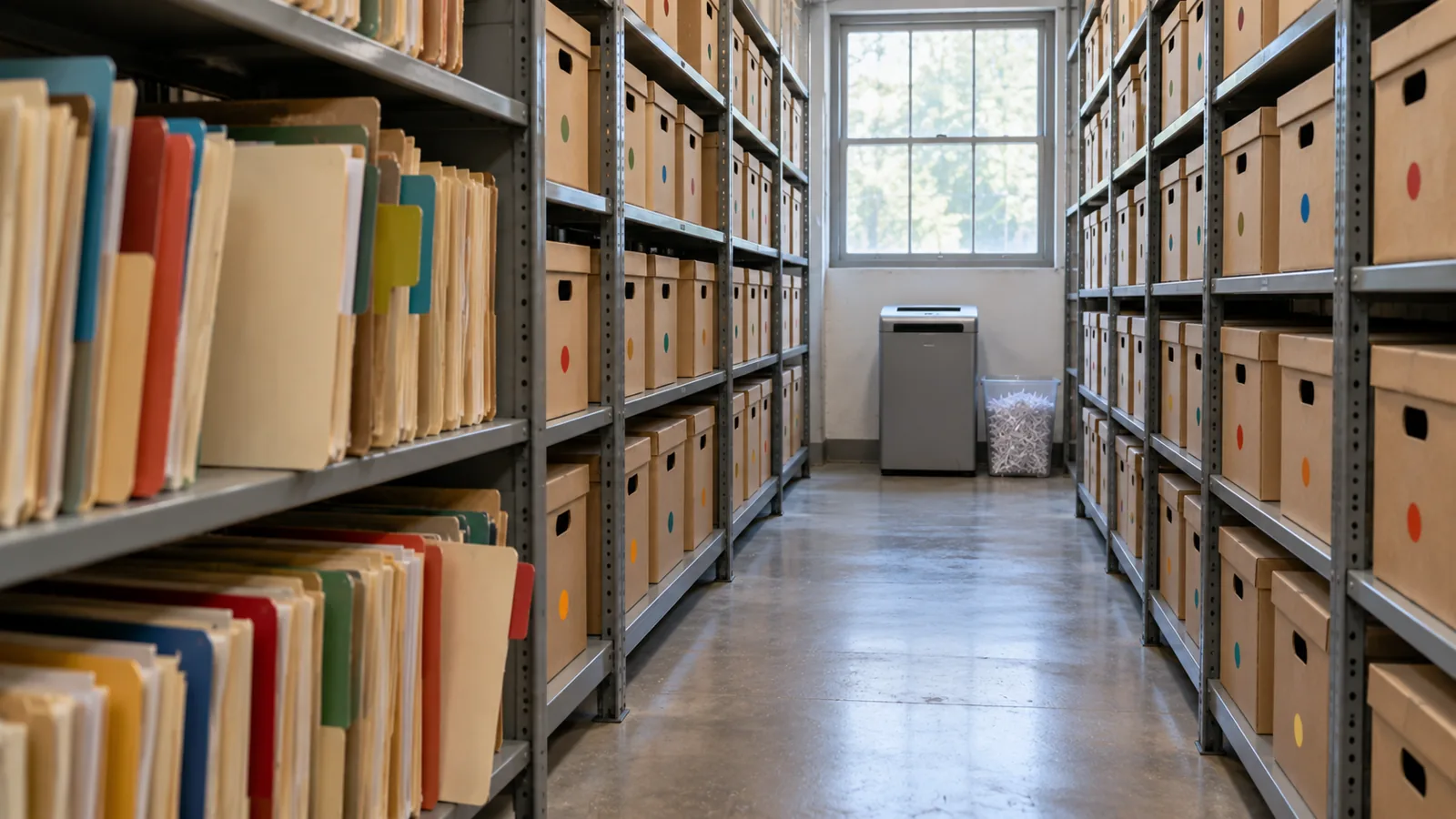
Mô-đun 4 trong 4 của chương Thiết kế cho quy mô lớn, chương 7 của khóa học Data Architect. Mỗi mô-đun có thể đọc độc lập. Trước: Khối lượng gặp mô hình chia sẻ · Tiếp theo: chương sau, Kiến trúc truy vấn và truy xuất
Câu hỏi mô-đun này trả lời: Lên kế hoạch lưu trữ và xóa bỏ dữ liệu thế nào?
When somebody tells me “we’ll archive the old records later,” I ask one question: if you’re not archiving today, are you ever going to archive? “Later” often becomes after the next release, after the migration, after the reorganization, after we fix performance, after we run out of storage. Then five years on, someone finally asks why there are 80 million records in this object. I don’t want to discover archiving after large data volume has become the problem. If I know the data will grow, I decide its lifecycle when I design it. Salesforce’s own guide says the same: “if your volume of data is increasing, performance can degrade as time goes by. A policy of archiving or discarding data at the same rate at which it comes into the system can prevent this effect” (Best Practices for Deployments with Large Data Volumes (mở trong thẻ mới), Winter ‘27). ⟲
Mỗi bản ghi đều có vòng đời
Phần tiêu đề “Mỗi bản ghi đều có vòng đời ”Chúng ta đã hỏi một bản ghi được tạo thế nào, ai sở hữu nó, ai được thay đổi nó, cái gì có thẩm quyền. Giờ thêm một câu nữa: nó rời đi thế nào? Một bản ghi có thể đi từ đang hoạt động sang không hoạt động, sang được lưu trữ, rồi bị xóa bỏ. Không phải bản ghi nào cũng cần mọi giai đoạn, nhưng mọi đối tượng khối lượng lớn đều cần một vòng đời. Một chuyến giao hàng của Steve Trucking được cần đến liên tục khi nó đang diễn ra: bởi tổ giao hàng, điều phối viên, bộ phận chăm sóc khách hàng, đối tác, tự động hóa. Một tuần sau khi hoàn tất, nó vẫn hữu ích. Sáu tháng sau, nó chủ yếu là lịch sử dịch vụ. Ba năm sau, chủ yếu cho phân tích, kiểm toán hoặc thỉnh thoảng một vụ tranh chấp. Mười năm sau, có thể chẳng ai còn lý do chính đáng để giữ nó. Giá trị của dữ liệu thay đổi theo thời gian; kiến trúc nên thay đổi theo.
Xóa là điều không tránh khỏi, nên hãy quyết định ngay từ ngày đầu
Phần tiêu đề “Xóa là điều không tránh khỏi, nên hãy quyết định ngay từ ngày đầu ”Rồi sẽ có ngày bạn cần xóa dữ liệu. Vì vậy tôi muốn các chính sách lưu giữ và xóa bỏ được đặt ra ngay từ đầu dự án, không phải khi dung lượng lưu trữ trở nên đắt đỏ. Việc lưu giữ được quyết định bởi yêu cầu nghiệp vụ và pháp lý: nó phải ở trạng thái vận hành bao lâu, chúng ta phải giữ nó bao lâu, vì sao, ai có thể cần đến nó, họ phải lấy được nó nhanh đến đâu, cuối cùng nó có thể bị xóa không, và quyền riêng tư có nói rằng nó nên bị xóa sớm hơn không? Chương 5 đã cho thấy giữ mọi thứ mãi mãi không tự động an toàn hơn; đôi khi giữ dữ liệu lâu hơn mới chính là rủi ro.
Hãy tách ba quyết định. Lưu giữ: chúng ta giữ nó bao lâu? Lưu trữ: chúng ta giữ những gì không còn thuộc về khối công việc đang hoạt động ở đâu, và thế nào? Xóa bỏ: khi nào và bằng cách nào nó bị gỡ bỏ vĩnh viễn? Cần bảy năm dữ liệu không có nghĩa là bảy năm ở trạng thái hoạt động. Có thể là mười tám tháng hoạt động, rồi được lưu trữ trong phần còn lại của thời hạn, rồi bị xóa bỏ. Giờ vòng đời đã rõ ràng.
Purging at volume has its own mechanics, and Salesforce spells them out. Deleting a record doesn’t remove it at once: it goes to the Recycle Bin for 15 days, and while it’s there it “still affects database performance because the data is still resident, and deleted records have to be excluded from any queries.” For a purge of a million records or more, Salesforce’s advice is the hard delete option of Bulk API 2.0, which skips the Recycle Bin, and when records have many children, to delete the children first (Deleting Data (mở trong thẻ mới); Best Practices: Deleting Data (mở trong thẻ mới)). A purge is a data operation like any other at scale: plan it, run it in batches, and check it. ⟲
Test knowledge. Know how to purge at volume: soft-deleted records stay in the Recycle Bin for 15 days and still slow queries; for a million records or more, use Bulk API 2.0 hard delete; delete children before parents. ⟲
Retain for seven years doesn’t mean keep active for seven years. ⟲
Sao lưu trước khi xóa
Phần tiêu đề “Sao lưu trước khi xóa ”Lưu trữ rốt cuộc có nghĩa là gỡ bản ghi khỏi hệ thống đang hoạt động, nên trước khi thiết kế việc xóa, tôi muốn có câu chuyện khôi phục: chúng ta có khôi phục được không, nhanh đến đâu, chúng ta có biết chính xác cái gì đã mất không, có khôi phục được các mối quan hệ không, chúng ta đã kiểm thử chưa? Sao lưu phải có trước khi bất cứ thứ gì bị xóa. Sao lưu và lưu trữ là hai năng lực khác nhau: sao lưu bảo vệ khỏi mất mát; lưu trữ cố ý đưa dữ liệu ra khỏi tập dữ liệu đang hoạt động trong khi vẫn giữ quyền truy cập mà doanh nghiệp còn cần. Xóa nhầm mười bản ghi thì phiền. Xóa nhầm mười triệu là một sự cố. Số chữ số 0 cũng áp dụng cho sai lầm.
Giờ cả hai đều đến từ chính Salesforce. Own, công ty đứng sau OwnBackup, là một phần của Salesforce Platform: Own Recover giờ là Salesforce Backup & Recover (sao lưu dữ liệu và siêu dữ liệu hằng ngày và theo yêu cầu, khôi phục ở cấp trường, bản ghi hoặc đối tượng, khôi phục về một thời điểm), còn Archive chuyển dữ liệu ít dùng sang kho lưu trữ chi phí thấp trong khi vẫn truy cập được từ bên trong Salesforce, theo các chính sách lưu trữ và lưu giữ (Own From Salesforce Product Suite FAQ (mở trong thẻ mới); Own’s tools, now part of Salesforce (mở trong thẻ mới)).
Một kho lưu trữ không ai tìm được gần như là đã xóa
Phần tiêu đề “Một kho lưu trữ không ai tìm được gần như là đã xóa ”Một đội chuyển dữ liệu cũ sang nơi rẻ hơn. Lưu trữ xong. Rồi một khách hàng gọi đến: “Tôi có một chuyến giao hàng bốn năm trước và tôi cần bằng chứng giao hàng.” Nhân viên hỗ trợ tìm trong Salesforce: không có gì. Giờ họ cần một hệ thống khác, đúng bảng, một mã định danh, một quản trị viên, một yêu cầu, hai ngày. Đó không phải là một kho lưu trữ tử tế. Dữ liệu đã lưu trữ không cần hoạt động như dữ liệu đang hoạt động. Nó có thể chậm hơn, chỉ đọc, hiển thị trong một thành phần khác. Nhưng dữ liệu đã lưu trữ phải tìm được, theo yêu cầu của doanh nghiệp.
I’ve seen this done well at a service chain. At the very beginning of the project they told me, “We only do a hundred appointments a day at a store.” A hundred, no big deal. But they had a thousand stores, open six days a week. Do the quick math: that’s about 31 million appointments a year. Then they created two appointment records for every visit, one at the front office and one at the back, so 62 million. And they needed five years: over 300 million records. I could see large data volume coming before we’d even gone live. So right from the beginning we said: there has to be archiving before we collect a single appointment. We put the archive in big objects and built it in from the ground up. When a user searched a customer, the live appointments came first, and below them, the archived ones. The archive didn’t pretend to be active data, and nobody had to become a database administrator to find history. Active data where the operational system needs it; archived data somewhere suited to its volume; a path from the business context to both. Much better than either extreme: everything active forever, or moved somewhere nobody can find. ⟲
Kho lưu trữ nên nằm ở đâu?
Phần tiêu đề “Kho lưu trữ nên nằm ở đâu? ”Keeping data in core is like keeping it at the front of the office, where it’s in the way of today’s work. Somewhere in the future of any object with tens of millions of records there’s a move to the back: a box in an archive, the shed (big objects), or a hologram (virtualization, the data shown in Salesforce but living elsewhere). There’s no single answer; I choose the destination by constraint. When the customer doesn’t want an external store, I’ve used big objects: on-platform, built for very large volumes, but with no standard UI or reporting, Apex-only access and querying through the index, so plan the access path before you choose them (chapter 3’s “shed out back”). Plan the storage too: most editions are allocated storage for 1 million big object records per org, and more has to be arranged with Salesforce (Data and File Storage Allocations (mở trong thẻ mới)). Two more facts matter for an archive. Big objects support only object and field permissions, not sharing rules, and triggers and flows don’t run on them. And inserting an identical record twice creates only one, so writes can be idempotent, which helps when an archive run has to restart (Big Objects (mở trong thẻ mới)). ⟲
A big object: the archive stays inside Salesforce, and you build the window users see it through. ⟲
When an external store is fine, I’ve used an off-platform database surfaced through Salesforce Connect, so archived records appear in Salesforce without being copied back. Precisely: Salesforce Connect reaches external data through OData services, other Salesforce orgs, a custom adapter built with the Apex Connector Framework, or specific adapters for Amazon DynamoDB, GraphQL and SQL (the SQL adapter supports Snowflake and Amazon Athena), so a general database usually needs an OData layer or a custom adapter in front of it (Choose Which Salesforce Connect Adapter to Use (mở trong thẻ mới)). ⟲
An external store: the archive leaves Salesforce, and Salesforce Connect brings it back into view. ⟲
The archive doesn’t have to be a database. It can be files in low-cost file storage, such as Amazon S3, and Salesforce Connect’s SQL adapter for Amazon Athena lets users “analyze data directly in Amazon Simple Storage Service (Amazon S3)” from Salesforce. One catch for an archive: that adapter is available “not for high-data-volume external objects,” so check what your volume needs before you choose it (Salesforce Connect SQL Adapter for Amazon Athena (mở trong thẻ mới)). ⟲
File storage: the same move, with files in place of a database. ⟲
And now Salesforce’s Archive is the built-in option, keeping archived records reachable from Salesforce. Third-party tools such as GRAX are in the market too. ⟲
Test knowledge. Know the archive destinations and what big objects are: built for very large volumes (consistent performance from a million records to a billion); reached through Apex, APIs and their index, not the standard UI; object and field permissions only, no sharing rules; no triggers or flows. Know the alternatives: an external store through Salesforce Connect, and Salesforce’s Archive. ⟲
Sản phẩm không phải là bài học. Các đặc điểm mới là: bao nhiêu dữ liệu, được truy xuất thường xuyên đến đâu, phải hiện ra nhanh thế nào, có cần truy cập quan hệ không, người dùng có phải tìm thấy nó từ Salesforce không, nó có thể chỉ đọc không, ai được thấy nó, nó được giữ bao lâu, nó tốn bao nhiêu, và cuối cùng nó sẽ được xóa bỏ thế nào. Những câu trả lời đó chọn công nghệ. Và hãy nhớ: dữ liệu nằm ở đâu về mặt vật lý và người dùng có thể tìm thấy nó ở đâu là hai câu hỏi khác nhau. Chuyến giao hàng năm năm tuổi không thuộc về đối tượng đang hoạt động. Điều đó không có nghĩa là nhân viên chăm sóc khách hàng không thể tìm thấy nó.
Lưu trữ ba bước
Phần tiêu đề “Lưu trữ ba bước ”When I’m moving large volumes out of an operational system, I don’t like copy, then delete in one step. There’s too much trust in it. And before the first real run, I rehearse it: a dry run that shows which records would move, ideally in a full copy sandbox, deleting nothing. Salesforce’s Archive app lets you preview an archive policy before you publish it (Archive App (mở trong thẻ mới)), and other archiving tools offer a dry-run mode for the same reason. Then I use three steps: ⟲
- Copy and flag. Copy the records to the archive and mark them in the source as pending archive. Don’t delete anything yet. Now both copies exist. On the service chain, this was a batch that ran on the weekend. ⟲
- Verify. Re-query the source and the archive and prove the archive is right: counts, identifiers, relationships, totals or other reconciliation; can we retrieve them? For extra assurance, add checksums, or restore a sample back and compare it. Then flag them as validated. Trust but verify. Users still find the records in the source, because they aren’t archived yet. ⟲
- Delete and flip. Only after verification, and only for records that aren’t under a legal hold, delete the active records and mark the archive complete, so the search screens now pull them from the archive. The deletion doesn’t have to follow at once; it could happen a week later. ⟲
What could go wrong with one pass, copy and delete? It didn’t copy, and you’ve deleted the records. The point is that you don’t cross the destructive boundary until you’ve proved the copy. And with the states, you can report on every archive run. ⟲
This isn’t just my habit; it’s how the serious archiving tools work. Oracle’s archive and purge, for example, validates the records, copies them to archive tables, and then purges from what it archived, with a restart program for when a run fails partway (Archive and Purge (mở trong thẻ mới)). Tools that copy and delete in a single pass come with a warning to test with a dry run first (AWS Prescriptive Guidance: Archiving data from unpartitioned tables (mở trong thẻ mới)). Salesforce’s Archive app respects legal holds: records under a legal hold can’t be deleted or removed (Archive App). ⟲
Don’t cross the destructive boundary until you’ve proved the copy. ⟲
Và hãy thiết kế để có thể chạy lại. Lưu trữ 20 triệu bản ghi, tác vụ thất bại ở bản ghi 14.382.711. Nếu câu trả lời là “bắt đầu lại từ đầu”, tôi không thích thiết kế đó. Các thao tác lớn sẽ thất bại: kết nối rớt, tác vụ hết thời gian chờ, một bản ghi kỳ quặc gây lỗi. Quy trình phải biết những gì đã thành công, đó là mục đích của các trạng thái lưu trữ (đang chờ, đã xác minh, đã lưu trữ, thất bại), để nó có thể chạy lại mà không nhân đôi dữ liệu, mất dữ liệu, hay xóa thứ chưa được lưu trữ an toàn. Ở quy mô lớn, khả năng chạy lại là một phần của độ tin cậy.
One more thing to know before you call a purge done: deleting the active records isn’t the same as erasing the data. Backups, caches, replicas and analytics copies may still hold it. That’s fine for an archive, and it’s exactly what chapter 5 asks you to account for when privacy law says the data must go. ⟲
Don’t Archive Everything Forever
Phần tiêu đề “Don’t Archive Everything Forever”Lưu trữ có thể trở thành cái cớ để né quyết định xóa. “Biết đâu có ngày chúng ta cần.” Có thể không. Chương 5 hỏi chúng ta có được phép giữ nó không? Chương này thêm giữ nó ở trạng thái hoạt động có giá trị gì không? Một số bản ghi chuyển sang kho lưu trữ; một số được tóm tắt, một số được ẩn danh hóa, một số bị xóa. Mục tiêu không phải là bảo toàn từng byte. Mà là giữ những gì doanh nghiệp thực sự cần, trong khoảng thời gian thực sự cần.
Tệp thay đổi Số chữ số 0
Phần tiêu đề “Tệp thay đổi Số chữ số 0 ”Unstructured data is a different scale problem. Steve Trucking expects four to five million photos a year. Purely for magnitude, at about 4 MB a photo, five million is about 20 TB in one year, before growth. The real size will vary; the zeros tell you the binary content needs its own architecture. That’s why Checkpoint 1 separated the business record about a photo from the photo itself. Salesforce may need the photo’s type, its delivery, when and by whom it was taken, where it’s stored and its retention state, or even just a count and a “required photos complete” flag. The image belongs in storage built for millions of large objects. It’s the same principle as FleetLink’s GPS: keep in core what the operational process needs, and don’t copy every high-volume artifact into core because Salesforce takes part in the process. ⟲
Kho lưu trữ vẫn phải an toàn
Phần tiêu đề “Kho lưu trữ vẫn phải an toàn ”Data leaving the active object doesn’t leave its security requirements behind. Redrock saw only Redrock’s deliveries while they were active; archive them, and Redrock still doesn’t get Keystone’s history. The archive needs an authorization model too, for Recipient personal data, photos, financial data, service history and agent access. A big-object archive doesn’t help on its own here: big objects don’t support sharing rules, so the access path you build has to carry the partner boundary. One design question for every archive: how do the original security requirements survive the move? The implementation may change; the requirement doesn’t. ⟲
Tác tử và dữ liệu đã lưu trữ
Phần tiêu đề “Tác tử và dữ liệu đã lưu trữ ”Một Người nhận hỏi một tác tử: “Tủ lạnh của tôi được giao đến đâu bốn năm trước?” Câu trả lời có tồn tại, nhưng đã được lưu trữ. Tác tử có nên với tới được nó không? Lập trường của tôi: đó là một quyết định quan trọng, và đó là quyết định của doanh nghiệp. Kiến trúc sư trình bày các lựa chọn và cái giá của từng lựa chọn: kho lưu trữ nào, tác tử với tới nó thế nào, độ trễ, mức tiêu thụ, tác tử được nói gì về dữ liệu cũ, và các giới hạn về lưu giữ và quyền riêng tư. Rồi doanh nghiệp quyết định. Nếu dữ liệu đã lưu trữ cần vẫn với tới được, hãy xây một đường truy xuất có ủy quyền. Nếu không, hãy để ranh giới của kho lưu trữ thực thi điều đó. Điều tôi không muốn là công nghệ vô tình đưa ra quyết định.
Ngoài kỳ thi: AI thay đổi điều gì. Lưu trữ giờ bao gồm cả một quyết định về ngữ cảnh: lịch sử có còn trong tầm với của tác tử hay không. Một kho lưu trữ không tự động trở thành một phần ngữ cảnh của tác tử chỉ vì dữ liệu vẫn còn tồn tại. Hãy đưa quyết định cho doanh nghiệp, rồi áp dụng cùng các quy tắc ủy quyền và lưu giữ như với quyền truy cập của con người.
Steve Trucking: Quyết định vòng đời trước khi cần đến
Phần tiêu đề “Steve Trucking: Quyết định vòng đời trước khi cần đến ”Sau năm năm: khoảng 9 triệu lệnh công việc, 14,5 triệu mục dòng, hàng triệu bức ảnh, cùng lịch sử trạng thái và GPS mà chúng ta đã cố ý giữ ngoài lõi. Tôi không muốn Steve Trucking chờ đến năm thứ năm mới quyết định “cũ” nghĩa là gì. Các khoảng thời gian chính xác có thể chưa được đặt; không sao. Nhưng kiến trúc lẽ ra đã phải hỏi: một chuyến giao hàng đã hoàn tất ở trạng thái vận hành bao lâu? Nhân viên chăm sóc khách hàng phải thấy ngay những chi tiết nào? Khi nào lệnh công việc và các mục dòng của chúng chuyển sang kho lưu trữ, và chuyển đi đâu? Lịch sử nào thuộc về Snowflake? Ảnh cũ nằm ở đâu, và khi nào chúng bị xóa? Đối tác bán lẻ vẫn thấy những bản ghi đã lưu trữ nào? Tác tử có với tới được các chuyến giao hàng đã lưu trữ không? Đó không phải là câu hỏi dọn dẹp. Đó là câu hỏi kiến trúc.
Với mỗi đối tượng khối lượng lớn, tôi muốn năm câu trả lời. Khi nào nó thôi hoạt động? Nó đi đâu? Làm sao chúng ta chứng minh nó đã đến nơi? Sau đó người ta tìm nó thế nào? Khi nào nó cuối cùng bị xóa? Nếu bạn không trả lời được những câu đó, bạn không có chiến lược lưu trữ. Bạn chỉ có một niềm hy vọng.
Five answers, or you have a hope. ⟲
Kiến trúc sư quyết định gì ở đây
Phần tiêu đề “Kiến trúc sư quyết định gì ở đây ”- Vòng đời hoạt động, lưu trữ, lưu giữ và xóa bỏ của mọi đối tượng khối lượng lớn, được quyết định trước khi dung lượng lưu trữ hay hiệu năng ép buộc.
- Sao lưu và khôi phục nào phải sẵn sàng trước bất kỳ đợt lưu trữ hay xóa bỏ mang tính phá hủy nào.
- Dữ liệu đã lưu trữ nằm ở đâu (big object, một kho bên ngoài qua Salesforce Connect, Archive của Salesforce), dựa trên khối lượng, việc truy xuất, độ trễ, bảo mật, chi phí và việc xóa.
- Các đợt lưu trữ được xác minh và làm cho có thể chạy lại thế nào trước khi bản ghi vượt qua ranh giới xóa.
- Nội dung phi cấu trúc nào nằm ngoài lõi trong khi bản ghi nghiệp vụ của nó ở lại Salesforce, và dữ liệu đã lưu trữ có còn trong tầm với của tác tử hay không.
Chúng ta dành nhiều thời gian cho việc dữ liệu đi vào hệ thống thế nào: API, nhập dữ liệu, tích hợp, chuyển đổi, người dùng, tác tử. Hãy dành chừng ấy thời gian cho việc nó đi ra thế nào, vì dữ liệu chúng ta tạo hôm nay là bài toán khối lượng dữ liệu lớn của ngày mai. Việc lưu trữ có thể ba năm nữa mới bắt đầu. Vòng đời thì nên có ngay bây giờ. Thiết kế lối ra khi bạn thiết kế lối vào.
Tìm hiểu thêm
Phần tiêu đề “Tìm hiểu thêm ”- Trailhead, Explore Archival Versus Purge in Data Cleanup (mở trong thẻ mới): back up before cleaning or moving data; archive versus purge, checked 2026-11-01. ⟲
- Salesforce Help, Archive App (mở trong thẻ mới): archive policies and preview, job sessions, Log Failures and Continue, purge policies, legal holds, Archive Search and the Archive component, checked 2026-11-01. ⟲
- ISO, ISO 15489-1:2016, Records management: Concepts and principles (mở trong thẻ mới) (current; confirmed 2021), checked 2026-11-01. ⟲
- Industry examples of the same pattern: Oracle, Archive and Purge (mở trong thẻ mới) (Oracle Receivables: validate, archive, then purge from the archive tables, with a restart program), and AWS Prescriptive Guidance, Archiving data from unpartitioned tables (mở trong thẻ mới) (a one-pass archiver; test with a dry run first), checked 2026-11-01. ⟲
- Salesforce Developers, Best Practices for Deployments with Large Data Volumes (Winter ‘27): Best Practices (mở trong thẻ mới), Deleting Data (mở trong thẻ mới) and Best Practices: Deleting Data (mở trong thẻ mới), checked 2026-11-01. ⟲
- Salesforce Help, Data and File Storage Allocations (mở trong thẻ mới), checked 2026-11-01. ⟲
- Salesforce Help, Own From Salesforce Product Suite FAQ (mở trong thẻ mới), and Salesforce, Own’s tools, now part of Salesforce (mở trong thẻ mới), checked 2026-11-01. ⟲
- Salesforce Help, Salesforce Connect SQL Adapter for Amazon Athena (mở trong thẻ mới), checked 2026-11-01. ⟲
- Salesforce Help, Choose Which Salesforce Connect Adapter to Use (mở trong thẻ mới), checked 2026-11-01. ⟲
- Salesforce Developers, Big Objects Implementation Guide (mở trong thẻ mới), checked 2026-11-01. ⟲
- SteveTechArc, Salesforce Documents by Release: these guides, once a year from Winter ‘16, each with an archived copy. ⟲