
Jeśli nie archiwizujesz dziś…
Dostępne także w 19 językach
English · Español · 日本語 · Português (Brasil) · Français · Deutsch · Italiano · 한국어 · 简体中文 · Português (Portugal) · 繁體中文 · Bahasa Indonesia · Türkçe · Tiếng Việt · ไทย · Українська · Español (México) · Français (Canada) · Deutsch (Schweiz)
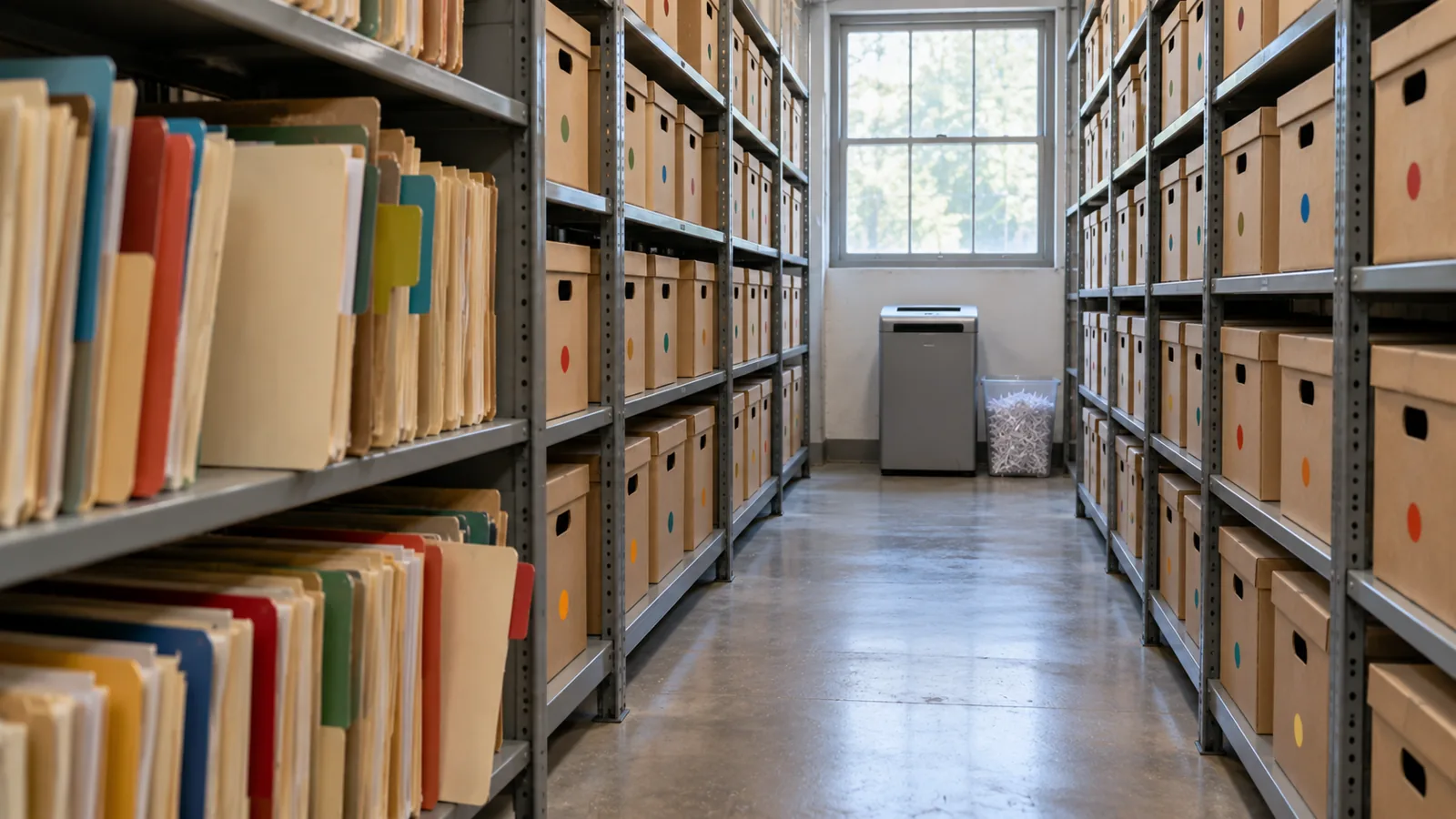
Moduł 4 z 4 w rozdziale Projektowanie pod skalę, rozdziale 7 kursu Data Architect. Każdy moduł jest samodzielny. Wstecz: Gdy wolumen spotyka model udostępniania · Dalej: następny rozdział, Architektura zapytań i wyszukiwania
Pytanie, na które odpowiada ten moduł: jak zaplanować archiwizację i czyszczenie danych?
When somebody tells me “we’ll archive the old records later,” I ask one question: if you’re not archiving today, are you ever going to archive? “Later” often becomes after the next release, after the migration, after the reorganization, after we fix performance, after we run out of storage. Then five years on, someone finally asks why there are 80 million records in this object. I don’t want to discover archiving after large data volume has become the problem. If I know the data will grow, I decide its lifecycle when I design it. Salesforce’s own guide says the same: “if your volume of data is increasing, performance can degrade as time goes by. A policy of archiving or discarding data at the same rate at which it comes into the system can prevent this effect” (Best Practices for Deployments with Large Data Volumes (otwiera się w nowej karcie), Winter ‘27). ⟲
Każdy rekord ma cykl życia
Dział zatytułowany „Każdy rekord ma cykl życia ”Pytaliśmy już, jak rekord powstaje, kto jest jego właścicielem, kto może go zmienić, co jest nadrzędne. Teraz jeszcze jedno: jak opuszcza system? Rekord może przejść od aktywnego przez nieaktywny i zarchiwizowany do usuniętego. Nie każdy rekord potrzebuje każdego etapu, ale każdy obiekt o dużym wolumenie potrzebuje cyklu życia. Dostawa Steve Trucking jest potrzebna bez przerwy, dopóki trwa: ekipie, koordynatorowi, obsłudze klienta, partnerowi, automatyzacji. Tydzień po zakończeniu nadal jest przydatna. Pół roku później to głównie historia obsługi. Trzy lata później głównie analityka, audyt albo sporadyczny spór. Dziesięć lat później być może nikt nie ma uzasadnionego powodu, żeby ją w ogóle trzymać. Wartość danych zmienia się w czasie; architektura powinna zmieniać się razem z nią.
Usuwanie jest nieuniknione, więc zdecyduj o nim pierwszego dnia
Dział zatytułowany „Usuwanie jest nieuniknione, więc zdecyduj o nim pierwszego dnia ”Pewnego dnia naprawdę trzeba będzie usuwać dane. Dlatego chcę, żeby zasady retencji i czyszczenia były ustalone na początku projektu, a nie wtedy, gdy miejsce zrobi się drogie. Retencję wyznaczają wymagania biznesowe i regulacyjne: jak długo dane muszą być operacyjne, jak długo musimy je przechowywać, dlaczego, kto może ich potrzebować, jak szybko musi je dostać, czy w końcu mogą zniknąć i czy prywatność wymaga, by zniknęły wcześniej? Rozdział 5 pokazał, że trzymanie wszystkiego na zawsze nie jest automatycznie bezpieczniejsze; czasem dłuższe przechowywanie danych samo jest ryzykiem.
Trzymaj trzy decyzje osobno. Retencja: jak długo to przechowujemy? Archiwizacja: gdzie i jak przechowujemy to, co już nie należy do aktywnego obciążenia? Czyszczenie: kiedy i jak jest to trwale usuwane? Potrzeba siedmiu lat danych nie oznacza siedmiu lat w stanie aktywnym. Może to osiemnaście miesięcy aktywnie, potem archiwum przez resztę okresu, a potem czyszczenie. Teraz cykl życia jest jawny.
Purging at volume has its own mechanics, and Salesforce spells them out. Deleting a record doesn’t remove it at once: it goes to the Recycle Bin for 15 days, and while it’s there it “still affects database performance because the data is still resident, and deleted records have to be excluded from any queries.” For a purge of a million records or more, Salesforce’s advice is the hard delete option of Bulk API 2.0, which skips the Recycle Bin, and when records have many children, to delete the children first (Deleting Data (otwiera się w nowej karcie); Best Practices: Deleting Data (otwiera się w nowej karcie)). A purge is a data operation like any other at scale: plan it, run it in batches, and check it. ⟲
Test knowledge. Know how to purge at volume: soft-deleted records stay in the Recycle Bin for 15 days and still slow queries; for a million records or more, use Bulk API 2.0 hard delete; delete children before parents. ⟲
Retain for seven years doesn’t mean keep active for seven years. ⟲
Zrób kopię zapasową, zanim usuniesz
Dział zatytułowany „Zrób kopię zapasową, zanim usuniesz ”Archiwizacja oznacza w końcu usuwanie rekordów z aktywnego systemu, więc zanim zaprojektuję usuwanie, chcę historii odzyskiwania: czy możemy odzyskać, jak szybko, czy wiemy dokładnie, co zniknęło, czy możemy odtworzyć relacje, czy to przetestowaliśmy? Kopie zapasowe są gotowe, zanim cokolwiek zostanie usunięte. Kopia zapasowa i archiwum to różne możliwości: kopia zapasowa chroni przed utratą; archiwum celowo wyprowadza dane z aktywnej populacji, zachowując dostęp, którego biznes nadal potrzebuje. Przypadkowe usunięcie dziesięciu rekordów jest irytujące. Usunięcie dziesięciu milionów to incydent. Liczba Zer dotyczy też błędów.
Obie rzeczy pochodzą teraz od samego Salesforce. Own, firma stojąca za OwnBackup, jest częścią Salesforce Platform: Own Recover to teraz Salesforce Backup & Recover (codzienne i na żądanie kopie danych i metadanych, przywracanie na poziomie pola, rekordu lub obiektu, odzyskiwanie do punktu w czasie), a Archive przenosi rzadko używane dane do taniego magazynu, zachowując do nich dostęp z poziomu Salesforce, zgodnie z zasadami archiwizacji i retencji (Own From Salesforce Product Suite FAQ (otwiera się w nowej karcie); Own’s tools, now part of Salesforce (otwiera się w nowej karcie)).
Archiwum, którego nikt nie może znaleźć, to prawie usunięcie
Dział zatytułowany „Archiwum, którego nikt nie może znaleźć, to prawie usunięcie ”Zespół przenosi stare dane w tańsze miejsce. Archiwizacja zakończona. Potem dzwoni klient: „Cztery lata temu była u mnie dostawa i potrzebuję potwierdzenia dostarczenia”. Agent przeszukuje Salesforce: nic. Teraz potrzebny jest inny system, właściwa tabela, identyfikator, administrator, wniosek i dwa dni. To niewiele warte archiwum. Dane zarchiwizowane nie muszą zachowywać się jak aktywne. Mogą być wolniejsze, tylko do odczytu, pokazane w innym komponencie. Ale dane zarchiwizowane muszą dać się znaleźć, w takim stopniu, jakiego wymaga biznes.
I’ve seen this done well at a service chain. At the very beginning of the project they told me, “We only do a hundred appointments a day at a store.” A hundred, no big deal. But they had a thousand stores, open six days a week. Do the quick math: that’s about 31 million appointments a year. Then they created two appointment records for every visit, one at the front office and one at the back, so 62 million. And they needed five years: over 300 million records. I could see large data volume coming before we’d even gone live. So right from the beginning we said: there has to be archiving before we collect a single appointment. We put the archive in big objects and built it in from the ground up. When a user searched a customer, the live appointments came first, and below them, the archived ones. The archive didn’t pretend to be active data, and nobody had to become a database administrator to find history. Active data where the operational system needs it; archived data somewhere suited to its volume; a path from the business context to both. Much better than either extreme: everything active forever, or moved somewhere nobody can find. ⟲
Gdzie powinno być archiwum?
Dział zatytułowany „Gdzie powinno być archiwum? ”Keeping data in core is like keeping it at the front of the office, where it’s in the way of today’s work. Somewhere in the future of any object with tens of millions of records there’s a move to the back: a box in an archive, the shed (big objects), or a hologram (virtualization, the data shown in Salesforce but living elsewhere). There’s no single answer; I choose the destination by constraint. When the customer doesn’t want an external store, I’ve used big objects: on-platform, built for very large volumes, but with no standard UI or reporting, Apex-only access and querying through the index, so plan the access path before you choose them (chapter 3’s “shed out back”). Plan the storage too: most editions are allocated storage for 1 million big object records per org, and more has to be arranged with Salesforce (Data and File Storage Allocations (otwiera się w nowej karcie)). Two more facts matter for an archive. Big objects support only object and field permissions, not sharing rules, and triggers and flows don’t run on them. And inserting an identical record twice creates only one, so writes can be idempotent, which helps when an archive run has to restart (Big Objects (otwiera się w nowej karcie)). ⟲
A big object: the archive stays inside Salesforce, and you build the window users see it through. ⟲
When an external store is fine, I’ve used an off-platform database surfaced through Salesforce Connect, so archived records appear in Salesforce without being copied back. Precisely: Salesforce Connect reaches external data through OData services, other Salesforce orgs, a custom adapter built with the Apex Connector Framework, or specific adapters for Amazon DynamoDB, GraphQL and SQL (the SQL adapter supports Snowflake and Amazon Athena), so a general database usually needs an OData layer or a custom adapter in front of it (Choose Which Salesforce Connect Adapter to Use (otwiera się w nowej karcie)). ⟲
An external store: the archive leaves Salesforce, and Salesforce Connect brings it back into view. ⟲
The archive doesn’t have to be a database. It can be files in low-cost file storage, such as Amazon S3, and Salesforce Connect’s SQL adapter for Amazon Athena lets users “analyze data directly in Amazon Simple Storage Service (Amazon S3)” from Salesforce. One catch for an archive: that adapter is available “not for high-data-volume external objects,” so check what your volume needs before you choose it (Salesforce Connect SQL Adapter for Amazon Athena (otwiera się w nowej karcie)). ⟲
File storage: the same move, with files in place of a database. ⟲
And now Salesforce’s Archive is the built-in option, keeping archived records reachable from Salesforce. Third-party tools such as GRAX are in the market too. ⟲
Test knowledge. Know the archive destinations and what big objects are: built for very large volumes (consistent performance from a million records to a billion); reached through Apex, APIs and their index, not the standard UI; object and field permissions only, no sharing rules; no triggers or flows. Know the alternatives: an external store through Salesforce Connect, and Salesforce’s Archive. ⟲
Lekcją nie jest produkt. Lekcją są cechy: ile danych, jak często są pobierane, jak szybko muszą się pojawić, czy potrzebny jest dostęp relacyjny, czy użytkownicy muszą je znaleźć z poziomu Salesforce, czy mogą być tylko do odczytu, kto może je widzieć, jak długo są przechowywane, ile to kosztuje i jak w końcu zostaną wyczyszczone. Te odpowiedzi wybierają technologię. I pamiętaj: gdzie dane fizycznie się znajdują i gdzie użytkownik może je odnaleźć, to różne pytania. Pięcioletnia dostawa nie należy do aktywnego obiektu. To nie znaczy, że agent obsługi nie powinien móc jej znaleźć.
Archiwum w trzech krokach
Dział zatytułowany „Archiwum w trzech krokach ”When I’m moving large volumes out of an operational system, I don’t like copy, then delete in one step. There’s too much trust in it. And before the first real run, I rehearse it: a dry run that shows which records would move, ideally in a full copy sandbox, deleting nothing. Salesforce’s Archive app lets you preview an archive policy before you publish it (Archive App (otwiera się w nowej karcie)), and other archiving tools offer a dry-run mode for the same reason. Then I use three steps: ⟲
- Copy and flag. Copy the records to the archive and mark them in the source as pending archive. Don’t delete anything yet. Now both copies exist. On the service chain, this was a batch that ran on the weekend. ⟲
- Verify. Re-query the source and the archive and prove the archive is right: counts, identifiers, relationships, totals or other reconciliation; can we retrieve them? For extra assurance, add checksums, or restore a sample back and compare it. Then flag them as validated. Trust but verify. Users still find the records in the source, because they aren’t archived yet. ⟲
- Delete and flip. Only after verification, and only for records that aren’t under a legal hold, delete the active records and mark the archive complete, so the search screens now pull them from the archive. The deletion doesn’t have to follow at once; it could happen a week later. ⟲
What could go wrong with one pass, copy and delete? It didn’t copy, and you’ve deleted the records. The point is that you don’t cross the destructive boundary until you’ve proved the copy. And with the states, you can report on every archive run. ⟲
This isn’t just my habit; it’s how the serious archiving tools work. Oracle’s archive and purge, for example, validates the records, copies them to archive tables, and then purges from what it archived, with a restart program for when a run fails partway (Archive and Purge (otwiera się w nowej karcie)). Tools that copy and delete in a single pass come with a warning to test with a dry run first (AWS Prescriptive Guidance: Archiving data from unpartitioned tables (otwiera się w nowej karcie)). Salesforce’s Archive app respects legal holds: records under a legal hold can’t be deleted or removed (Archive App). ⟲
Don’t cross the destructive boundary until you’ve proved the copy. ⟲
I zaprojektuj to tak, żeby dało się wznowić. Przy archiwizacji 20 milionów rekordów zadanie pada na rekordzie 14 382 711. Jeśli odpowiedź brzmi „zacznij od nowa”, nie podoba mi się ten projekt. Duże operacje zawodzą: połączenia się zrywają, zadania przekraczają limit czasu, jeden dziwny rekord rzuca błąd. Proces musi wiedzieć, co już się udało, i do tego właśnie służą stany archiwum (oczekujący, zweryfikowany, zarchiwizowany, nieudany), żeby można go było wznowić bez duplikowania danych, utraty danych czy usunięcia czegoś, co nie zostało bezpiecznie zarchiwizowane. W dużej skali możliwość wznowienia to część niezawodności.
One more thing to know before you call a purge done: deleting the active records isn’t the same as erasing the data. Backups, caches, replicas and analytics copies may still hold it. That’s fine for an archive, and it’s exactly what chapter 5 asks you to account for when privacy law says the data must go. ⟲
Don’t Archive Everything Forever
Dział zatytułowany „Don’t Archive Everything Forever”Archiwizacja może stać się wymówką, żeby nie decydować o usuwaniu. „Może kiedyś się przyda”. Może nie. Rozdział 5 pyta czy wolno nam to przechowywać? Ten rozdział dodaje czy jest jakaś wartość w utrzymywaniu tego w stanie aktywnym? Część rekordów trafia do archiwum; część zostaje podsumowana, część zanonimizowana, część usunięta. Celem nie jest zachowanie każdego bajtu. Celem jest zachowanie tego, czego biznes zasadnie potrzebuje, tak długo, jak zasadnie tego potrzebuje.
Pliki zmieniają Liczbę Zer
Dział zatytułowany „Pliki zmieniają Liczbę Zer ”Unstructured data is a different scale problem. Steve Trucking expects four to five million photos a year. Purely for magnitude, at about 4 MB a photo, five million is about 20 TB in one year, before growth. The real size will vary; the zeros tell you the binary content needs its own architecture. That’s why Checkpoint 1 separated the business record about a photo from the photo itself. Salesforce may need the photo’s type, its delivery, when and by whom it was taken, where it’s stored and its retention state, or even just a count and a “required photos complete” flag. The image belongs in storage built for millions of large objects. It’s the same principle as FleetLink’s GPS: keep in core what the operational process needs, and don’t copy every high-volume artifact into core because Salesforce takes part in the process. ⟲
Archiwum nadal musi być bezpieczne
Dział zatytułowany „Archiwum nadal musi być bezpieczne ”Data leaving the active object doesn’t leave its security requirements behind. Redrock saw only Redrock’s deliveries while they were active; archive them, and Redrock still doesn’t get Keystone’s history. The archive needs an authorization model too, for Recipient personal data, photos, financial data, service history and agent access. A big-object archive doesn’t help on its own here: big objects don’t support sharing rules, so the access path you build has to carry the partner boundary. One design question for every archive: how do the original security requirements survive the move? The implementation may change; the requirement doesn’t. ⟲
Agenci i dane zarchiwizowane
Dział zatytułowany „Agenci i dane zarchiwizowane ”Odbiorca pyta agenta: „Gdzie dostarczono moją lodówkę cztery lata temu?”. Odpowiedź istnieje, ale jest zarchiwizowana. Czy agent powinien móc do niej sięgnąć? Moje stanowisko: to ważna decyzja i należy ona do biznesu. Architekt przedstawia opcje i koszt każdej z nich: które archiwum, jak agent do niego sięga, opóźnienie, zużycie, co agent może mówić o starych danych, oraz ograniczenia retencji i prywatności. Potem decyduje biznes. Jeśli dane zarchiwizowane mają pozostać dostępne, zbuduj autoryzowaną ścieżkę pobierania. Jeśli nie, pozwól, by egzekwowała to granica archiwum. Nie chcę, żeby tę decyzję podjęła przypadkiem technologia.
Poza egzaminem: co zmienia AI. Archiwizacja obejmuje teraz decyzję o kontekście: czy historia pozostaje dostępna dla agentów. Archiwum nie staje się automatycznie częścią kontekstu agenta tylko dlatego, że dane wciąż istnieją. Przedstaw decyzję biznesowi, a potem stosuj te same zasady autoryzacji i retencji co dla dostępu ludzi.
Steve Trucking: ustal cykl życia, zanim będzie potrzebny
Dział zatytułowany „Steve Trucking: ustal cykl życia, zanim będzie potrzebny ”Po pięciu latach: około 9 milionów zleceń pracy, 14,5 miliona pozycji, miliony zdjęć oraz historia statusów i GPS, które celowo trzymamy poza core. Nie chcę, żeby Steve Trucking czekał do piątego roku z decyzją, co znaczy „stare”. Dokładne okresy mogą nie być jeszcze ustalone; to w porządku. Ale architektura powinna już pytać: jak długo zakończona dostawa pozostaje operacyjna? Które szczegóły agenci obsługi muszą widzieć od razu? Kiedy zlecenia pracy i ich pozycje trafiają do archiwum i dokąd? Która historia należy do Snowflake? Gdzie trafiają stare zdjęcia i kiedy są usuwane? Które zarchiwizowane rekordy nadal widzą partnerzy detaliczni? Czy agent może sięgnąć do zarchiwizowanych dostaw? To nie są pytania o sprzątanie. To pytania architektoniczne.
Dla każdego obiektu o dużym wolumenie chcę pięciu odpowiedzi. Kiedy przestaje być aktywny? Dokąd trafia? Jak udowodnimy, że tam dotarł? Jak ktoś go potem znajdzie? Kiedy ostatecznie zostanie usunięty? Jeśli nie umiesz na nie odpowiedzieć, nie masz strategii archiwizacji. Masz nadzieję.
Five answers, or you have a hope. ⟲
Co tu decyduje architekt
Dział zatytułowany „Co tu decyduje architekt ”- Cykl życia aktywny, zarchiwizowany, przechowywany i usunięty dla każdego obiektu o dużym wolumenie, ustalony, zanim wymusi go miejsce lub wydajność.
- Jakie kopie zapasowe i jakie odzyskiwanie muszą być gotowe przed jakąkolwiek destrukcyjną archiwizacją lub czyszczeniem.
- Gdzie znajdują się dane zarchiwizowane (big objects, magazyn zewnętrzny przez Salesforce Connect, Archive od Salesforce), na podstawie wolumenu, pobierania, opóźnienia, bezpieczeństwa, kosztu i usuwania.
- Jak przebiegi archiwizacji są weryfikowane i przygotowane do wznowienia, zanim rekordy przekroczą granicę usunięcia.
- Które treści nieustrukturyzowane są poza core, podczas gdy ich rekord biznesowy zostaje w Salesforce, i czy dane zarchiwizowane pozostają dostępne dla agentów.
Spędzamy dużo czasu nad tym, jak dane trafiają do systemu: API, importy, integracje, migracje, użytkownicy, agenci. Poświęć tyle samo uwagi temu, jak z niego wychodzą, bo dane, które tworzymy dziś, są jutrzejszym problemem dużych wolumenów. Archiwizacja może ruszyć za trzy lata. Cykl życia powinien istnieć już teraz. Projektuj wyjście, gdy projektujesz wejście.
Do zgłębienia
Dział zatytułowany „Do zgłębienia ”- Trailhead, Explore Archival Versus Purge in Data Cleanup (otwiera się w nowej karcie): back up before cleaning or moving data; archive versus purge, checked 2026-11-01. ⟲
- Salesforce Help, Archive App (otwiera się w nowej karcie): archive policies and preview, job sessions, Log Failures and Continue, purge policies, legal holds, Archive Search and the Archive component, checked 2026-11-01. ⟲
- ISO, ISO 15489-1:2016, Records management: Concepts and principles (otwiera się w nowej karcie) (current; confirmed 2021), checked 2026-11-01. ⟲
- Industry examples of the same pattern: Oracle, Archive and Purge (otwiera się w nowej karcie) (Oracle Receivables: validate, archive, then purge from the archive tables, with a restart program), and AWS Prescriptive Guidance, Archiving data from unpartitioned tables (otwiera się w nowej karcie) (a one-pass archiver; test with a dry run first), checked 2026-11-01. ⟲
- Salesforce Developers, Best Practices for Deployments with Large Data Volumes (Winter ‘27): Best Practices (otwiera się w nowej karcie), Deleting Data (otwiera się w nowej karcie) and Best Practices: Deleting Data (otwiera się w nowej karcie), checked 2026-11-01. ⟲
- Salesforce Help, Data and File Storage Allocations (otwiera się w nowej karcie), checked 2026-11-01. ⟲
- Salesforce Help, Own From Salesforce Product Suite FAQ (otwiera się w nowej karcie), and Salesforce, Own’s tools, now part of Salesforce (otwiera się w nowej karcie), checked 2026-11-01. ⟲
- Salesforce Help, Salesforce Connect SQL Adapter for Amazon Athena (otwiera się w nowej karcie), checked 2026-11-01. ⟲
- Salesforce Help, Choose Which Salesforce Connect Adapter to Use (otwiera się w nowej karcie), checked 2026-11-01. ⟲
- Salesforce Developers, Big Objects Implementation Guide (otwiera się w nowej karcie), checked 2026-11-01. ⟲
- SteveTechArc, Salesforce Documents by Release: these guides, once a year from Winter ‘16, each with an archived copy. ⟲