
如果你今天不归档……
另有 19 种语言版本
English · Español · 日本語 · Português (Brasil) · Français · Deutsch · Italiano · 한국어 · Português (Portugal) · 繁體中文 · Bahasa Indonesia · Türkçe · Polski · Tiếng Việt · ไทย · Українська · Español (México) · Français (Canada) · Deutsch (Schweiz)
第 4 个模块,共 4 个,属于 Data Architect 课程第 7 章为规模而设计。每个模块都可以单独阅读。 上一篇:当数据量遇上共享模型 · 下一篇:下一章查询与检索架构
**本模块回答的问题:**如何规划归档和清除?
When somebody tells me “we’ll archive the old records later,” I ask one question: if you’re not archiving today, are you ever going to archive? “Later” often becomes after the next release, after the migration, after the reorganization, after we fix performance, after we run out of storage. Then five years on, someone finally asks why there are 80 million records in this object. I don’t want to discover archiving after large data volume has become the problem. If I know the data will grow, I decide its lifecycle when I design it. Salesforce’s own guide says the same: “if your volume of data is increasing, performance can degrade as time goes by. A policy of archiving or discarding data at the same rate at which it comes into the system can prevent this effect” (Best Practices for Deployments with Large Data Volumes (在新标签页中打开), Winter ‘27). ⟲
每条记录都有生命周期
Section titled “每条记录都有生命周期 ”我们已经问过一条记录是怎么创建的、归谁所有、谁能改它、什么是权威的。现在再加一个:**它怎么离开?一条记录可能从活动到非活动,到归档,再到清除。**并不是每条记录都需要经历每个阶段,但每个大数据量对象都需要一个生命周期。Steve Trucking 的一次配送在进行中时一直被需要:配送小组、调度员、客服、合作伙伴、自动化都要用它。完成一周后,它仍然有用。六个月后,它主要是服务历史。三年后,主要用于分析、审计或偶尔的争议。十年后,也许已经没人有正当理由保留它了。数据的价值随时间变化;架构也应该随之变化。
删除不可避免,所以在第一天就决定
Section titled “删除不可避免,所以在第一天就决定 ”总有一天你确实需要删除数据。所以我要求保留和清除策略在项目一开始就定下来,而不是等存储变贵的时候。保留由业务和监管要求驱动:它要保持运营状态多久,我们必须保留它多久,为什么,谁可能需要它,他们需要多快拿到,它最终能不能走,隐私是否要求它更早走?第 5 章说明了永远保留一切并不自动更安全;有时保留数据更久本身就是风险。
把三个决定分开。**保留:**我们保留它多久?**归档:**那些已经不属于活动工作负载的数据,我们放在哪里、怎么保留?**清除:**什么时候、怎么永久删除?需要七年的数据,不意味着七年都保持活动。也许是十八个月活动,然后在剩余期间归档,然后清除。这样生命周期就明确了。
Purging at volume has its own mechanics, and Salesforce spells them out. Deleting a record doesn’t remove it at once: it goes to the Recycle Bin for 15 days, and while it’s there it “still affects database performance because the data is still resident, and deleted records have to be excluded from any queries.” For a purge of a million records or more, Salesforce’s advice is the hard delete option of Bulk API 2.0, which skips the Recycle Bin, and when records have many children, to delete the children first (Deleting Data (在新标签页中打开); Best Practices: Deleting Data (在新标签页中打开)). A purge is a data operation like any other at scale: plan it, run it in batches, and check it. ⟲
Test knowledge. Know how to purge at volume: soft-deleted records stay in the Recycle Bin for 15 days and still slow queries; for a million records or more, use Bulk API 2.0 hard delete; delete children before parents. ⟲
Retain for seven years doesn’t mean keep active for seven years. ⟲
删除之前先备份
Section titled “删除之前先备份 ”归档最终意味着把记录从活动系统中删除,所以在设计删除之前,我要先有恢复方案:我们能恢复吗,多快,我们确切知道删了什么吗,能恢复关系吗,测试过吗?**在删除任何东西之前,先把备份做好。**备份和归档是不同的能力:备份防止丢失;归档有意把数据移出活动数据集,同时保留业务仍然需要的访问。误删十条记录很烦人。误删一千万条就是一次事故。“零的个数”也适用于错误。
现在两者都由 Salesforce 自己提供。OwnBackup 背后的公司 Own 已经成为 Salesforce Platform 的一部分:Own Recover 现在是 Salesforce Backup & Recover(每日和按需备份数据和元数据,在字段、记录或对象级别恢复,按时间点恢复),而 Archive 按照归档和保留策略,把很少使用的数据移到低成本存储,同时仍可在 Salesforce 内部访问(Own From Salesforce Product Suite FAQ (在新标签页中打开);Own’s tools, now part of Salesforce (在新标签页中打开))。
没人找得到的归档,几乎就是删除
Section titled “没人找得到的归档,几乎就是删除 ”一个团队把旧数据移到了更便宜的地方。归档完成。然后一位客户打来电话:“我四年前有一次配送,现在需要送达证明。”客服在 Salesforce 里搜索:什么也没有。现在他们需要另一个系统、正确的表、一个标识符、一位管理员、一个申请,外加两天时间。这算不上什么归档。归档数据不必表现得像活动数据。它可以更慢、只读、显示在不同的组件里。但归档数据必须按业务的要求保持可查找。
I’ve seen this done well at a service chain. At the very beginning of the project they told me, “We only do a hundred appointments a day at a store.” A hundred, no big deal. But they had a thousand stores, open six days a week. Do the quick math: that’s about 31 million appointments a year. Then they created two appointment records for every visit, one at the front office and one at the back, so 62 million. And they needed five years: over 300 million records. I could see large data volume coming before we’d even gone live. So right from the beginning we said: there has to be archiving before we collect a single appointment. We put the archive in big objects and built it in from the ground up. When a user searched a customer, the live appointments came first, and below them, the archived ones. The archive didn’t pretend to be active data, and nobody had to become a database administrator to find history. Active data where the operational system needs it; archived data somewhere suited to its volume; a path from the business context to both. Much better than either extreme: everything active forever, or moved somewhere nobody can find. ⟲
归档应该放在哪里?
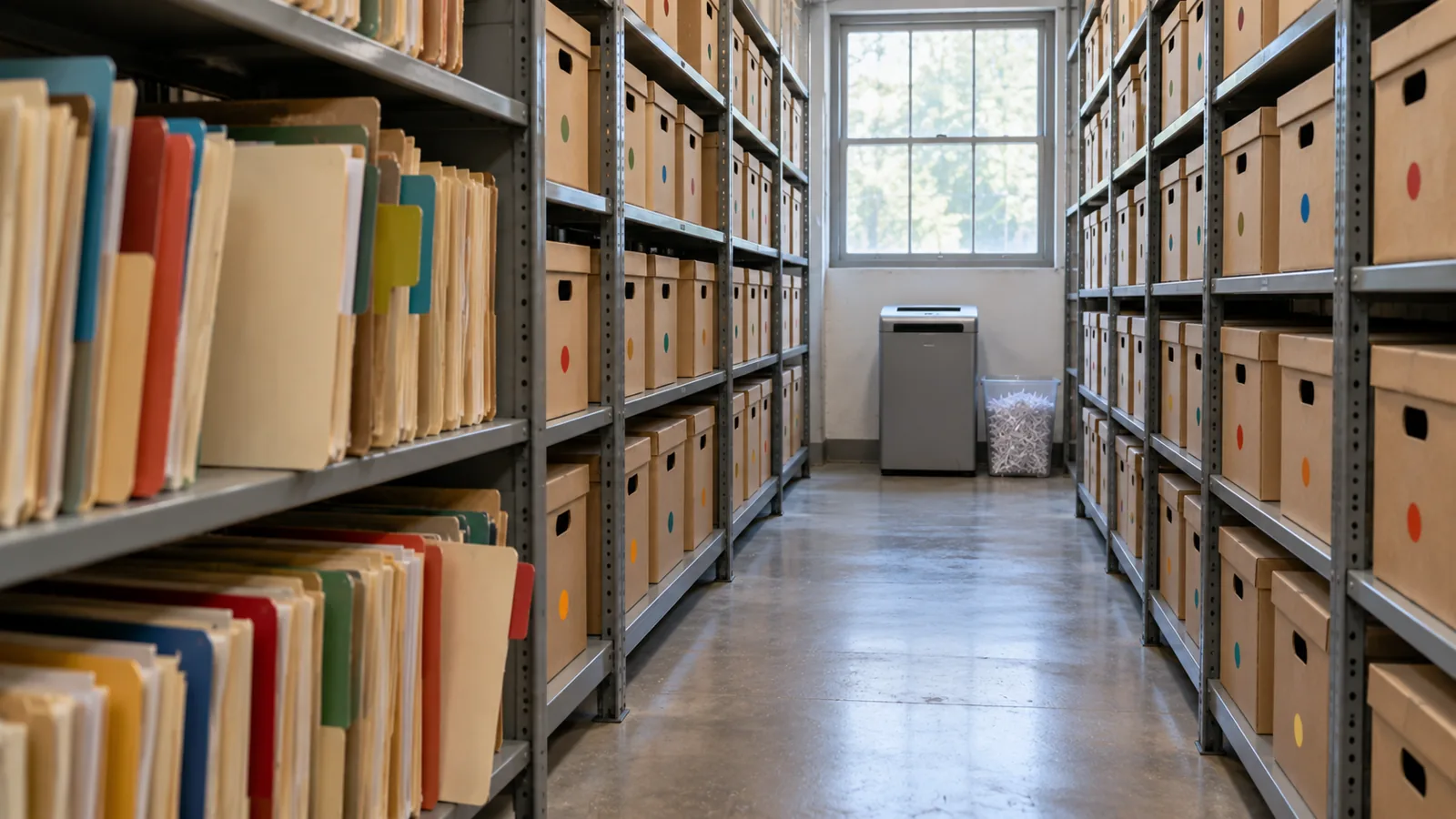
Section titled “归档应该放在哪里? ”Keeping data in core is like keeping it at the front of the office, where it’s in the way of today’s work. Somewhere in the future of any object with tens of millions of records there’s a move to the back: a box in an archive, the shed (big objects), or a hologram (virtualization, the data shown in Salesforce but living elsewhere). There’s no single answer; I choose the destination by constraint. When the customer doesn’t want an external store, I’ve used big objects: on-platform, built for very large volumes, but with no standard UI or reporting, Apex-only access and querying through the index, so plan the access path before you choose them (chapter 3’s “shed out back”). Plan the storage too: most editions are allocated storage for 1 million big object records per org, and more has to be arranged with Salesforce (Data and File Storage Allocations (在新标签页中打开)). Two more facts matter for an archive. Big objects support only object and field permissions, not sharing rules, and triggers and flows don’t run on them. And inserting an identical record twice creates only one, so writes can be idempotent, which helps when an archive run has to restart (Big Objects (在新标签页中打开)). ⟲
A big object: the archive stays inside Salesforce, and you build the window users see it through. ⟲
When an external store is fine, I’ve used an off-platform database surfaced through Salesforce Connect, so archived records appear in Salesforce without being copied back. Precisely: Salesforce Connect reaches external data through OData services, other Salesforce orgs, a custom adapter built with the Apex Connector Framework, or specific adapters for Amazon DynamoDB, GraphQL and SQL (the SQL adapter supports Snowflake and Amazon Athena), so a general database usually needs an OData layer or a custom adapter in front of it (Choose Which Salesforce Connect Adapter to Use (在新标签页中打开)). ⟲
An external store: the archive leaves Salesforce, and Salesforce Connect brings it back into view. ⟲
The archive doesn’t have to be a database. It can be files in low-cost file storage, such as Amazon S3, and Salesforce Connect’s SQL adapter for Amazon Athena lets users “analyze data directly in Amazon Simple Storage Service (Amazon S3)” from Salesforce. One catch for an archive: that adapter is available “not for high-data-volume external objects,” so check what your volume needs before you choose it (Salesforce Connect SQL Adapter for Amazon Athena (在新标签页中打开)). ⟲
File storage: the same move, with files in place of a database. ⟲
And now Salesforce’s Archive is the built-in option, keeping archived records reachable from Salesforce. Third-party tools such as GRAX are in the market too. ⟲
Test knowledge. Know the archive destinations and what big objects are: built for very large volumes (consistent performance from a million records to a billion); reached through Apex, APIs and their index, not the standard UI; object and field permissions only, no sharing rules; no triggers or flows. Know the alternatives: an external store through Salesforce Connect, and Salesforce’s Archive. ⟲
产品不是重点。特征才是:数据有多少,多久被检索一次,需要多快呈现,是否需要关系型访问,用户是否必须从 Salesforce 里找到它,能否只读,谁可以看,保留多久,成本多少,以及最终怎么清除。这些答案决定技术。还要记住:**数据物理上放在哪里,和用户在哪里能发现它,是两个不同的问题。**五年前的配送不属于活动对象。这不意味着客服不应该能找到它。
When I’m moving large volumes out of an operational system, I don’t like copy, then delete in one step. There’s too much trust in it. And before the first real run, I rehearse it: a dry run that shows which records would move, ideally in a full copy sandbox, deleting nothing. Salesforce’s Archive app lets you preview an archive policy before you publish it (Archive App (在新标签页中打开)), and other archiving tools offer a dry-run mode for the same reason. Then I use three steps: ⟲
- Copy and flag. Copy the records to the archive and mark them in the source as pending archive. Don’t delete anything yet. Now both copies exist. On the service chain, this was a batch that ran on the weekend. ⟲
- Verify. Re-query the source and the archive and prove the archive is right: counts, identifiers, relationships, totals or other reconciliation; can we retrieve them? For extra assurance, add checksums, or restore a sample back and compare it. Then flag them as validated. Trust but verify. Users still find the records in the source, because they aren’t archived yet. ⟲
- Delete and flip. Only after verification, and only for records that aren’t under a legal hold, delete the active records and mark the archive complete, so the search screens now pull them from the archive. The deletion doesn’t have to follow at once; it could happen a week later. ⟲
What could go wrong with one pass, copy and delete? It didn’t copy, and you’ve deleted the records. The point is that you don’t cross the destructive boundary until you’ve proved the copy. And with the states, you can report on every archive run. ⟲
This isn’t just my habit; it’s how the serious archiving tools work. Oracle’s archive and purge, for example, validates the records, copies them to archive tables, and then purges from what it archived, with a restart program for when a run fails partway (Archive and Purge (在新标签页中打开)). Tools that copy and delete in a single pass come with a warning to test with a dry run first (AWS Prescriptive Guidance: Archiving data from unpartitioned tables (在新标签页中打开)). Salesforce’s Archive app respects legal holds: records under a legal hold can’t be deleted or removed (Archive App). ⟲
Don’t cross the destructive boundary until you’ve proved the copy. ⟲
还要把它设计成可以重启。归档 2,000 万条记录,作业在第 14,382,711 条记录处失败。如果答案是“从头再来”,我就不喜欢这个设计。大型操作会失败:连接中断、作业超时、一条古怪的记录抛出错误。流程必须知道哪些已经成功,这正是归档状态(待处理、已验证、已归档、失败)的用途,这样它才能重启,而不会重复数据、丢失数据,或删除尚未安全归档的东西。在规模上,可重启性是可靠性的一部分。
One more thing to know before you call a purge done: deleting the active records isn’t the same as erasing the data. Backups, caches, replicas and analytics copies may still hold it. That’s fine for an archive, and it’s exactly what chapter 5 asks you to account for when privacy law says the data must go. ⟲
Don’t Archive Everything Forever
Section titled “Don’t Archive Everything Forever”归档可能成为逃避删除决定的借口。“说不定哪天会用到。”也许不会。第 5 章问的是**我们被允许保留它吗?**这一章加上一句:**让它保持活动有价值吗?**有些记录移到归档;有些被汇总,有些被匿名化,有些被删除。目标不是保存每一个字节。而是在业务正当需要的期间,保留业务正当需要的东西。
文件改变“零的个数”
Section titled “文件改变“零的个数” ”Unstructured data is a different scale problem. Steve Trucking expects four to five million photos a year. Purely for magnitude, at about 4 MB a photo, five million is about 20 TB in one year, before growth. The real size will vary; the zeros tell you the binary content needs its own architecture. That’s why Checkpoint 1 separated the business record about a photo from the photo itself. Salesforce may need the photo’s type, its delivery, when and by whom it was taken, where it’s stored and its retention state, or even just a count and a “required photos complete” flag. The image belongs in storage built for millions of large objects. It’s the same principle as FleetLink’s GPS: keep in core what the operational process needs, and don’t copy every high-volume artifact into core because Salesforce takes part in the process. ⟲
归档仍然必须安全
Section titled “归档仍然必须安全 ”Data leaving the active object doesn’t leave its security requirements behind. Redrock saw only Redrock’s deliveries while they were active; archive them, and Redrock still doesn’t get Keystone’s history. The archive needs an authorization model too, for Recipient personal data, photos, financial data, service history and agent access. A big-object archive doesn’t help on its own here: big objects don’t support sharing rules, so the access path you build has to carry the partner boundary. One design question for every archive: how do the original security requirements survive the move? The implementation may change; the requirement doesn’t. ⟲
智能体与归档数据
Section titled “智能体与归档数据 ”一位收货人问智能体:“四年前我的冰箱送到哪里了?”答案存在,但已经归档了。智能体应该能触及它吗?我的立场:**这是一个重大决定,而且应该由业务来做。**架构师列出选项以及每个选项的代价:哪个归档,智能体如何触及,延迟,消耗,智能体可以就旧数据说些什么,以及保留和隐私方面的限制。然后由业务决定。如果归档数据应该保持可触及,就建一条经过授权的检索路径。如果不应该,就让归档边界来强制执行。我不希望的,是技术在无意中替你做了这个决定。
**考试之外:AI 改变了什么。**归档现在包括一个上下文决定:历史是否对智能体保持可触及。归档不会仅仅因为数据仍然存在,就自动成为智能体上下文的一部分。把这个决定交给业务,然后应用与人工访问相同的授权和保留规则。
Steve Trucking:在需要之前决定生命周期
Section titled “Steve Trucking:在需要之前决定生命周期 ”按五年算:大约 **900 万个工作订单、1,450 万个行项目,**几百万张照片,还有我们有意放在核心之外的状态历史和 GPS。我不希望 Steve Trucking 等到第五年才决定“旧”是什么意思。具体的期限现在可能还没定;没关系。但架构应该已经在问:一次已完成的配送保持运营状态多久?客服必须马上看到哪些细节?工作订单和它们的行项目什么时候移到归档,移到哪里?哪些历史属于 Snowflake?旧照片放在哪里,什么时候删除?零售合作伙伴还能看到哪些归档记录?智能体能触及已归档的配送吗?这些不是清理问题。它们是架构问题。
对每一个大数据量对象,我要五个答案。**它什么时候不再活动?它去哪里?我们如何证明它到了那里?之后别人怎么找到它?它最终什么时候被删除?**如果你回答不了这些,你就没有归档策略。你只有一个希望。
Five answers, or you have a hope. ⟲
架构师在这里决定什么
Section titled “架构师在这里决定什么 ”- 每个大数据量对象的活动、归档、保留和清除生命周期,在存储或性能逼你之前就决定好。
- 在任何破坏性的归档或清除之前,必须先有哪些备份和恢复能力。
- 归档数据放在哪里(big object、通过 Salesforce Connect 访问的外部存储、Salesforce 的 Archive),依据是数据量、检索、延迟、安全、成本和删除。
- 在记录跨越删除边界之前,如何验证归档运行,并让它可以重启。
- 哪些非结构化内容放在核心之外、而它的业务记录留在 Salesforce 中,以及归档数据是否对智能体保持可触及。
我们花了很多时间研究数据如何进入一个系统:API、导入、集成、迁移、用户、智能体。也要花同样多的时间研究它如何出去,因为我们今天创建的数据,就是明天的大数据量问题。归档也许三年后才开始。生命周期现在就应该存在。设计入口的时候,就设计出口。
- Trailhead, Explore Archival Versus Purge in Data Cleanup (在新标签页中打开): back up before cleaning or moving data; archive versus purge, checked 2026-11-01. ⟲
- Salesforce Help, Archive App (在新标签页中打开): archive policies and preview, job sessions, Log Failures and Continue, purge policies, legal holds, Archive Search and the Archive component, checked 2026-11-01. ⟲
- ISO, ISO 15489-1:2016, Records management: Concepts and principles (在新标签页中打开) (current; confirmed 2021), checked 2026-11-01. ⟲
- Industry examples of the same pattern: Oracle, Archive and Purge (在新标签页中打开) (Oracle Receivables: validate, archive, then purge from the archive tables, with a restart program), and AWS Prescriptive Guidance, Archiving data from unpartitioned tables (在新标签页中打开) (a one-pass archiver; test with a dry run first), checked 2026-11-01. ⟲
- Salesforce Developers, Best Practices for Deployments with Large Data Volumes (Winter ‘27): Best Practices (在新标签页中打开), Deleting Data (在新标签页中打开) and Best Practices: Deleting Data (在新标签页中打开), checked 2026-11-01. ⟲
- Salesforce Help, Data and File Storage Allocations (在新标签页中打开), checked 2026-11-01. ⟲
- Salesforce Help, Own From Salesforce Product Suite FAQ (在新标签页中打开), and Salesforce, Own’s tools, now part of Salesforce (在新标签页中打开), checked 2026-11-01. ⟲
- Salesforce Help, Salesforce Connect SQL Adapter for Amazon Athena (在新标签页中打开), checked 2026-11-01. ⟲
- Salesforce Help, Choose Which Salesforce Connect Adapter to Use (在新标签页中打开), checked 2026-11-01. ⟲
- Salesforce Developers, Big Objects Implementation Guide (在新标签页中打开), checked 2026-11-01. ⟲
- SteveTechArc, Salesforce Documents by Release: these guides, once a year from Winter ‘16, each with an archived copy. ⟲