
Your Orgs Are Sources Too
This content is not available in your language yet.
Module 1 in the chapter Bringing In CRM Data, chapter 5 of the Data 360 Architect course. Each module stands on its own. Next: Data Bundles: the Fast Start
The question this module answers: How do your Salesforce orgs connect to Data 360, and what do you plan before you connect one?
Most Data 360 projects start with data the company already has in Salesforce: accounts, contacts, cases, and the custom objects built over the years. Data 360 lives beside your core org, but it doesn’t see that data until it’s brought in. To Data 360, your org is a source, like the S3 bucket in chapter 4. It just has a door built for it: the Salesforce CRM connector.
The home org connects itself
Section titled “The home org connects itself”The org where Data 360 is set up is the home org (chapter 1, module 3). You don’t have to connect it. Salesforce says it plainly: “A data source and data action target are automatically created for the org where you set up Data 360.” So the home org is ready on day one, both to send data in and to receive data actions back (chapter 12).
The home org’s connection has a name too. Salesforce gives it one when Data 360 is provisioned: “By default, your home org connection is given the alias Home.” That’s where names like Account_Home and Contact_Home come from.
There’s one more thing to know about that connection: it stays. Once the home org connection is active, it “can’t be disconnected due to associated system data streams.” That’s one more reason to choose the home org carefully.
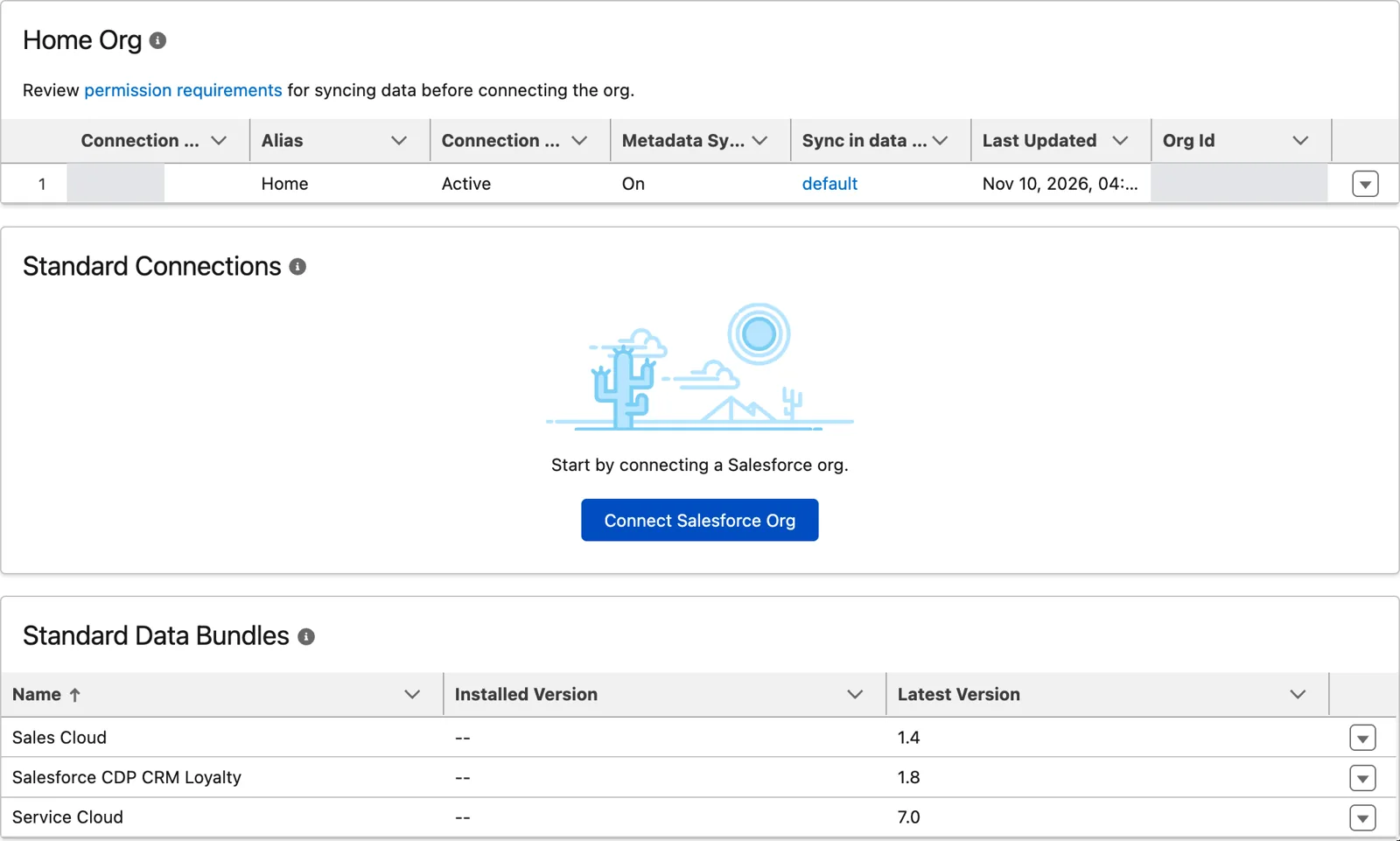
The home org, connected for you, alias Home (Salesforce Data 360 in a Developer Edition org, screenshot, November 2026). Full size
Other orgs connect by hand
Section titled “Other orgs connect by hand”Many companies have more than one org: one per region, one per business, one that came with an acquisition. Each of those is connected by hand, from Data Cloud Setup, under Salesforce Integrations, Salesforce CRM. You choose a production org or a sandbox, sign in to it, allow access, and confirm the connection with the Data 360 org’s ID, so there’s no doubt which Data 360 is pulling from which org.
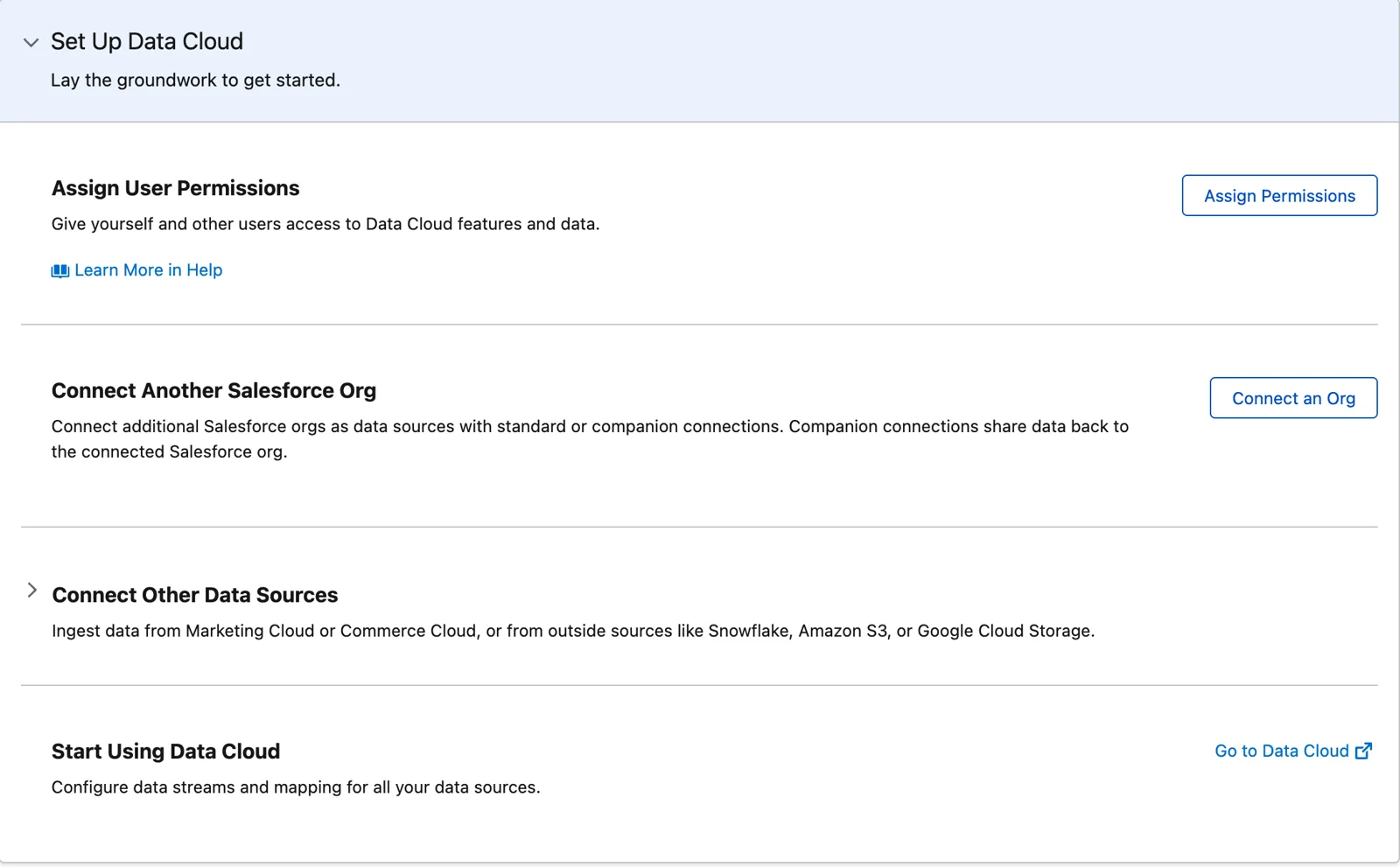
Where another org is connected: Connect an Org (Salesforce Data 360 in a Developer Edition org, screenshot, November 2026). Full size
How those orgs relate to each other, a single home org or a governance org with companion orgs, is a bigger design question. That’s chapter 16. Here, we’re only bringing their data in.
The alias: one chance to name it
Section titled “The alias: one chance to name it”When you connect another org, you give it an alias, and this is the decision to slow down for. Salesforce’s rules:
- Up to 15 alphanumeric characters, and it can’t be blank.
- It can’t be changed once the connection is made.
- It’s “used for data stream and data lake object names.” An Account stream from an org with the alias SourceOrg becomes Account_SourceOrg.
- And the one that bites later: “If you use data kits, note that the alias must match across all orgs” (chapter 22).
When I brought in the Sales Cloud bundle, the lead stream carried the org’s ID in its name. That way, if you’d had multiple orgs feeding into Data 360, you’d be able to differentiate them. The alias does the same job, with a name you choose. Remember chapter 3: you get one chance to name it, and every stream and data lake object from that org will carry it. So pick a short, clear name per org, the same way you’d pick a prefix for a source, and write it in the dictionary.
Here’s what that last rule looks like when it’s missed. I worked with a team that built Data 360 by hand in their development environment, and then by hand again in production, and they gave the same source org a different alias in each. Each environment worked on its own. Then they moved from building by hand to deploying with data kits, and the names collided. Every data stream, every data lake object, and every data model object mapped from them had been built on a different name in each environment, so nothing lined up from one to the next. And there’s no quick fix, because an alias can’t be changed once the connection is made. It’s a rebuild.
So decide each source org’s alias once, before its first connection anywhere, and give that org’s connection the same alias in every environment: development, test and production. Write the aliases in the dictionary, next to your other naming standards, because that’s what they become. Deploying with data kits is chapter 22; the naming decision is now.
Before you connect
Section titled “Before you connect”The connection itself takes a few minutes. The preparation is where the time goes. From Salesforce’s setup page:
- Both orgs need their domain settings configured, and Salesforce warns you to stop logins through the instanced URL on the My Domain page.
- The org needs API access, and must allow Salesforce’s IP ranges.
- Data 360 needs permission to see your objects and fields. If the connector can’t see a field, the field doesn’t come in.
None of that is Data 360 work. It’s core org work, and often a different team’s. Plan it like the connector list in chapter 4: who does it, in which org, before which date.
Two things that can surprise you
Section titled “Two things that can surprise you”Removing a connection removes the data. When you delete a CRM connection, “Data 360 stops ingesting data from the connected org and deletes all the data it ingested from that org.” The org’s records also leave the unified profiles the next time identity resolution runs. That fits what we saw in chapter 1: Data 360 is feed-based. Take away the feed, and its data goes with it.
A sandbox refresh breaks the connection. A refresh gives the sandbox a new org ID, which no longer matches the connection. Its streams can fail until someone reauthenticates. Put that step in your sandbox refresh checklist.
What an architect decides here
Section titled “What an architect decides here”- Which orgs feed Data 360, and which ones don’t need to.
- An alias for each org, chosen once, short and clear, and the same everywhere if you use data kits.
- Who prepares each org (domains, API access, the IP ranges, object and field permissions), and when.
- That reauthenticating the connection is part of every sandbox refresh.
Explore
Section titled “Explore”All checked 2026-11-14.
- Set Up a CRM Salesforce Org Connection (opens in a new tab), Salesforce Help: the steps, the alias rules, disconnecting and reauthenticating.
- Use an Alias for a Salesforce CRM Connection (opens in a new tab), Salesforce Help: how the alias names streams and lake objects, the home org’s alias Home, and connections made before aliases (named with the org ID).