
The Party, Ready for Identity Resolution
This content is not available in your language yet.
Module 4 in the chapter From the Lake to the Model, chapter 8 of the Data 360 Architect course. Each module stands on its own. Previous: People Data, Into the Standard Model · Next: Checkpoint 1, Steve Trucking
The question this module answers: What is the party, and what has to be mapped before identity resolution can unify anyone?
Where we’re going next is the unified individual: that single instance of a person, regardless of the duplication they may show up with. Identity resolution builds it, in chapter 9. But identity resolution can only match what the model gives it. This module is the last step before that: getting the party ready.
Why it matters: the same pilot, more than once
Section titled “Why it matters: the same pilot, more than once”In the pilots file, the pilot ID is a simple numbered code, such as PLT-000238. It’s the field that represents the pilot. But we may have some duplicates: the same pilot in the file and in the org, or in two files from two different systems. Identity resolution needs something to match them on. That’s what the party area of the model is for.
Party: the field that ties it together
Section titled “Party: the field that ties it together”In module 3, every contact point got a field called Party, pointing to the pilot ID. Here’s what it is. Salesforce: “The reference to the Individual object in other objects within the data model is done through the Party attribute. Think of it as a foreign key relationship that links to an Individual.Id attribute.” And then the line to remember: “Party = Individual.Id.”
So every person-related object carries the Party: Contact Point Email, Contact Point Phone, Contact Point Address, and Party Identification. Salesforce’s required relationships are always many to one, “because many contact points can belong to one individual.” If the Party isn’t mapped, the contact point belongs to no one, and identity resolution can’t use it.
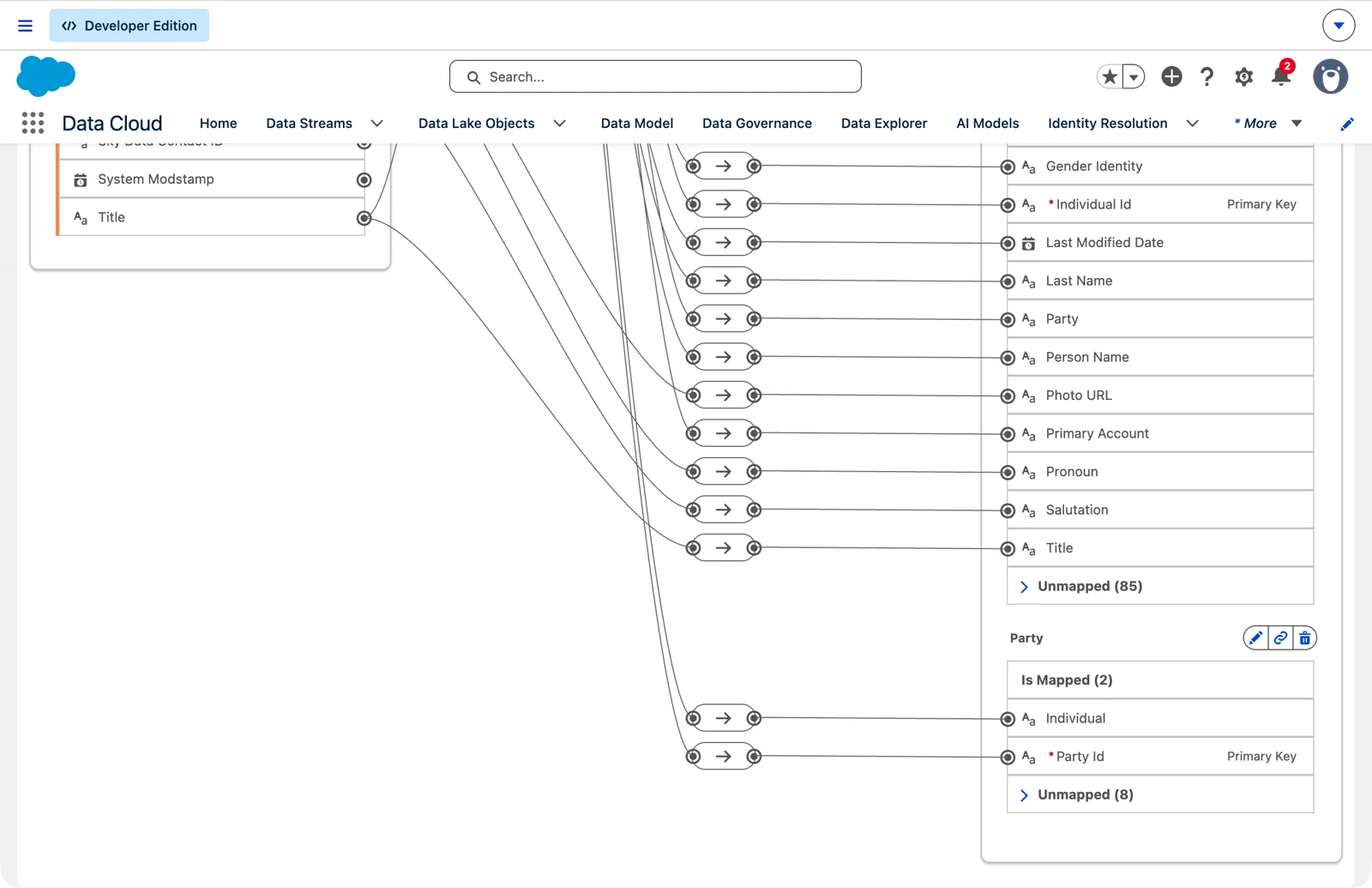
The org’s contacts map to Party too (Salesforce Data 360 in a Developer Edition org, screenshot, November 2026). Full size
Party Identification: an ID that matches across sources
Section titled “Party Identification: an ID that matches across sources”The Party Identification object is an important one: it allows you to match across identification numbers. Salesforce describes it as “sets of third-party identifiers for an individual, such as a loyalty card number or a driver license number that can associate numerous customer records together.”
It has its own key and the Party, like a contact point, and three fields that do the matching:
| Field | What it holds | For the pilots |
|---|---|---|
| Party Identification Type | A general category of ID | Person Identification |
| Identification Name | The specific kind of ID, the name of the ID space | Pilot ID |
| Identification Number | The ID itself | the pilot’s ID, such as PLT-000238 |
The values for the pilots are this course’s example.
Think of a driver’s license. The type is the general category: a person’s identification. The name is the specific ID, such as a California driver’s license. And the number is the license number.
The rule that makes it work, in Salesforce’s words: “For the same Party Identification Type and Identification Name values, Data 360 matches records with the same Identification Number.” It’s an exact match on all three. Two records with the pilot ID PLT-000238 are matched only if both say Person Identification and Pilot ID. And you “can’t match identification numbers on blanks.”
That’s why the type and the name are a design decision, not a detail. Salesforce: “Be descriptive because it’s used to set up your match rules.” Every source that carries the pilot ID has to use exactly the same type and name, spelled the same way. Agree them once and write them in the data dictionary (chapter 3), next to the field.
The constants: formula fields on the stream
Section titled “The constants: formula fields on the stream”The pilots file doesn’t have a column that says “Person Identification.” Every row has the same value, so it’s a constant. The simplest home for a constant is a formula field on the data stream (chapter 6, module 4), added while you create the stream:
- Pilot ID type: a formula with a fixed string, “Person Identification.” That’s the general category.
- Pilot ID name: another fixed string, “Pilot ID.” That’s the specific one, from the general category down to the pilot ID.
You can test each formula in the editor, and it returns the fixed string.
What I actually did, and why it’s worth telling. When I built the pilots stream for this course, I didn’t add the constants; I mapped the pilots to the Individual and the email first. By the time I came back for Party Identification, the stream was deployed, and a deployed file stream had nowhere to add a formula field. I could have deleted the stream and built it again, but the mapping, the identity resolution ruleset and a segment were already built on it. So I added a layer instead of tearing it down: a streaming transform reads the pilots and writes a small lake object with the pilot ID, the two constants and the phone, and that object maps to Party Identification and Contact Point Phone (chapter 7, module 5). Nothing that was already built had to change. Add the constants when you create the stream if you can; if you’re past that point, add a layer.
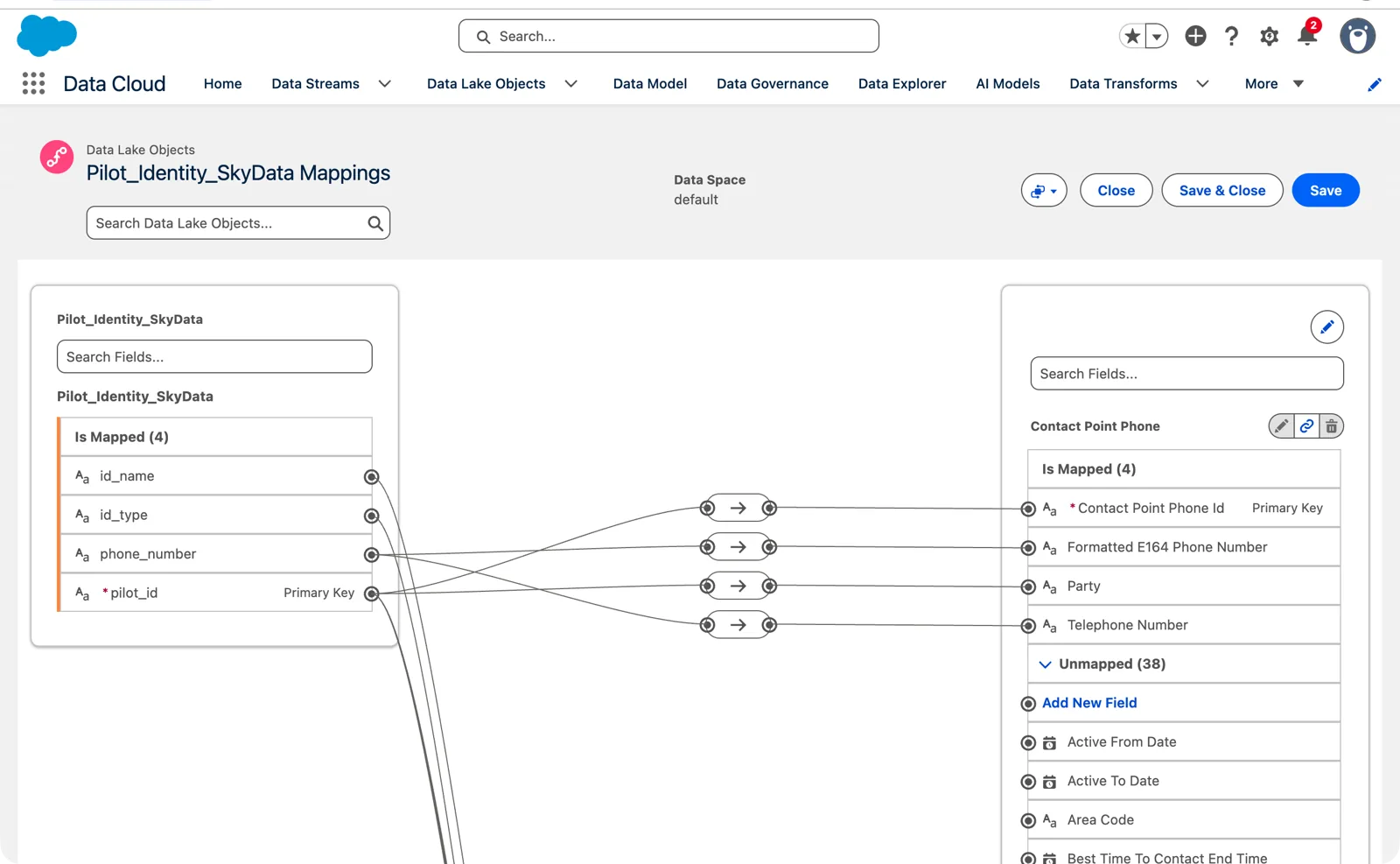
The layer’s mapping: Contact Point Phone and Party Identification, each with its Party (Salesforce Data 360 in a Developer Edition org, screenshot, November 2026). Full size
- the type formula field to Party Identification Type;
- the name formula field to Identification Name;
- the pilot ID to Identification Number, and to the Party;
- a key to the Party Identification ID. One identification per pilot here, so the pilot ID works; if a pilot carries two IDs, each needs its own key, just as with two emails in module 3.
The phone, formatted for matching
Section titled “The phone, formatted for matching”On Contact Point Phone, I mapped the phone twice: the telephone number in its original format, and the number in E.164, the international format with the country code. The E.164 version is the one which will allow us the matching. A phone written five different ways in five sources is five different values; in one format, it’s one. You’ll see it in SkyData’s pilots file: most phones are already in E.164, +16025550142, but 15 are written another way on purpose, (602) 555-0142. Same number, a different value, until it’s formatted.
Salesforce’s list of the fields to map for identity resolution includes Formatted E164 Phone Number on Contact Point Phone, with its Party.
Where the E.164 value comes from is a design choice. The source can send it already formatted, or you format it inside Data 360, with a formula field on the stream or a transform (chapter 7). The closer to the source it’s formatted, the simpler every later step is. I found that out the hard way: a stream formula has REPLACE to strip the brackets and dashes, but my streaming transform’s SQL didn’t (“Function REPLACE not supported”). So in my org the 15 phones written (602) 555-0142 reach the model as they came, and identity resolution won’t match them by phone. That’s the point: fix it at the source, or at the stream, before every later step has fewer tools to fix it with.
Check it
Section titled “Check it”In Party Identification, filter for one pilot, PLT-000238: one row, Person Identification, Pilot ID, PLT-000238, and the Party is the same pilot ID.
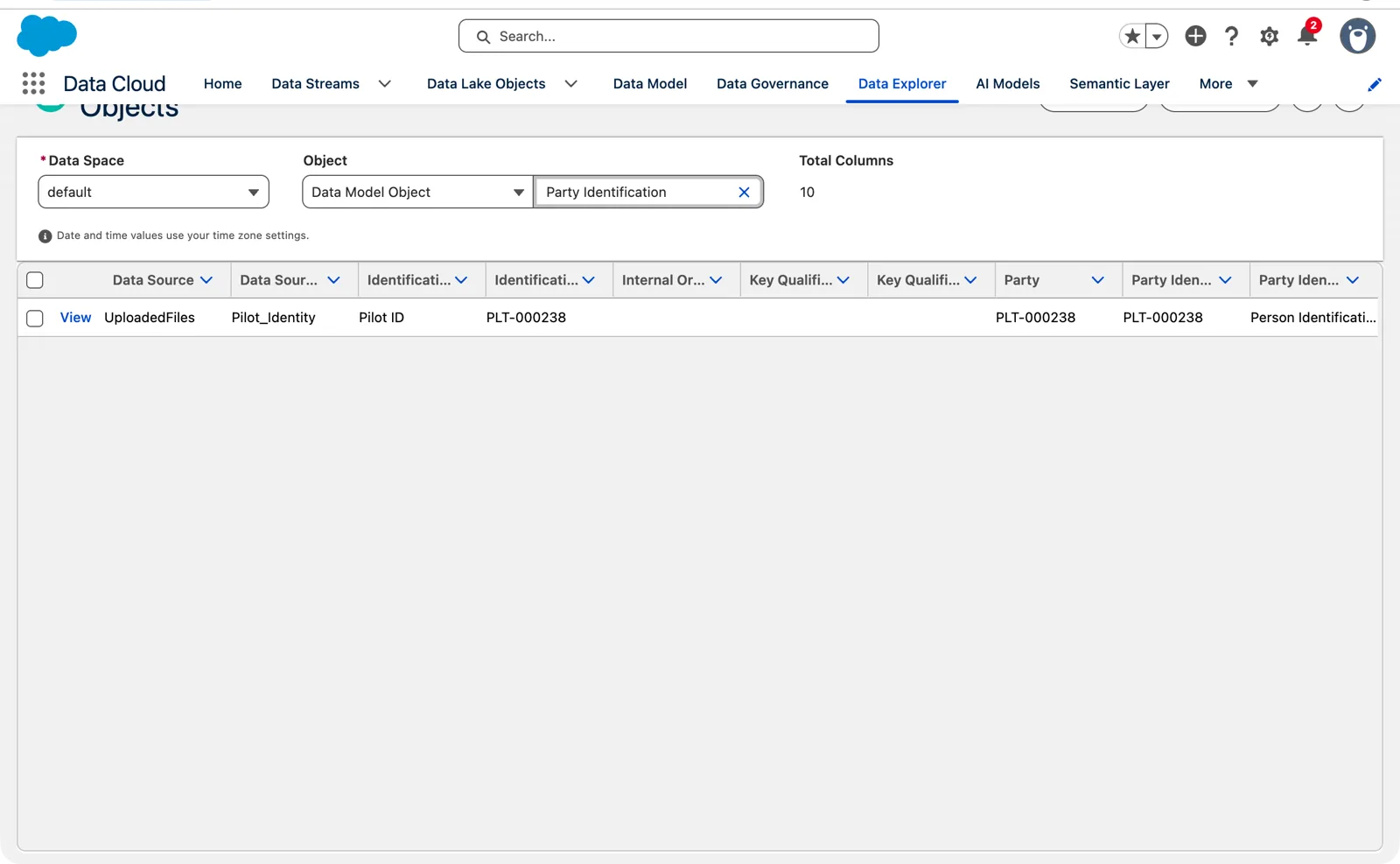
One pilot’s identification, ready for a match rule (Salesforce Data 360 in a Developer Edition org, screenshot, November 2026). Full size
In Data Explorer, choose the data space, the data model objects, then Contact Point Email: the email addresses are there, and the Party is the pilot ID. Switch to Contact Point Phone, and you see the phone numbers both in the original format and in E.164, with the Party.
Data Explorer shows up to 10 columns and 100 rows. When you need more, copy the SQL behind the view and run it through the Query API, which returns the rows in batches you page through. Chapter 14 covers the APIs.
Ready for chapter 9
Section titled “Ready for chapter 9”Here’s where the mapping stands. The data stream maps to the lake object, and the pilots lake object maps to four standard objects: the Individual, Contact Point Email, Contact Point Phone and Party Identification, each tied back by the Party. That meets Salesforce’s minimum for identity resolution, segmentation and activation: the Individual, and either a contact point or Party Identification. We have both.
Next, chapter 9 takes this mapped data and builds the match rules: on the email, on the formatted phone, on the party identification. Then we can create the unified individual, and from there start building insights, segments and activations.
Watch it on video
Section titled “Watch it on video”In 2023 I filmed the party mapping: the Party on every contact point, Party Identification with its type, name and number from formula fields, and the phone in E.164. The note under the video says what’s still right and what’s changed since.
What an architect decides here
Section titled “What an architect decides here”- Which IDs each source carries that can match across sources, and which become Party Identification.
- The type and the name for each ID, agreed once and used by every source, spelled exactly the same.
- Where the constants come from: formula fields on the stream, or the source.
- Which contact points need a matching format, such as the phone in E.164, and where it’s made.
Explore
Section titled “Explore”All checked 2026-11-14.
- Data Mapping Requirements in Data 360 (opens in a new tab), Salesforce Help.
- Individual Object Data Modeling Requirements (opens in a new tab), Salesforce Help.
- Unify Individuals or Accounts Based on Party Identifier (opens in a new tab), Salesforce Help.