
Salesforce to Salesforce Single Sign-On Setup Guide
Introduction
In this guide, we’ll explore how to set up Single Sign-On (SSO) between two Salesforce organizations, with one acting as the Identity Provider (IDP) and the other as the Service Provider (SP). This setup allows users to navigate between the two organizations seamlessly using a single set of credentials.
Objective
Our goal is to configure two Salesforce organizations, one as the IDP and the other as the SP, to enable users to traverse between them without needing to log in multiple times.
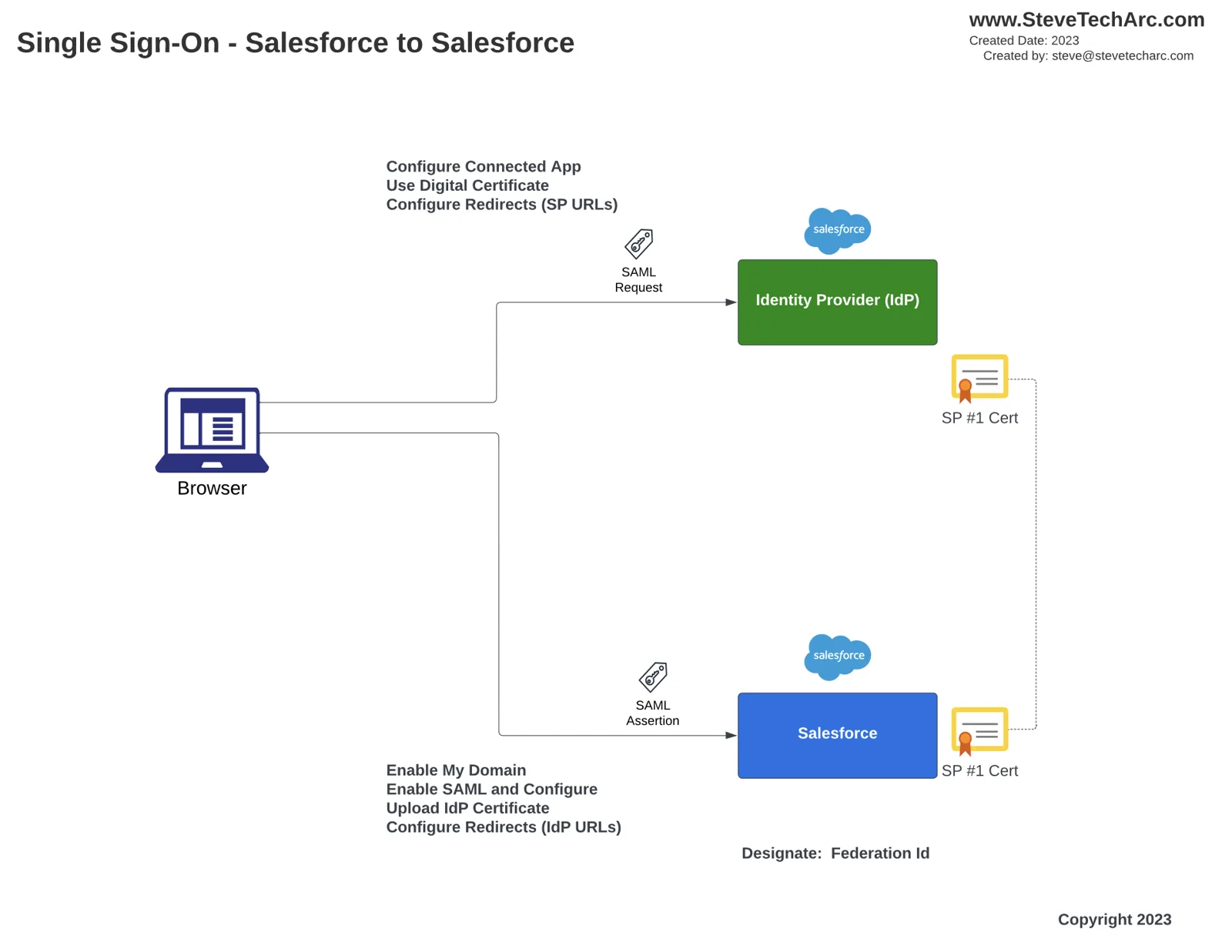
Step-by-Step Guide
Initial Setup
- Create two Salesforce Developer Orgs: one for the IDP and the other for the SP.
- Set up unique usernames, passwords, and security questions for each org.
- Customize each org with distinct logos and domains for easy identification.
User Creation
Create a test user in both orgs (e.g., Homer IDP in the IDP org and Homer SP in the SP org).
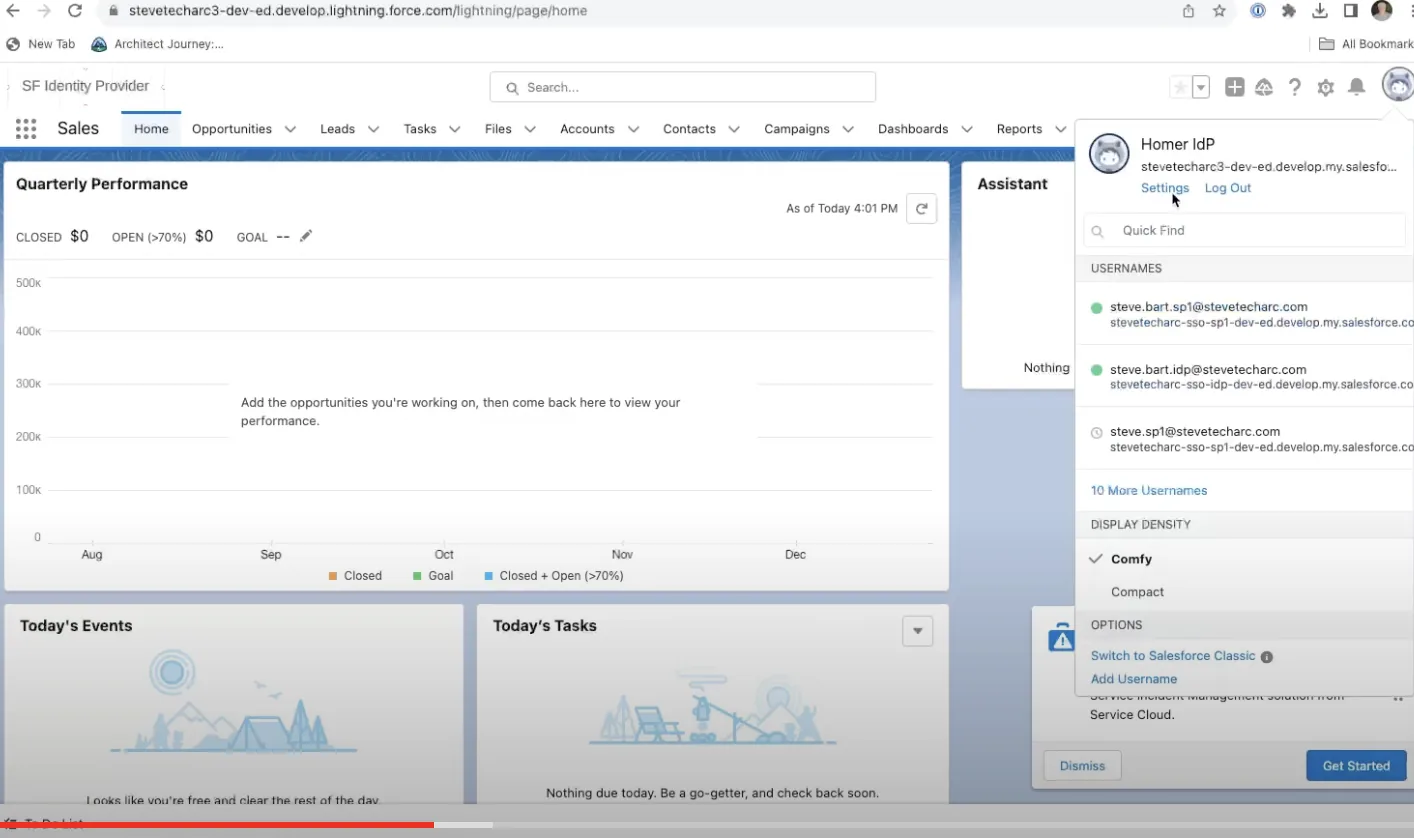
Assign a unique Federation ID to each user to facilitate identification during the SSO process.
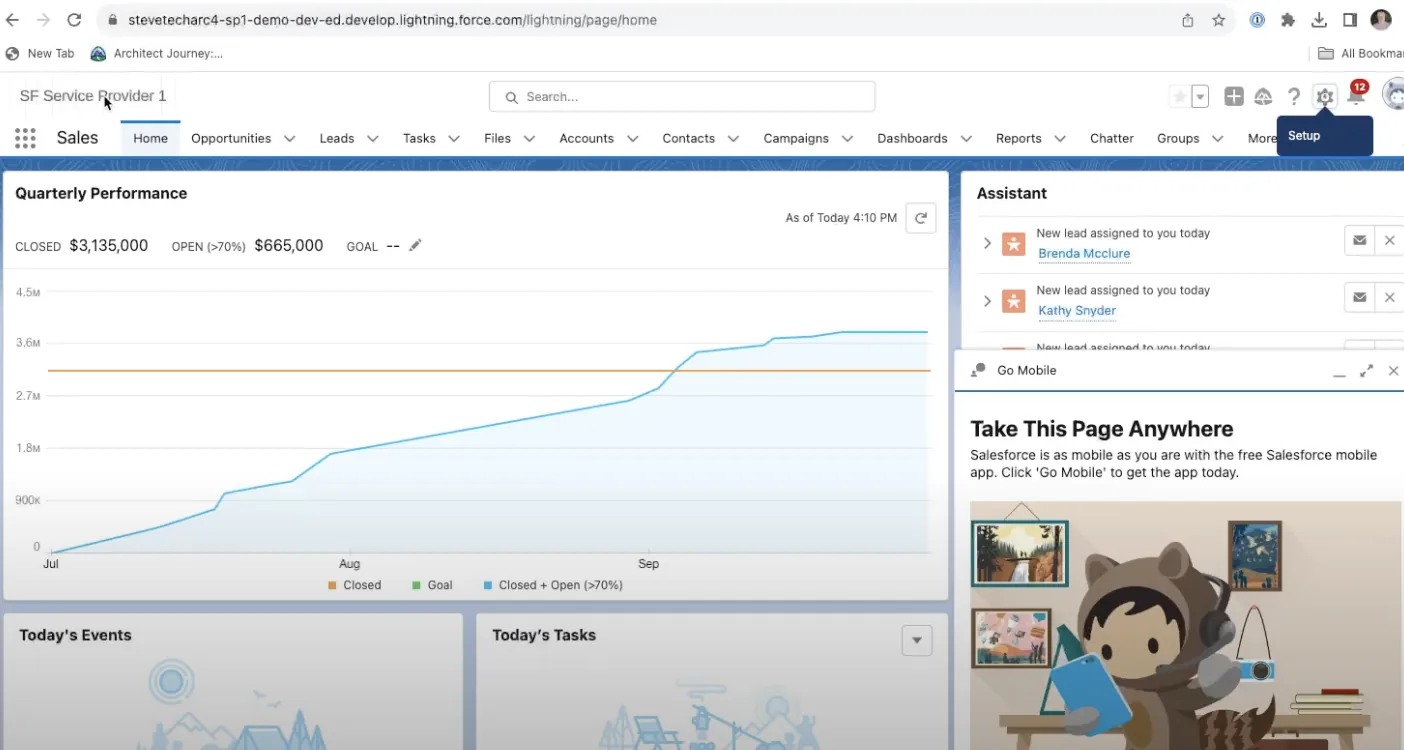
Single Sign-On Setup
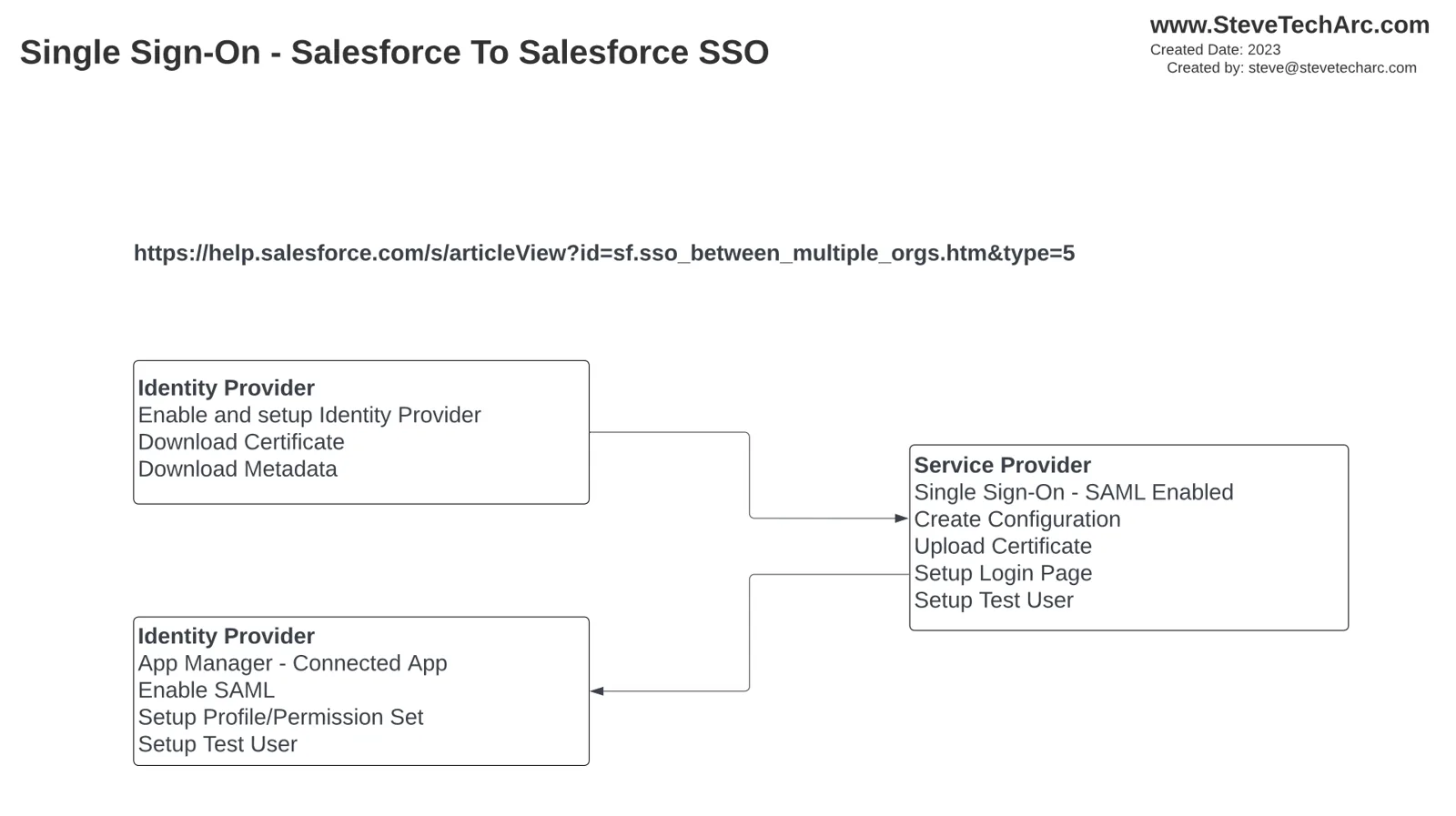
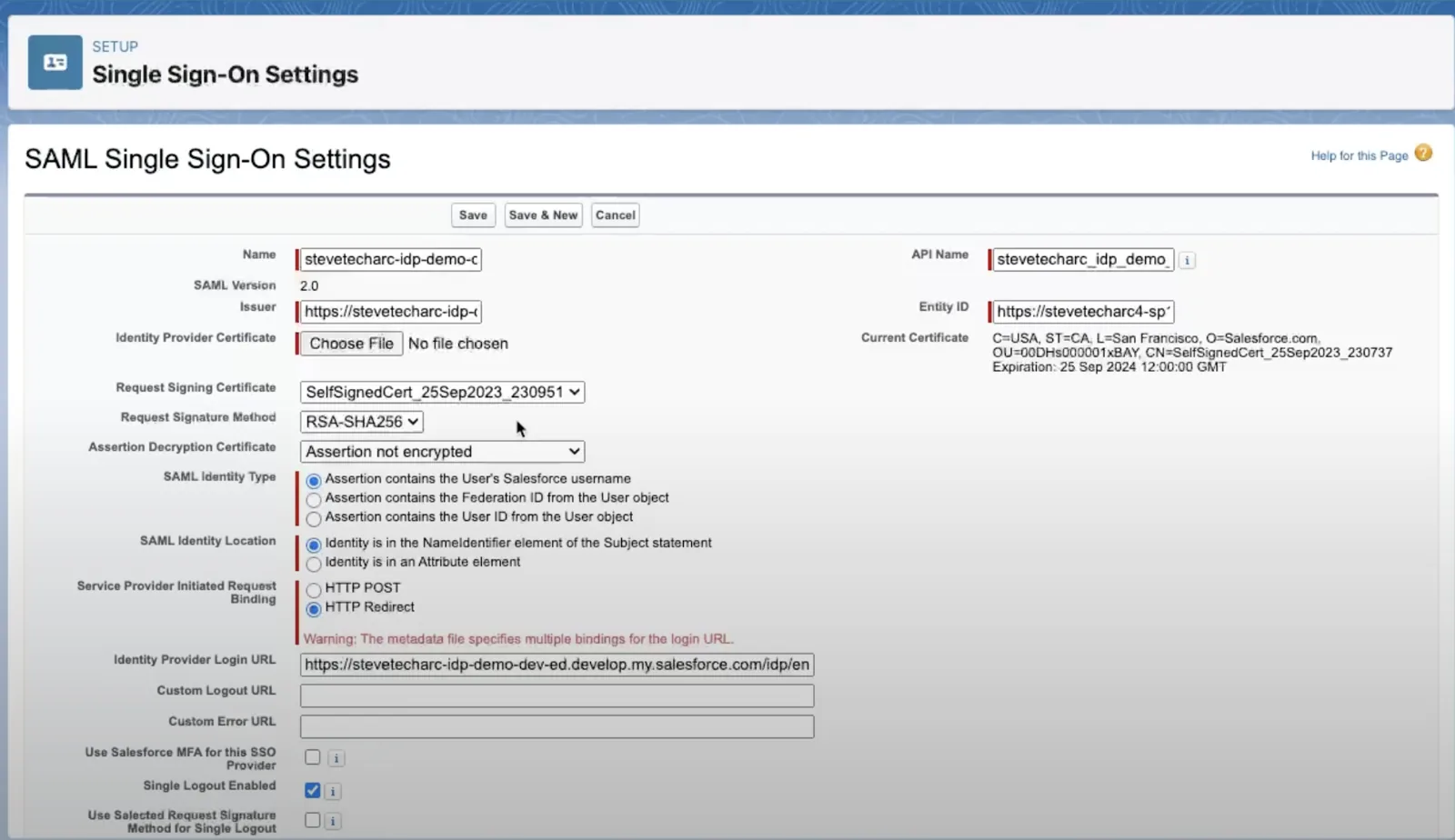
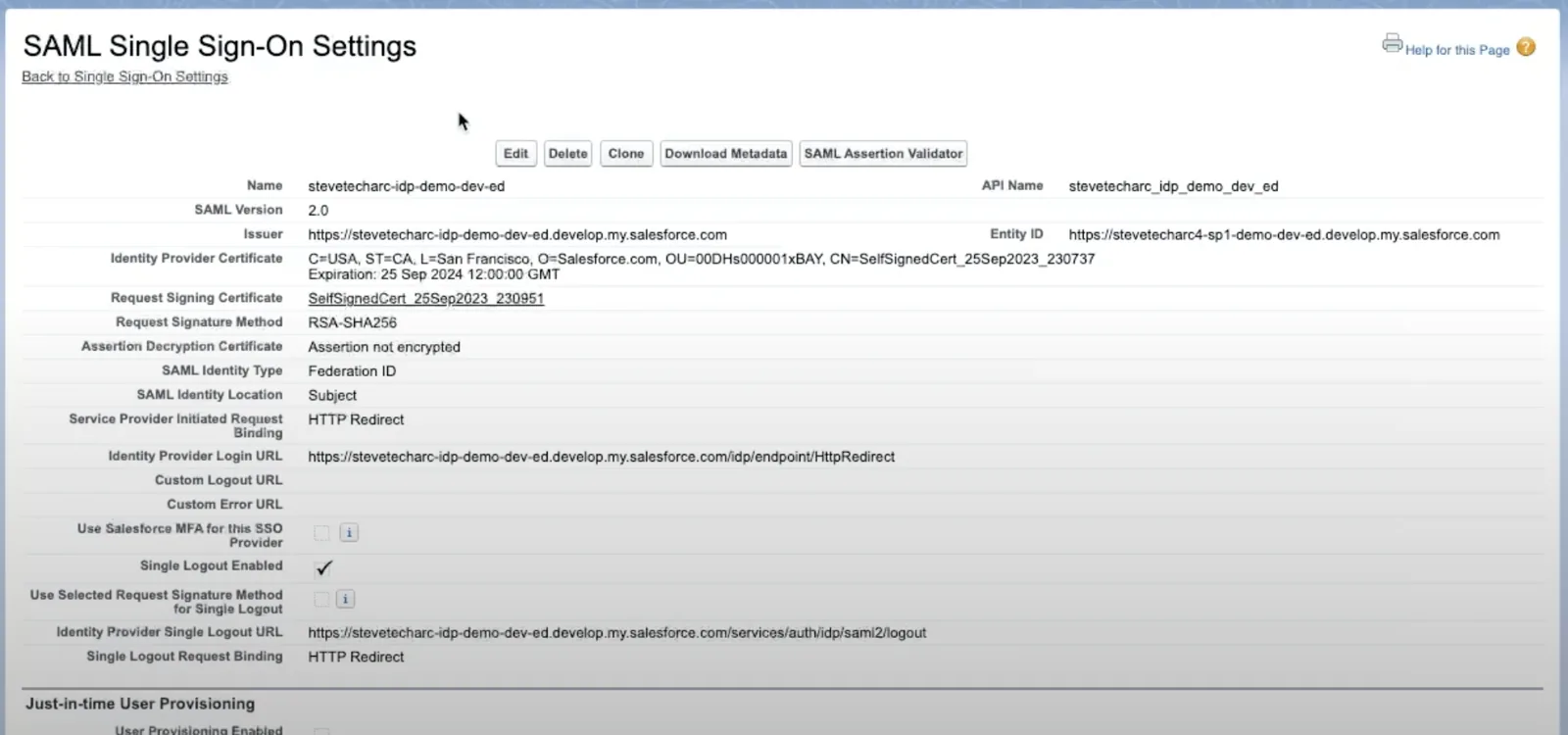
Download the certificate and metadata from the IDP org.
Enable SSO in the SP org and upload the IDP’s certificate and metadata.
Configure the Connected App in the IDP org with the SP’s entity ID and ACS URL.
Assign the Connected App to the relevant user profiles.
Testing the SSO Configuration
Log in to the IDP org using the test user’s credentials.
Navigate to the SP org’s URL and select the SSO login option.
Verify that the test user can access the SP org without entering additional credentials.
Conclusion
Setting up SSO between two Salesforce orgs involves several steps, but the process is straightforward. With this setup, users can easily navigate between different Salesforce orgs using a single set of credentials, providing a seamless user experience.
Stay Tuned
Embark on your Salesforce Identity journey with confidence! For more insights and tips, stay tuned here on www.SteveTechArc.com and to the @SteveTechArc (opens in a new tab) YouTube channel. Subscribe and enhance your understanding of Salesforce Identity.
Helping change the world by sharing integration info with fellow Architects and those on their Architect Journey!
STA 3.5