
When Rows Don't Make It
이 콘텐츠는 아직 번역되지 않았습니다.
Module 4 in the chapter Streams and the Lake, chapter 6 of the Data 360 Architect course. Each module stands on its own. Previous: Profile, Engagement or Other · Next: What Data 360 Adds to Every Lake Object
The question this module answers: What happens to the rows that fail on the way in, and how do you check a stream’s first load?
You’ve designed the stream, chosen the category, deployed it, and the first load has run. Did every row make it? In a file of runways or a feed of flights, a few rows will have a missing key, a date in the wrong format, or a duplicate. The question is what happens to them.
The course’s files give you real ones to try. In BTS’s flights on SkyData (opens in a new tab), midnight is written 2400, which no time format accepts, and the flags are written 1.00 and 0.00. In the pilots file (opens in a new tab), 50 rows carry a known problem on purpose: 15 with no email, 15 with names in different capitals, 15 with the phone written another way, 5 with a space after the email, each listed with its clean value in the file’s mess key. Load them, then find them, using the checks below.
They won’t just go away quietly
Section titled “They won’t just go away quietly”When I created a stream, I noticed something new: a second data lake object, with the same name and PR in front of it. That’s the problem records data lake object. If Data 360 goes to load data and encounters records which can’t be loaded, they won’t just go away quietly or be missed. They go into the PR object, and that allows you to track them. When I set up the Ingestion API for airports, it made one too: if records don’t get ingested through the API, it’s not that they’ll get lost; they’ll be written to the PR object.
Salesforce’s page fills in the rules:
- It’s named PR_ plus the data lake object’s name, so you can tell which stream it belongs to.
- Problem records come from “all structured ingest connectors, Web and Mobile App connectors, and Ingestion APIs.”
- “Data 360 stores problem records for 30 days.” Delete the stream, and its problem records go with it.
- You can query them “using Data Explorer, the Query Editor, or Query API,” and the stream’s Refresh History lists them.
- You can use a problem record object as the input to a data transform (chapter 7), but not as its output. And you can’t package them.
What a problem record tells you
Section titled “What a problem record tells you”Each problem record has fields like the data source, the detailed error, the error code, the error fields and the error timestamp, and you can query off this data. The error code is where to start. Salesforce lists four:
| Error code | What happened |
|---|---|
| NOT_NULL_CONSTRAINT_VIOLATION | A required field was empty, such as the primary key |
| TRANSFORM_EVALUATION_ERROR | A field couldn’t be converted, for example a date in a format Data 360 couldn’t read |
| UNHANDLED_ERROR | Something else went wrong while the row was processed |
| DUPLICATE_ROW | More than one record in the batch had the same primary key |
Look at that list and you’ll see chapter 3 again. An empty key, a date that doesn’t parse, two rows with the same key: these are the problems the dictionary was meant to prevent. Problem records are where the decisions you skipped come back.
Formula fields: fix what you can at the door
Section titled “Formula fields: fix what you can at the door”Some of those problems you can solve on the stream itself, with a formula field. Salesforce: these supplemental fields “can be hard-coded or derived from other fields in the data stream.” You build the formula in an editor, try it in a testing panel with sample values, and save it as a new field. Formulas are recalculated “only if a record has changed.”
One I built in my own org was a key. If data flows in from multiple sources, you might take the source and add it to the ID. I created a formula field for the primary key, put the source in front of the ID, and made it the stream’s key. It’s not a compound key; it’s compound values in a single key. That’s what lets several sources be brought together into one lake object by a transform (module 2, chapter 7) without their keys colliding.
Add them when you create the stream. The New Formula Field button sits on the fields step of the new-stream wizard, before you deploy. In my practice org, once a File Upload stream was deployed, I couldn’t find anywhere to add one: the stream page has no such button, its lake object has no Add New Field, and Update File goes straight to the upload, with no fields step. So decide the constants and the cleanup before you deploy. If you’re already past that point, chapter 7 module 5 shows how I added what I’d missed without rebuilding anything.
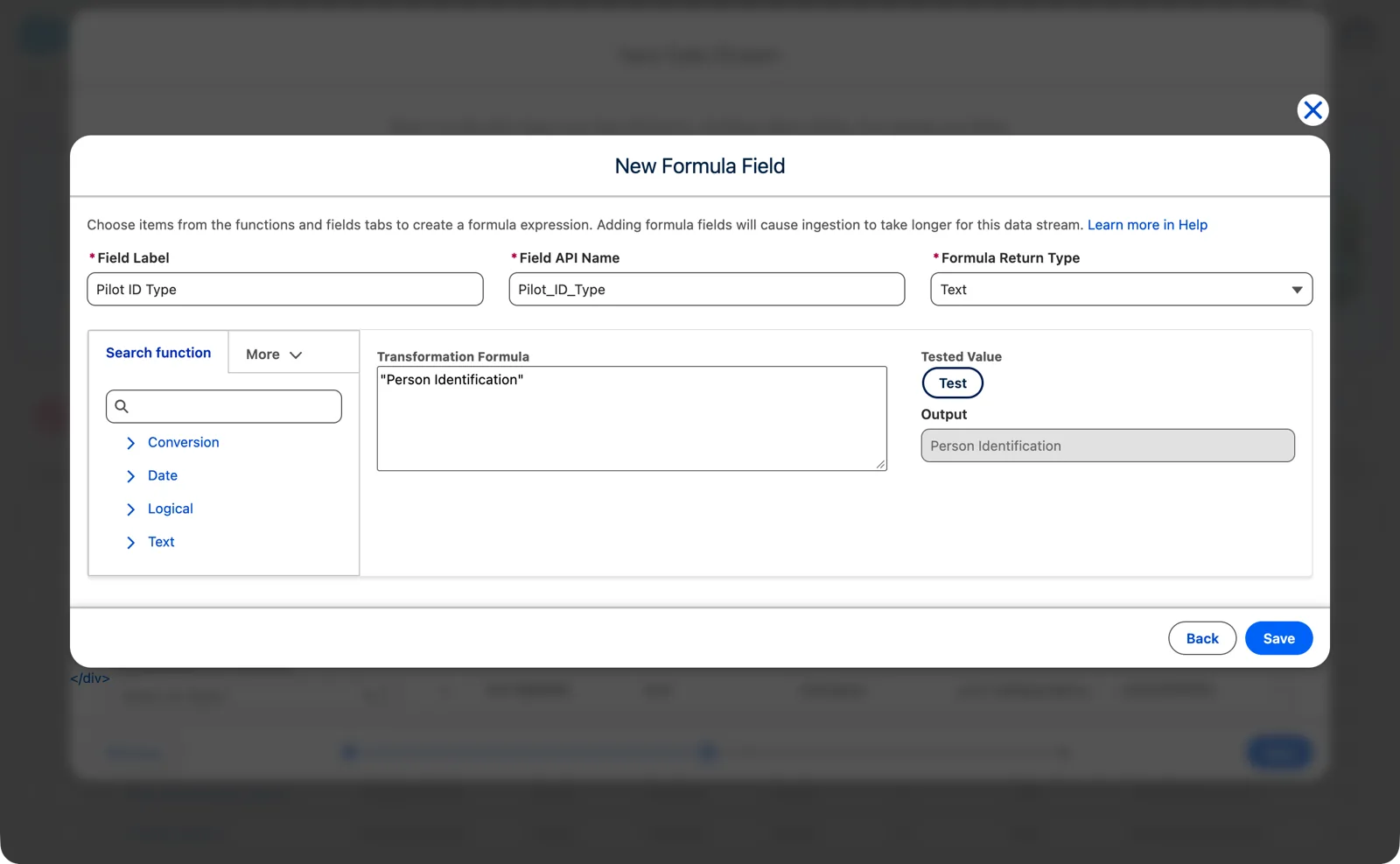
A constant as a formula field, tested before the stream is deployed (Salesforce Data 360 in a Developer Edition org, screenshot, November 2026). Full size
The thing to remember about these formulas: they’re only basing themselves on the row of data. A formula can use the fields of the same row, constants and functions. Anything that needs other rows, a join, a total, a lookup, is a transform, and that’s chapter 7.
Check the first load
Section titled “Check the first load”Before anything is mapped to the model, check the first load. It takes a few minutes, and it’s much cheaper than finding the problem in a segment later.
- Refresh History: how many rows came in, and how many were processed into the lake object?
- The PR object: is it empty? If not, read the error codes, fix the source or the stream, and reload.
- Data Explorer: look at a sample of rows. Do the dates, numbers and keys look right?
- The key: is it unique, and never empty? DUPLICATE_ROW and NOT_NULL_CONSTRAINT_VIOLATION say it isn’t.
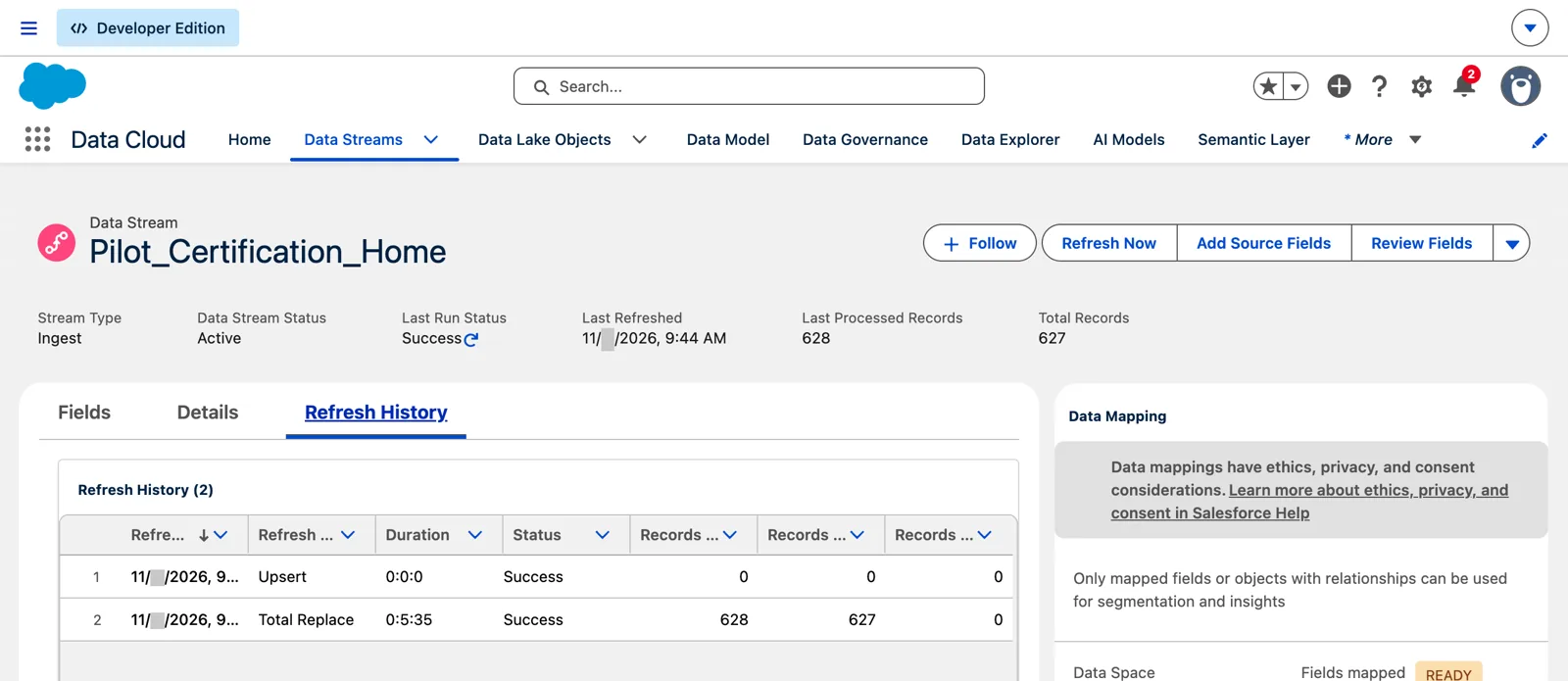
Refresh History after a first load: a full load, then an incremental one (Salesforce Data 360 in a Developer Edition org, screenshot, November 2026). Full size
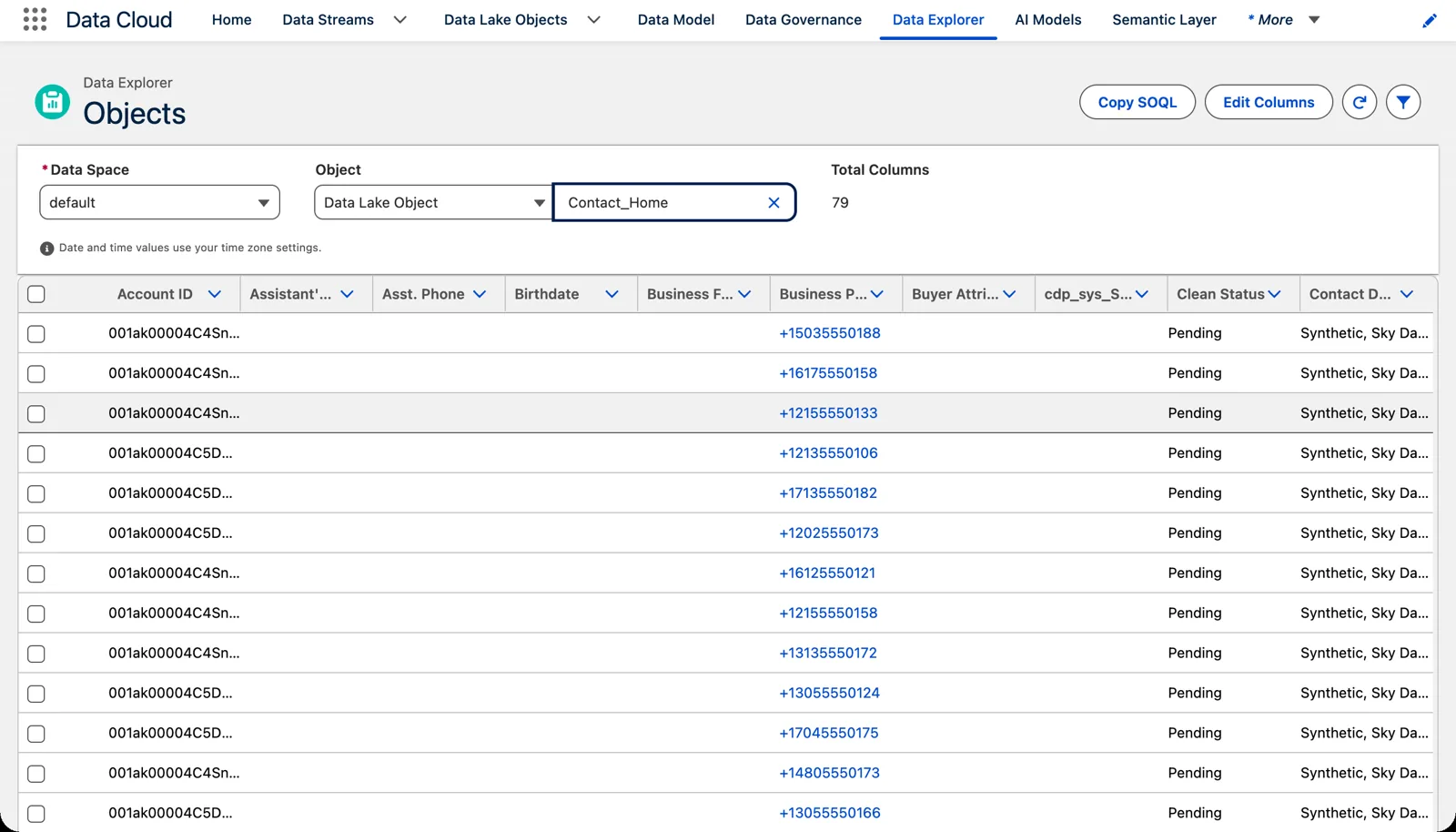
A sample of rows in Data Explorer: check where each value landed (Salesforce Data 360 in a Developer Edition org, screenshot, November 2026). Full size
Then map (chapter 8).
Test it with real volumes
Section titled “Test it with real volumes”A first load of ten rows tells you the stream works. It doesn’t tell you the design works. If your solution hasn’t been tested with real volumes, it hasn’t really been tested. Small data sets hide the problems: the runway surface column’s 667 different values (chapter 3, module 4) don’t show up in a sample of twenty runways, and a key that repeats once in 48,412 rows won’t repeat in a hundred.
So before go-live, load a real day, or a real month, of each source into a sandbox. The course’s month of flights is 29,524 rows: a size where the problems start to show. Then run the checks above again, and see how long the load took. Identity resolution and segments behave differently at scale too; that’s Part 2.
Watch every load after
Section titled “Watch every load after”The first load is the one you watch. The hundredth is the one that fails at night. So decide, for every stream, how you’ll know a run went wrong.
- The stream’s Refresh History. Salesforce: it “summarizes each data stream’s last 50 refresh operations including errors that occurred,” and for a failed run you can “click the error, and download the error message file.”
- A missing file shows as a failure only if the stream says so. Turn on “Log an error if no file is found” (chapter 4, module 3); without it, a missing file is a success with 0 records.
- Someone is told. Salesforce’s answer is a flow. Its example is a record-triggered flow on the Data Stream object: when the run status changes, a decision checks for a failed status, or a change in the number of rows processed, and an action sends an email. The same works for segments, activations, identity resolution and calculated insights.
Refresh History tells you after you look. A flow tells you without looking. In production, you want the second.
Watch it on video
Section titled “Watch it on video”In 2024 I filmed a fresh pass through creating a stream: the source name, the category, a formula field as the key, and the day I first saw the problem records object. The note under the video says what’s still right and what’s changed since.
What an architect decides here
Section titled “What an architect decides here”- Who watches the problem record objects, and how often, given they’re kept for only 30 days.
- Which fixes belong at the source, and which in a formula field on the stream.
- The first-load checklist every new stream passes before it’s mapped.
- How every stream is watched after the first load: who gets the failure notice, and what they do next.
- That each source is loaded at real volume in a sandbox before go-live.
Explore
Section titled “Explore”All checked 2026-11-14.
- Troubleshooting CRM Connections (opens in a new tab), Salesforce Help, checked 2026-11-14: Refresh History, the last 50 runs.
- Data 360: Control event notifications using flows (opens in a new tab), Salesforce Help knowledge article, published 2026-10-13, checked 2026-11-14.
- Monitoring Data Stream Problem Records (opens in a new tab), Salesforce Help: the rules, the fields and the error codes.
- Create a Formula Field (opens in a new tab), Salesforce Help.
- SkyData: Streams and the Lake (opens in a new tab), this chapter’s data files.